Tech Tuesday – September 12: Assigning activities in Top Hat and TxHistory Filters in AxiUm
TechTuesday
A weekly tip email from your neighborhood Instructional Technology and eHR team.
Tip #1 – Our course directors are using Top Hat in some really cool ways. Here is one way you can use its features to free up class time. Use Top Hat to assign knowledge checks before class time. You can even assign a due date/time so they have to complete before arriving, freeing up class time to review answers and discuss.
In Top Hat, check the question(s) you want the students to attempt as a knowledge check.

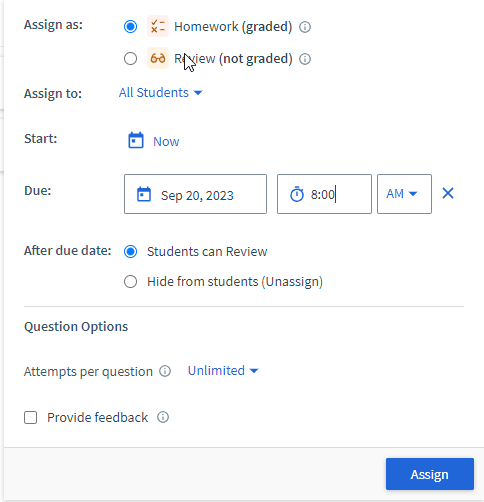
Click Assign. Under each assigned question, you will see the details of the assignment.
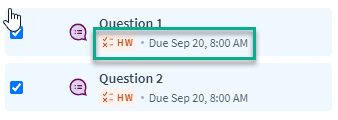
Notify your students about the questions and be ready to discuss in class after they’ve already submitted. Alternatively, you can assign directly through Canvas, which we will look at next week.
Tip #2 – In axiUm, that Tx History tab can get very busy, especially for long-time patients.

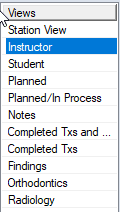
Luckily, you can filter out specific data by using the Views on the left. It’s pretty easy to guess what that view filters based on the name, but here are a few helpful Views to try.
Instructor – This view shows everything. Selecting this may require alot of scrolling for some patients.
Planned – Only shows treatments with status=planned
Notes – Shows only notes.
Completed Txs – Only shows treatments with status=complete
Findings – Only shows documenting findings, which is axiUm’s term for anything the patient already had when they came into our care.