Tech Tuesday – August 22: Submitting Tickets via the Dentranet and Evaluation Codes in AxiUm
TechTuesday
A weekly tip email from your neighborhood Instructional Technology and eHR team.
Tip #1 – Hopefully, by now, you’ve made Dentranet your Chrome homepage (don’t know how to do that? at the bottom is a link to past tips where you can find out how). Dentranet will continue to evolve as we tweak it based on your feedback and practices.
One recent change is the home page. You will now find Dentistry Work Orders on the homepage for easy access.

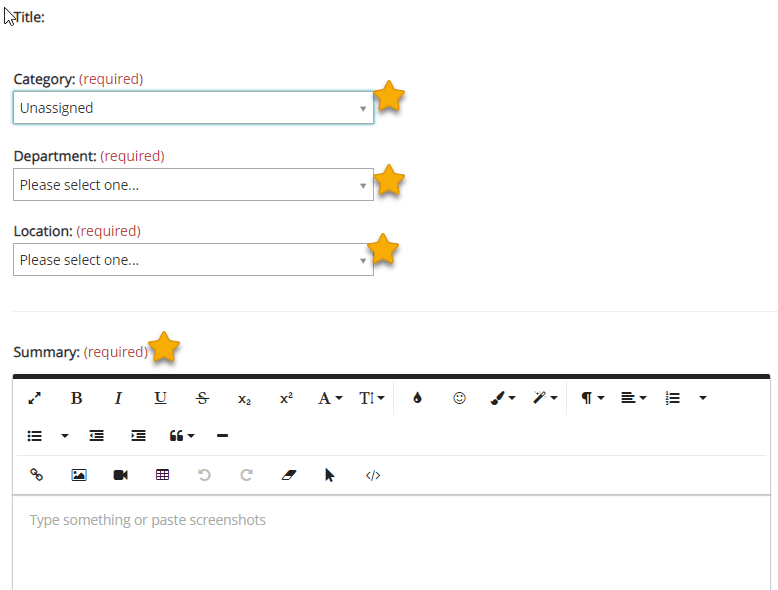
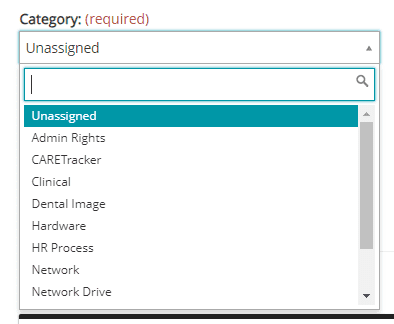
Clicking into that, you will find quick links to different types of tickets (just another alternative to going to support.dentistry.vcu.edu or emailing [email protected]). Once in the ticket, it is imperative that you select the most accurate choice for each of the dropdowns.
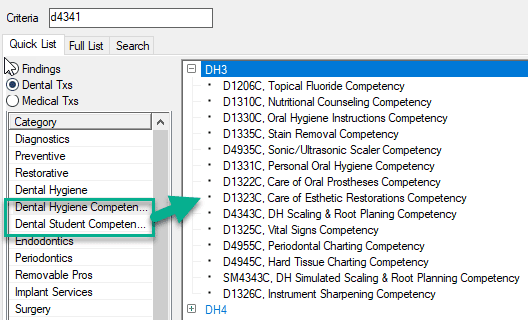
Tip #2 – CARETracker, like Dentranet, will continue to be refined and improved. One reminder: we removed evaluations from official CDT codes. D0150 for example, our Comprehensive Oral Exam code, is used alot. We frequently heard frustrations about having to always close the evaluation box for codes like that when students were not attempting and evaluation. When actually challenging one, students now chart the CDT code, like D4341 – Scaling and Root Planing, and also chart the respective evaluation code, D4341C, which is always indicated with a suffized letter: C – Competency, T-Threshold, S-Self Assessment. Please remind students about this and remind them that they can easily find evaluation codes in the Quick List tab when Chart Adding or Tx Planning.