Tech Tuesday – August 15: Searching in Google Drive and Required Fields in AxiUm Assessments
TechTuesday
A weekly tip email from your neighborhood Instructional Technology and eHR team.
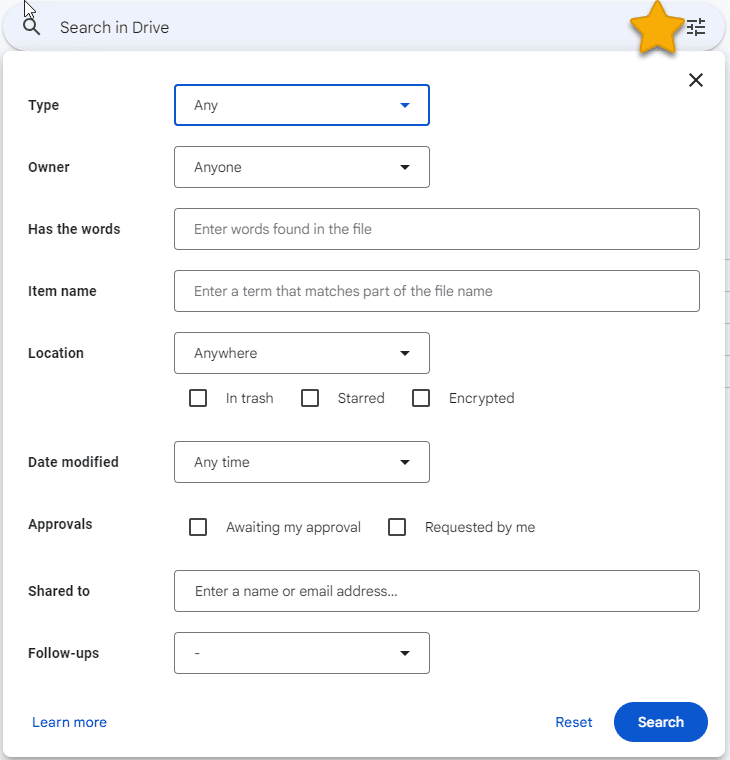
Tip #1 – In the digital age, it is very easy to forget where you put something…digitally. Google was a search engine first and has thus built its search engine into Drive. So, the next time you can’t find a file or folder in Drive, just look near the top and you will see “Search in Drive.”
You can just start typing and Google will return results.
If you want to get more specific, click the 3-line menu on the right. This will show multiple fields in which you can narrow down the search.
Tip #2 – Competencies, evaluations, technical assessments…
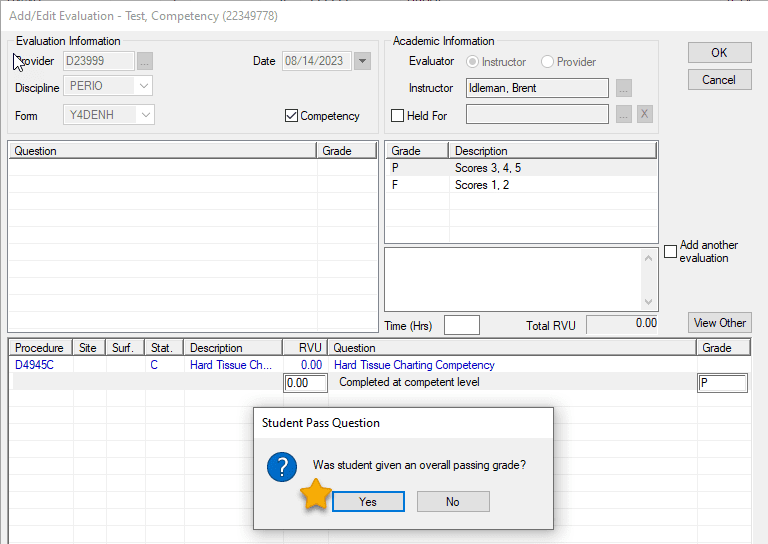
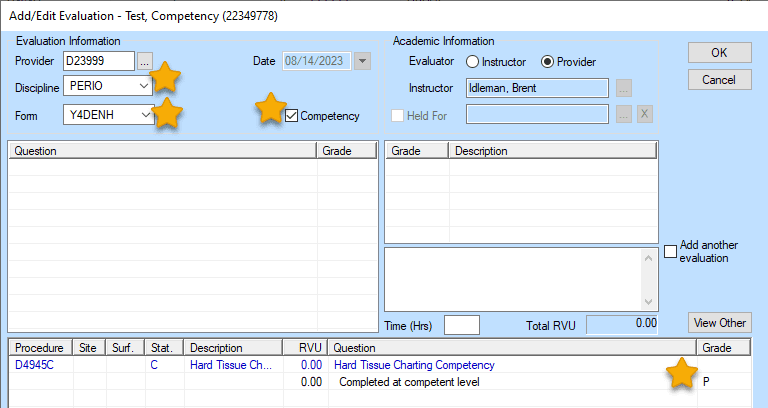
While different names describe the assessments done in axiUm, the mechanism used to track them is the same. When filling out these assessments in axiUm, it is crucial that the starred fields are addressed. If the student is doing the clicking, please remind them.
Discipline, Form, Competency, Grade
Student Pass Question – faculty, this is all you.