Tech Tuesday – February 7: Intiveo Messaging Overview and Bookmarks in Google Chrome
TechTuesday
A weekly tip email from your neighborhood Instructional Technology and eHR team.
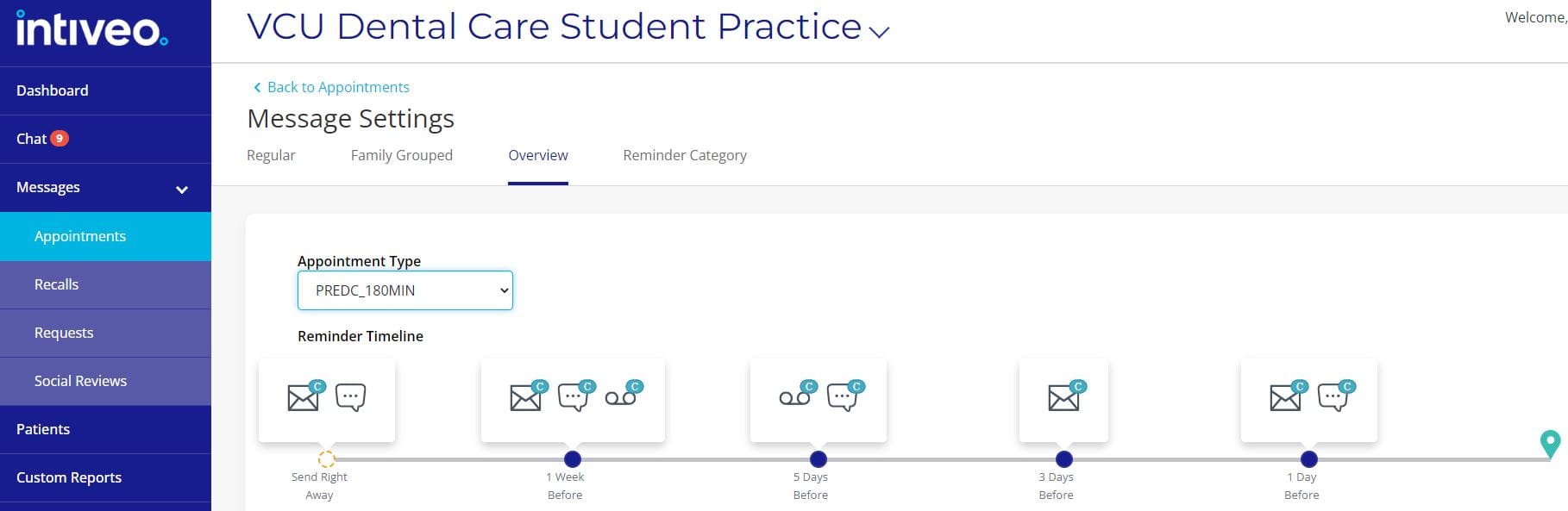
Tip #1 – Be a PRO at Intiveo! There is a very handy visualization of your practice’s messaging overview. It shows a schedule of appointment messages that will go out. This is found under Messages>Appointments>Setup>Message Settings. Click the Overview tab and select an appointment code to see how and when reminders are sent out. The “C” on icons denotes that patients have an option to confirm via those appointment reminders.
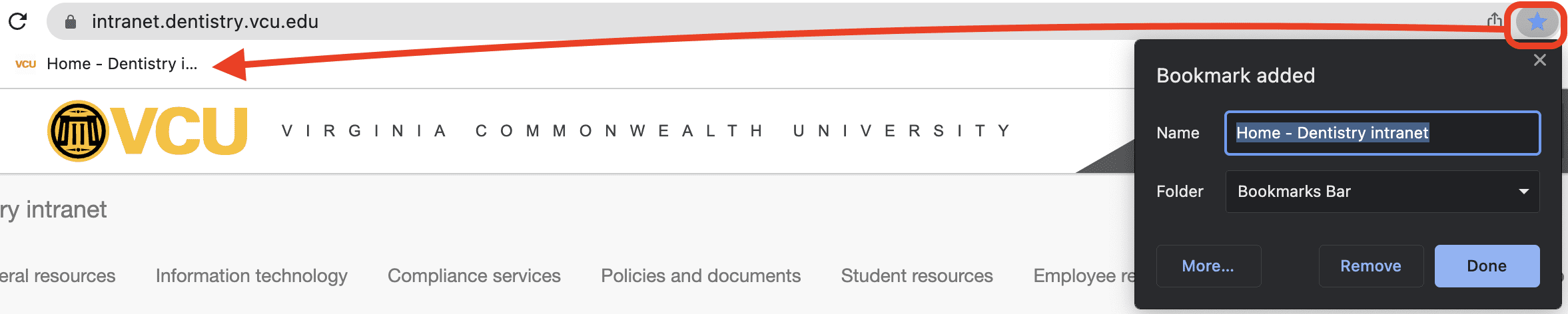
Tip #2 – A lot of us use Chrome for our web-browsing. If you visit a page frequently, you can Bookmark that page for easy and quick access. To do this, click the star on far-right of the URL bar. You can save bookmarks in folders, but if you want super-quick access, leave the Folder as Bookmarks Bar. Click Done, and you will see a truncated name of that site right under the URL bar.