Tech Tuesday – January 24: Intiveo Patient Profiles and setting pages to automatically open in Chrome
TechTuesday
A weekly tip email from your neighborhood Instructional Technology and eHR team.
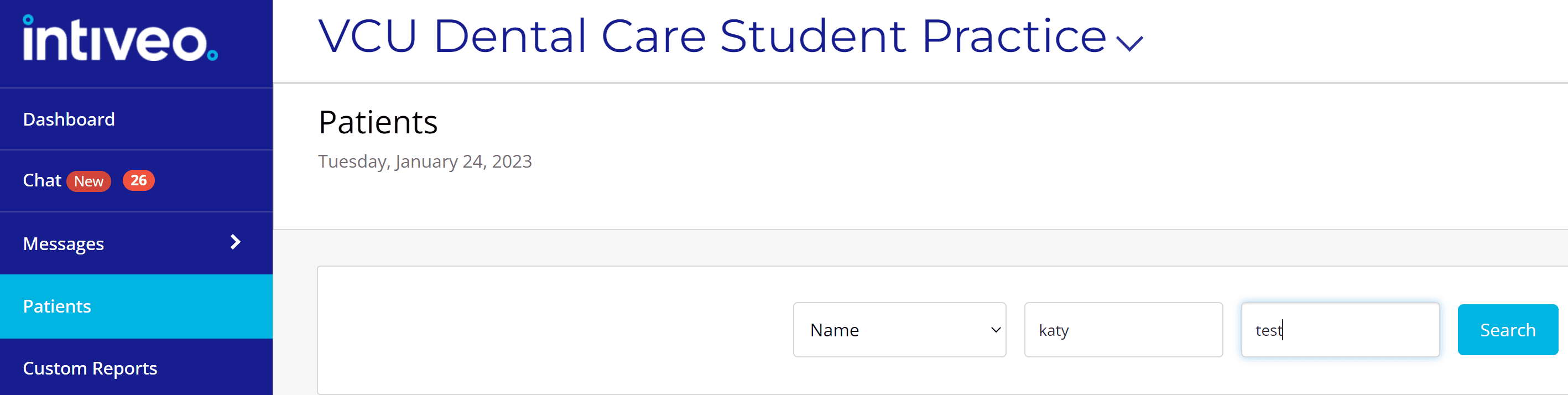
Tip #1 – Be a PRO at Intiveo! In your Intiveo portal, the Patients section lets you search and see patient profiles. You can search by name, chart number or phone number. Clicking on a patient name takes you to their profile where you can see their appointment history.

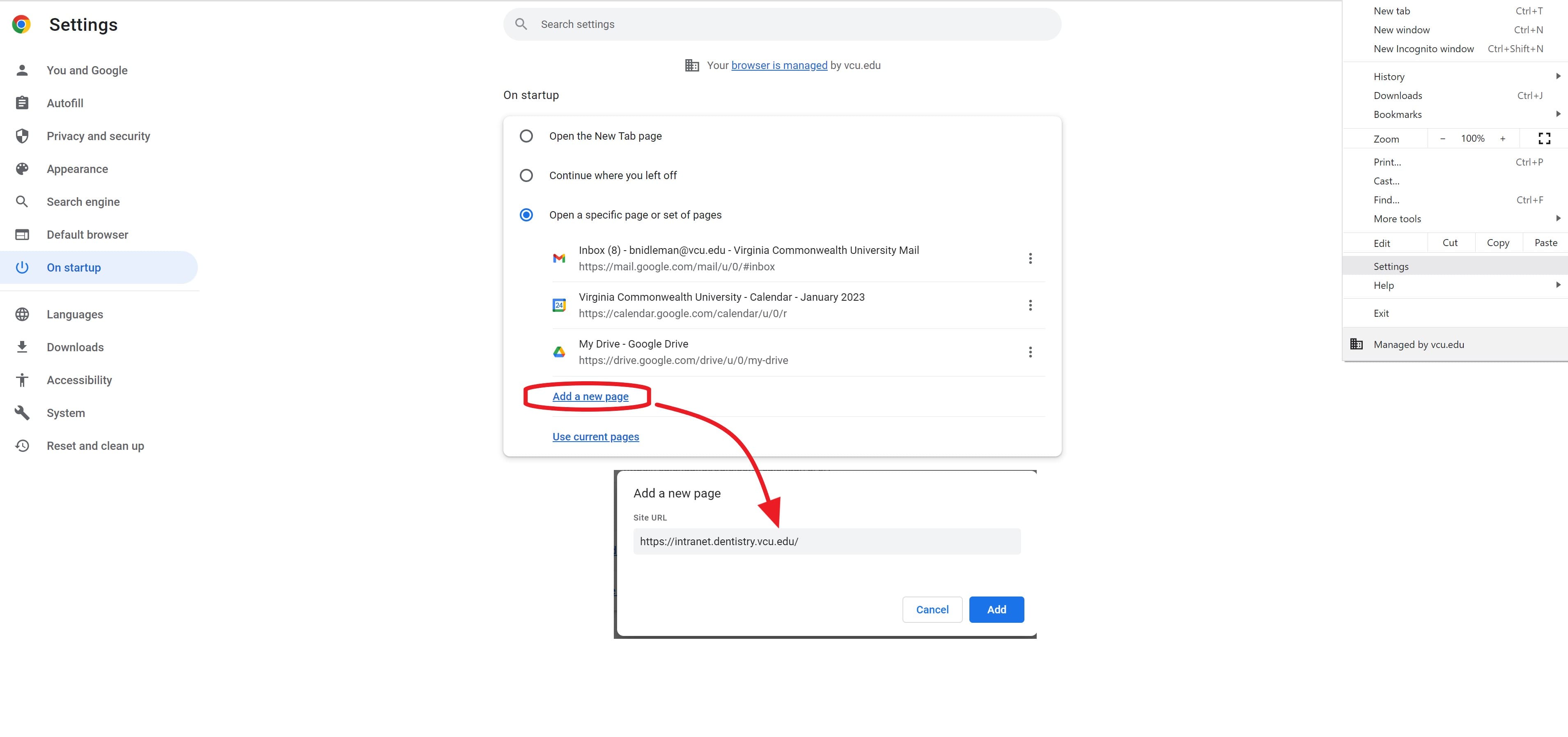
Tip #2 – If you are like us, you get to your desk in the morning, unlock your computer, open up Chrome and open the same websites…..every morning. Gmail, Calendar, the Intranet, Drive, news, etc. Why not learn a bit of automation and let Chrome do that for you?!
With Chrome open, click the 3-dot menu  in the top right next to your profile image>”Settings”>”On startup.” Here you can tell Chrome what to whenever you open it. The third option, “Open a specific page or set of pages,” is particularly helpful. You can add as many pages as you want. Next time you open Chrome, those pages will automatically load.
 in the top right next to your profile image>”Settings”>”On startup.” Here you can tell Chrome what to whenever you open it. The third option, “Open a specific page or set of pages,” is particularly helpful. You can add as many pages as you want. Next time you open Chrome, those pages will automatically load.