Tech Tuesday – June 14: Competencies and Transferring Ownership of Google Files
TechTuesday
A weekly tip from your neighborhood Instructional Technology and eHR team.
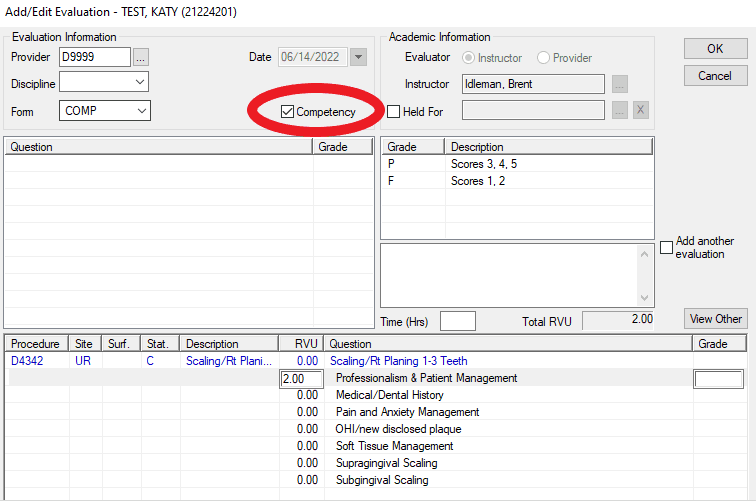
Tip #1 – See that little box? The one on the evaluation screen that says “Competency.” It’s actually quite important. Why? That’s a great question! We have multiple reports that students, staff, and faculty use to see student scores for competencies. Leaving that unchecked results in that competency not being included in the reporting. If your student says their competency is not showing up, most likely that box was unchecked. If this happens, send us an email and we will fix it.
Tip #2 – Sometimes sharing a document on Google is just not enough. When you are ready to relinquish all control, you can transfer ownership, which gives that person…..well, ownership of that Google file. To learn how, take a look at this document put together by Stephanie.
Categories AxiUm, Competencies, Google Drive