Tech Tuesday – June 18: Internal Referrals and Claiming Your VCU Zoom Account
TechTuesday
A weekly tip email from your neighborhood Instructional Technology and eHR team.
Tip #1 – Our Internal Referrals are crucial in ensuring patients get the appropriate care when it cannot be provided in the patient’s current department. In these scenarios, we’ve noticed that Running Man needs to be exercised a bit more. We are seeing a few issues occurring when using these referrals, so today we are going to address those.
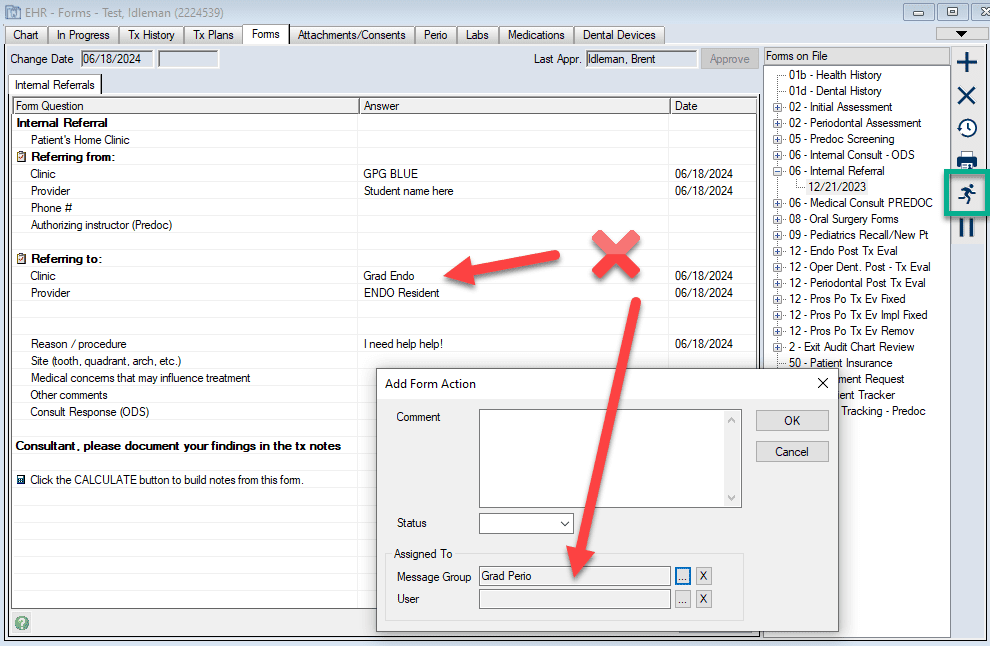
In this example, the “Referring to:” department and the Message Group do not match. The Message Group department gets a notification, but will be confused by the mismatch.
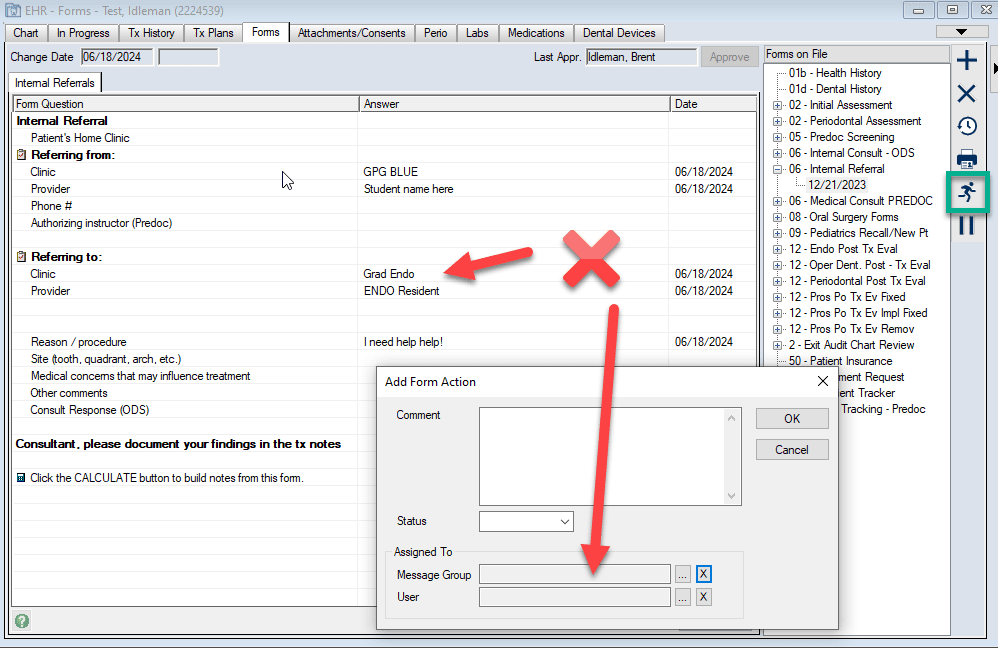
In this example, the “Referring to:” clinic is selected but the Running Man Message Group is empty. No one gets notified in this instance and the patient can go unseen. Not good.
Any time an Internal Referral is used, ensure the correct department is in the “Referring to:” field and matches the department in the Message Group field. Below is an example.

Now get out there and practice your Running Man!

Tip #2 – Just being a student, staff, or faculty and VCU means you get access to Zoom! To make your account or access it, go to vcu.zoom.us>Sign In. If you didn’t have an account already, yours will be created under VCU. In next week’s Tech Tuesday, we will review how to easily create meetings and what all of those meeting settings mean.
