Tech Tuesday – January 16: Battery Health For Your Devices and Using Kramer Wireless Presentation Tool in the Classroom
TechTuesday
A weekly tip email from your neighborhood Instructional Technology and eHR team.
Tip #1 – Ifyou arree likeme, youforrgrgettt your gglovessss frequentlyty, resultinng in coooold haandds bythe tim youwwaallkk into work. Eventuallyyl, myhands warmm upp and myability to use a mouse and keyboard returns (ahh, thats bettter).
Batteries running all of your portable devices are very similar, especially lithium ion batteries. While they can handle the cold, they operate and charge better at room temperature. That being said, you may not want to leave your devices in your car when they could get very cold. If your device does happen to get very cold, let them warm up before you plug them into a charger. In the summer heat, it can be even more damaging to let your device get very hot (again just like humans).
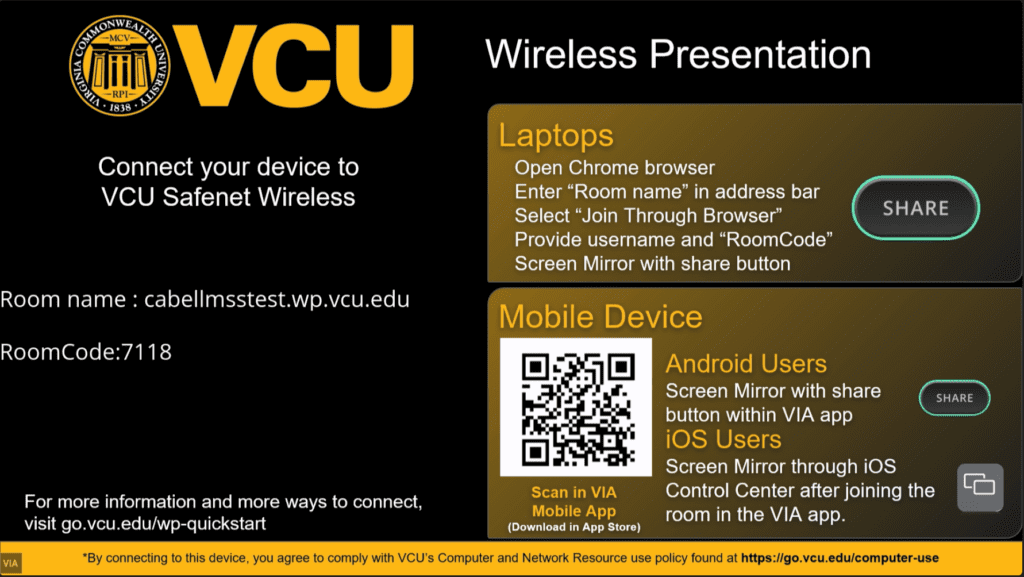
Tip #2 – Our classrooms have the ability to wirelessly project from portable devices using the platform Kramer VIA, which is very helpful when presenting with something other than the classroom’s dedicated workstation. VCU’s classroom technology site has a guide to walk you through how to use it.