Tech Tuesday – November 15: Grant Access to Books in Axium and Changing Dates in Canvas Course
TechTuesday
A weekly tip from your neighborhood Instructional Technology and eHR team.
Tip #1 – Practice Managers, a special tip just for you! Do you have a new employee? Need to give them access to a Book in axiUm? Here’s how:
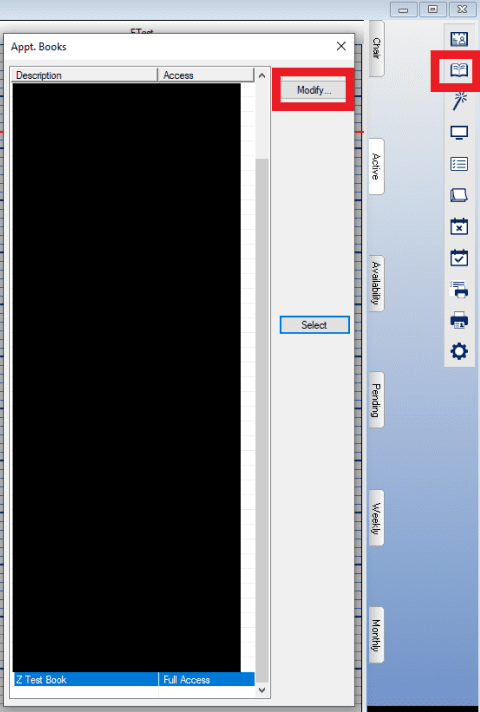
In Scheduler>click the Book icon on the right menu>Select the Book>click Modify
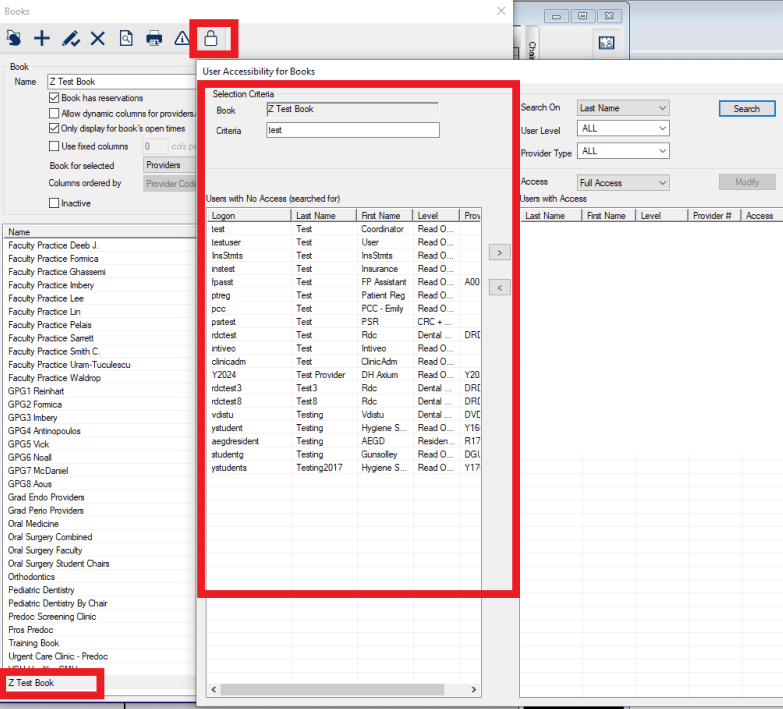
Select the Book again>click the lock icon at the top>search for the user that needs access>highlight their name and click the arrow to move them to the right. You can also adjust their permissions:
Full Access, View Only, My Appts Only
All users listed on the right have access to that book.
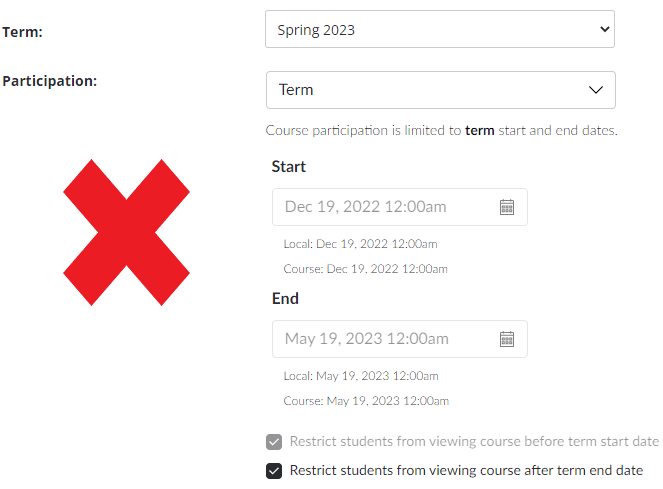
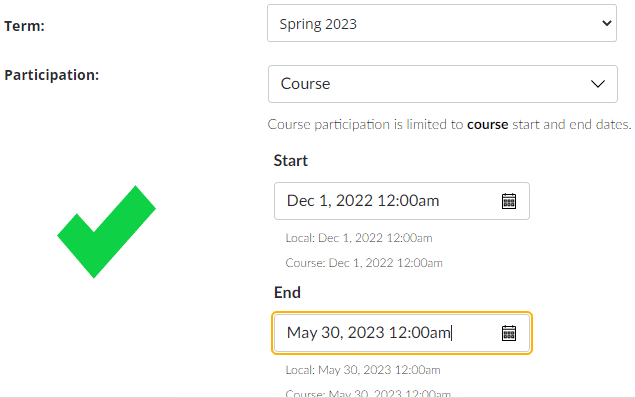
Tip #2 – Your Canvas course will default to big VCU’s semester and dates. This may be ok, but for various reasons, you may need it to be opened/closed on different dates and times. To adjust this, go to Settings and change the Participation: from Term to Course. You will then have the ability to adjust your dates as needed. Make sure you save by clicking Update Course Details.