Tech Tuesday – July 16: Take Meeting Notes in Google Calendar and AI Prompting
TechTuesday
A weekly tip email from your neighborhood Instructional Technology and eHR team.
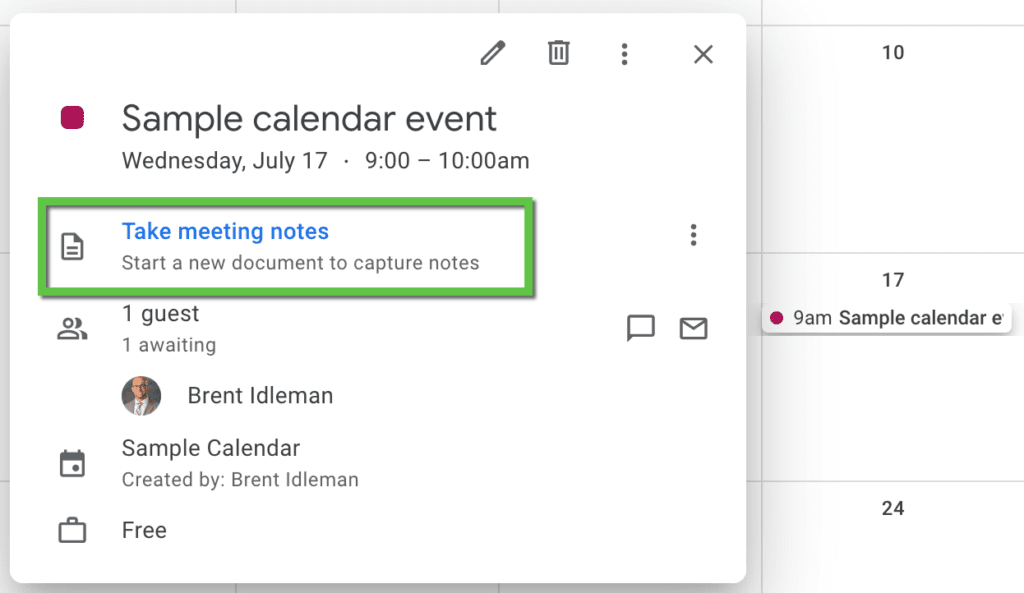
Tip #1 – You may have noticed a blue link, “Take meeting notes,” when clicking on an already scheduled Google Calendar event. But what does it do? Let’s find out.
Notice this event has already been created and has invitees. Clicking on the event shows options to edit, delete, and….”Take meeting notes.” Clicking this launches a Google Doc with some automated formatting that can save alot of time and keep you and your fellow meeting members organized.
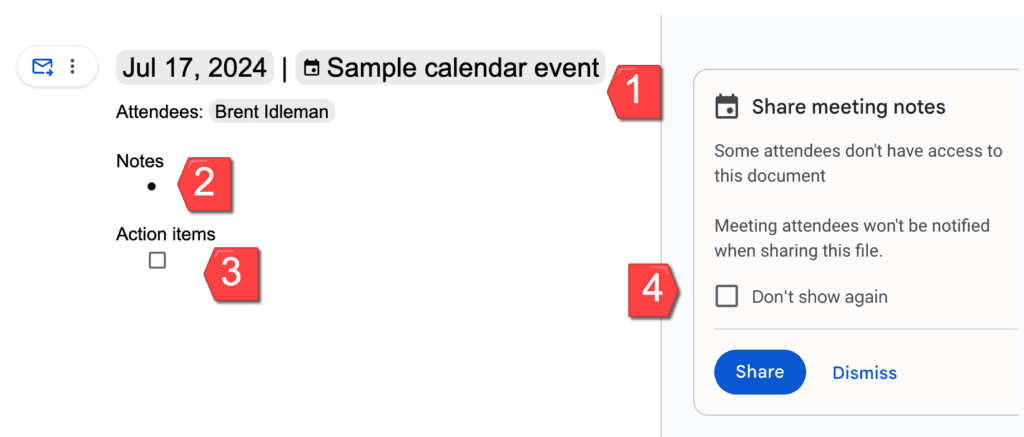
When the Google Doc launches, it will automatically create the following template with:
1 – a header with the meeting date, title, and attendees
2 – a section titled “Notes” for someone to take notes
3 – an action item section where you can assign action items; assigning them will make them automatically appear in that user’s Google Tasks (more on this next week  )
)
4 – a prompt to share the newly created notes with the attendees
Tip #2 – AI can be scary and confusing, but our next few Tech Tuesdays on AI will hopefully assuage some of that. AI engines can be very helpful and even fun to use. Let’s start with the basics.
What is prompting?
Prompts are what one inputs into an AI engine to start the conversation. Yes, I used the word conversation, because it’s very similar to having a conversation with a human. What you ask and how you ask will influence the quality of answers you get. After your initial prompt, you can shape the responses by clarifying with follow up prompts.
Here’s an example simple prompt (the following examples are from ChatGPT):
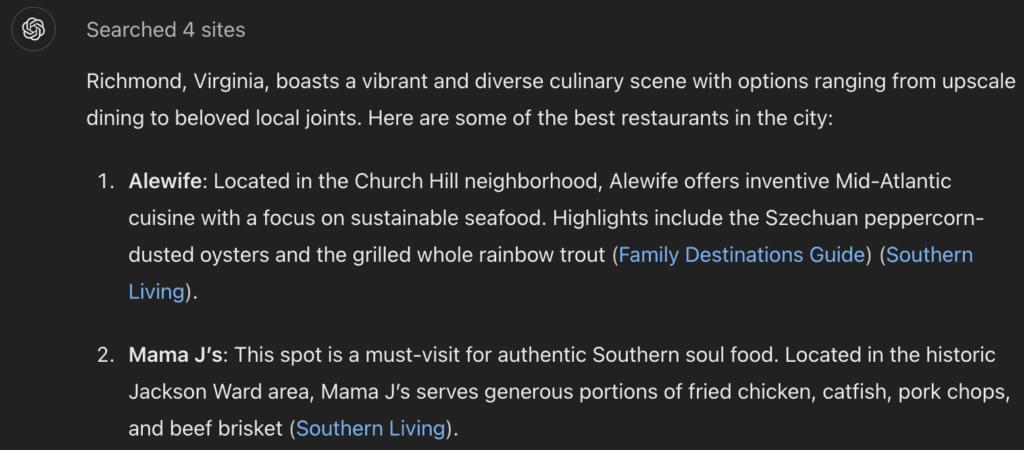
“What are the best restaurants in Richmond?”
Here is the response received:
More specific prompts help return more specific results.
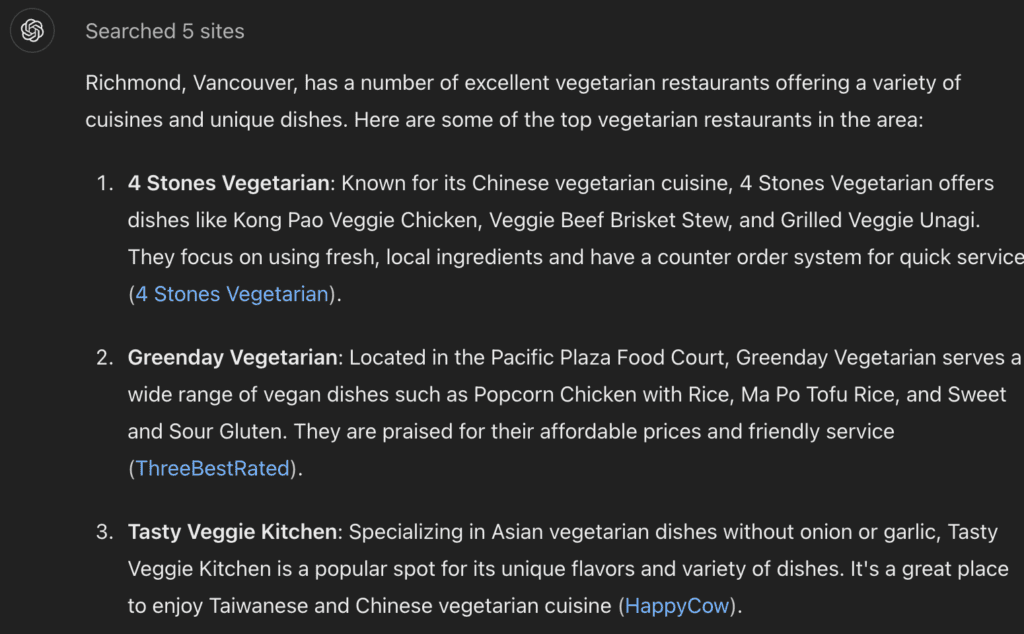
Here’s a more specific prompt with the results:
“What are the best vegetarian restaurants in Richmond, Vancouver?”
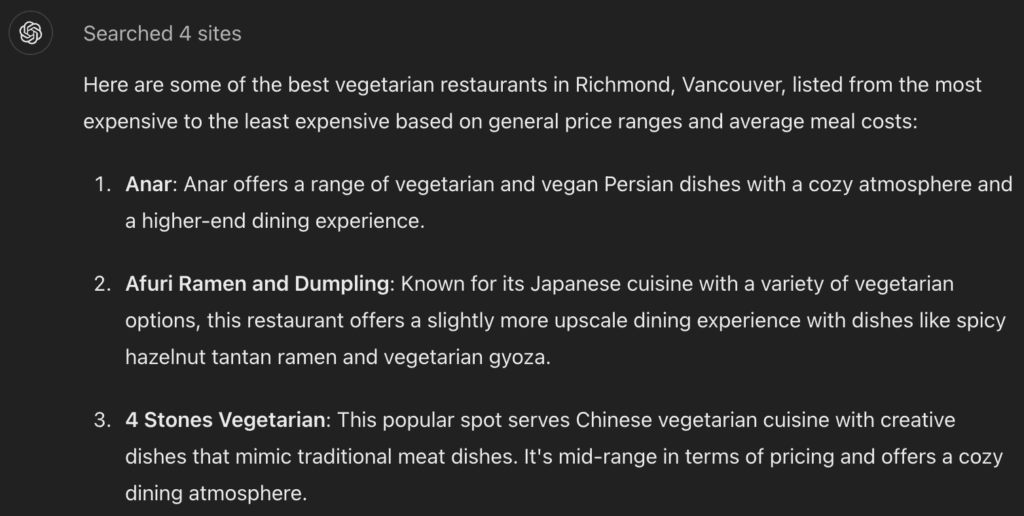
You can even tell the AI how you want the results formatted:
“What are the best vegetarian restaurants in Richmond, Vancouver? List them in order of most expensive to least expensive.”
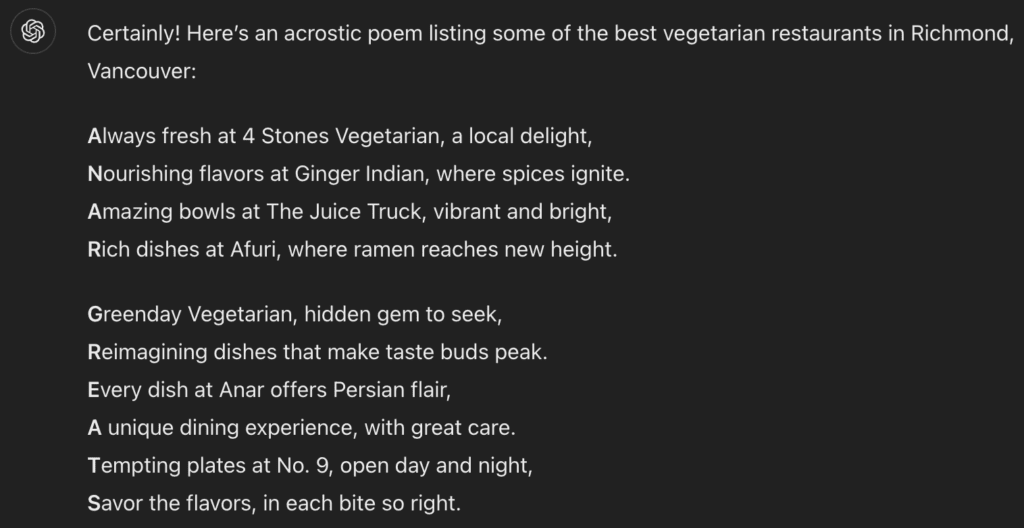
I did mention fun, right?
“What are the best vegetarian restaurants in Richmond, Vancouver? List them in an acrostic poem.”
*With any AI engine, users must prompt wisely. If you are using AI to generate results of great significance, it’s always best to fact check for accuracy.*
Categories AI, Google Calendar