Google Updates Recap: July 2026
This month brings several highly requested features: You can now delete chats in Gemini and use temporary chats, accessing delegated accounts in the Gmail mobile app, more custom color options for events and calendars in Google Calendar, and more.
Table of contents
Google AI
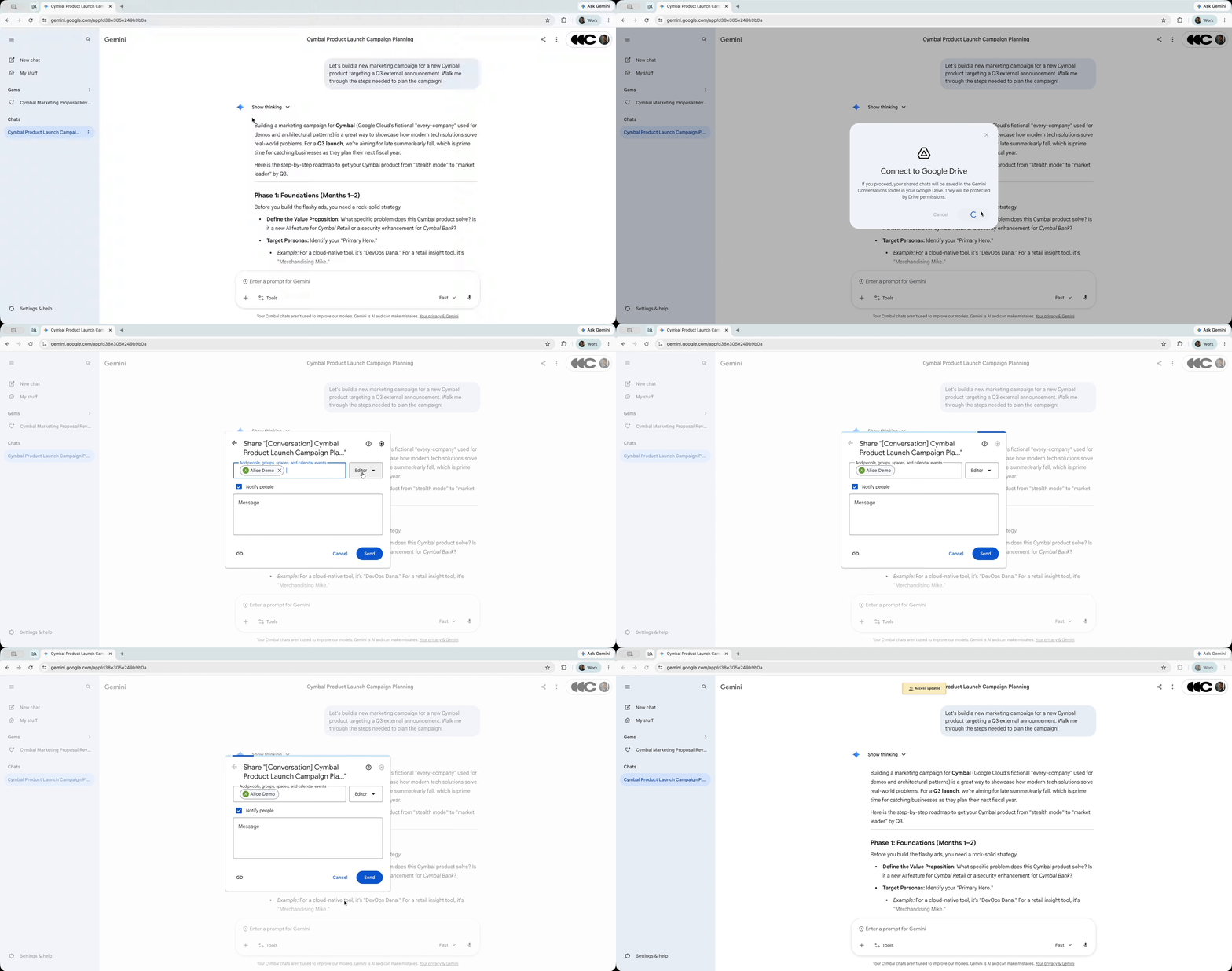
Share chats, canvases, and generated media from the Gemini app securely via Google Drive
In Gemini, you can now share chats, canvases, and other generated media via Google Drive. When sharing, it will have the same familiar interface that you see across Google Drive, and the shortcut to the chat or content will be stored in Google Drive, which can then be organized, starred, etc.
Feature Availability: This feature is now available.
Chats can now be deleted in Gemini + Temporary chats now available
A highly requested feature, the ability to delete chats in Gemini, is now available. Additionally, you can now start temporary chats, which disappear as soon as you exit the chat.
To learn how to use these features, visit:
- Delete a chat from pinned & recent chats – Find & manage your recent chats in Gemini Apps – Gemini Apps Help
- Start a temporary chat – Use Gemini Apps – Gemini Apps Help
Feature Availability: This feature is now available.
Gmail
Work with delegated Gmail accounts from mobile devices
Previously, accessing delegated inboxes in Gmail was only possible on a Desktop browser. Now, you will be able to switch between your inbox and a delegated inbox in the Gmail app for iOS and Android.
When using the Gmail mobile app, delegates can now:
- Switch between their own inbox and delegated accounts.
- View unread message counts for delegated inboxes from the account menu.
- See emails intermingled across delegated accounts and their own account using the mobile “All inboxes” view.
- Send messages that allow recipients to view the specific “sent by” information in the mobile experience.
No additional setup is needed for this to work, as it will be visible when the feature has rolled out.
Feature Availability: This feature is rolling out now with expected completion by July 8, 2026 for Android and July 29, 2026 for iOS.
Google Calendar, Tasks, & Keep
Custom event colors in Google Calendar
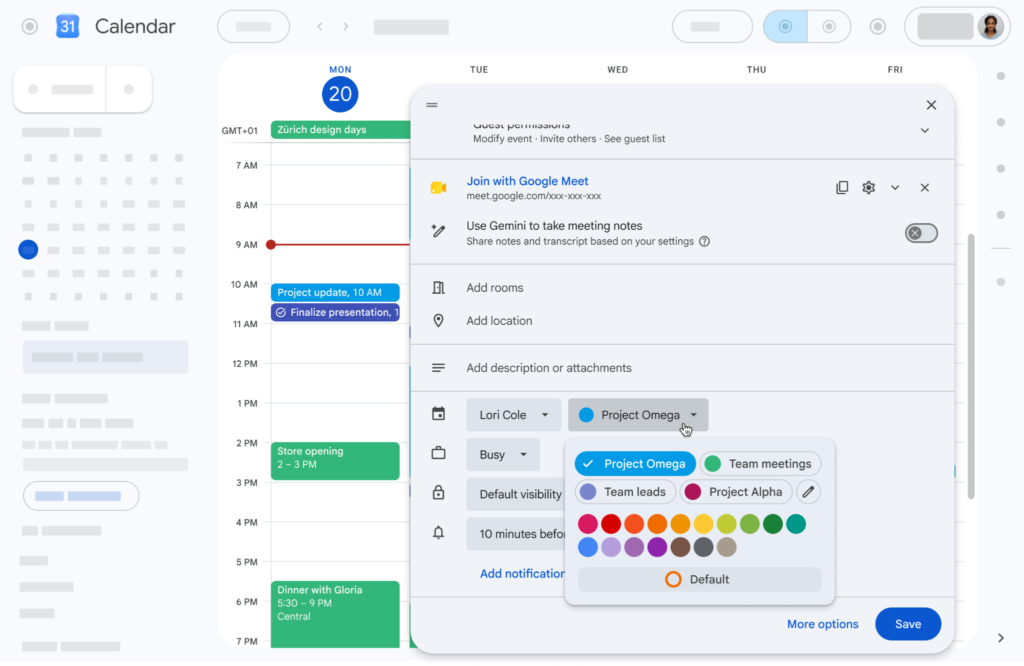
Google Calendar is expanding the list of colors that can be applied to calendars and events. Now, the list of predefined colors has been expanded to a list of 20 colors, plus on Google Calendar on Desktop you can now define custom colors using a color picker.
Additionally, you will be able to select/define up to 200 colors.
For more information, visit: Use labels to track calendar entries.
Feature Availability: This feature is now available.
Google Chat
New discoverable space setting in Google Chat
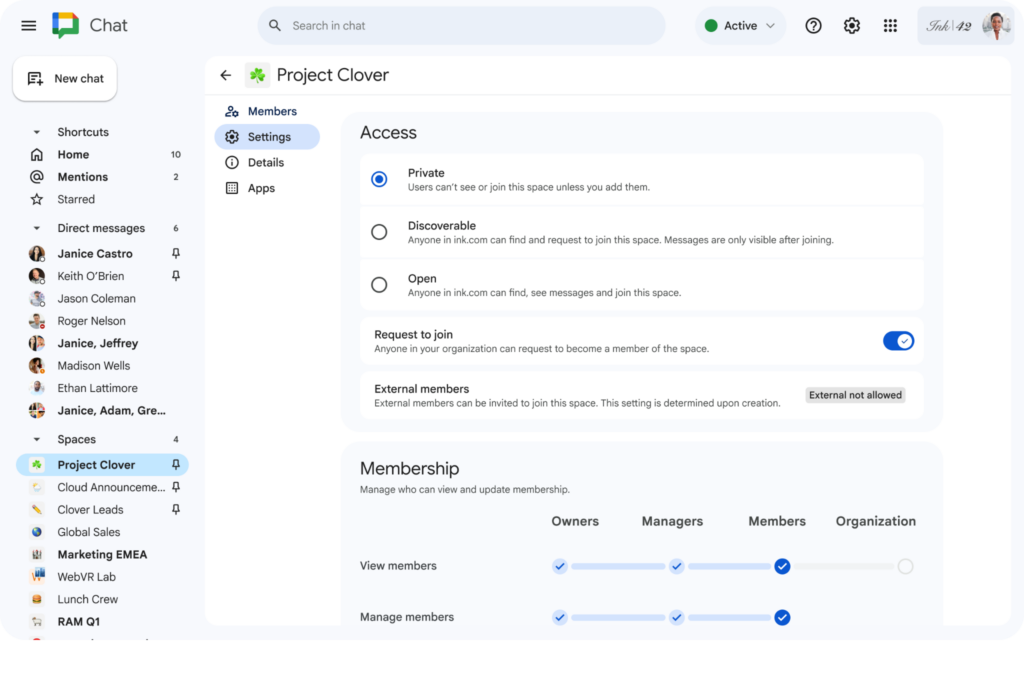
Previously, Spaces in Chat could have two options for joining: Private (invite-only) or Open (anyone in the organization can find and join). Now, the new option, Discoverable, allows individuals to locate the Space in the list of Spaces, but must have their join-request approved by an Owner or Manager to be able to see or send messages.
For more information, visit: Change the space access level – Google Chat Help.
Feature Availability: This feature is now available.
Google Drive & Docs Editors
Quickly scan multiple pages in Google Drive on Android
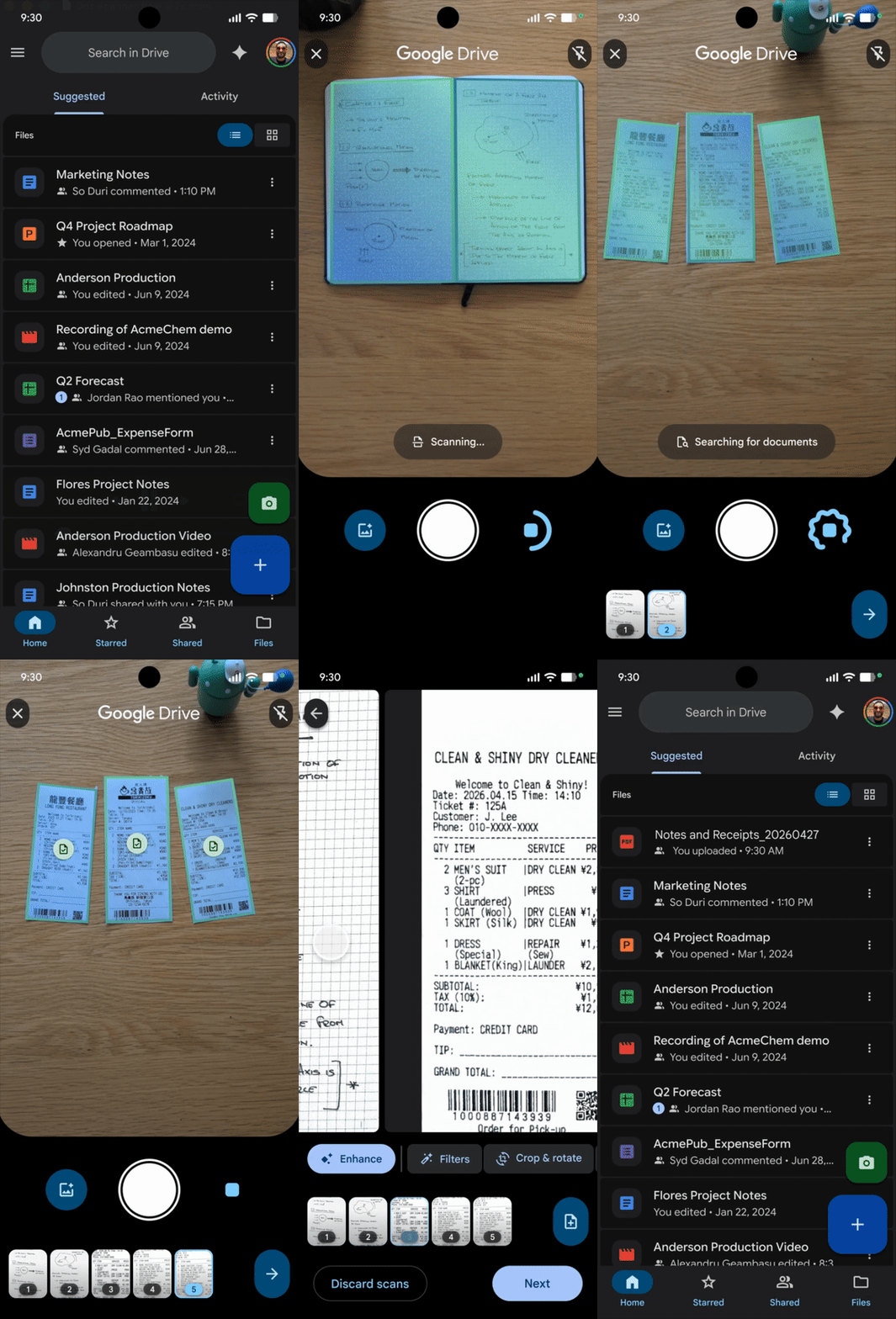
The document scanner in the Google Drive app for Android has been improved to allow multiple pages simultaneously or consecutively.
For more information about scanning documents in the Drive app, visit: Scan documents with Google Drive – Google Drive Help. Note: This capability requires an Android device with 8 GB or more of RAM.
Feature Availability: This feature is now available on compatible devices.
Google Forms
Expanded options for header images in Google Forms
In Google Forms, there are new options for uploading/selecting images for headers. In addition to the existing options, you can now also select images stored in Google Drive or enter an image URL.
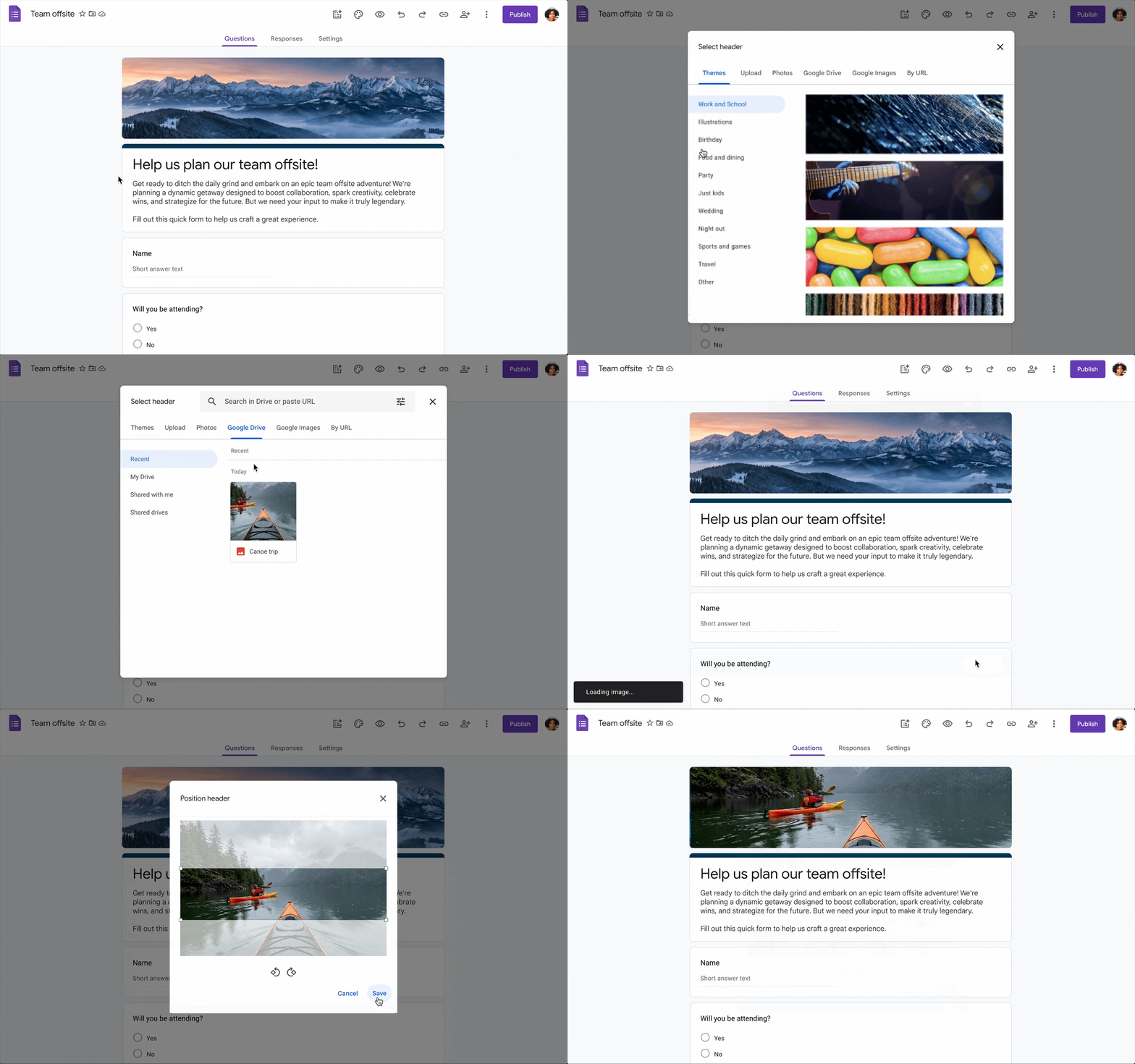
For more information about adding header images in Google Forms, visit: Change the theme or font of your form – Google Docs Editors Help.
Feature Availability: This feature is now available.
Google Meet
Google Meet now available on Android Auto
Google Meet is now available in Android Auto. Now, you can find a list of your scheduled meetings that use Google Meet and tap on them to join a call.
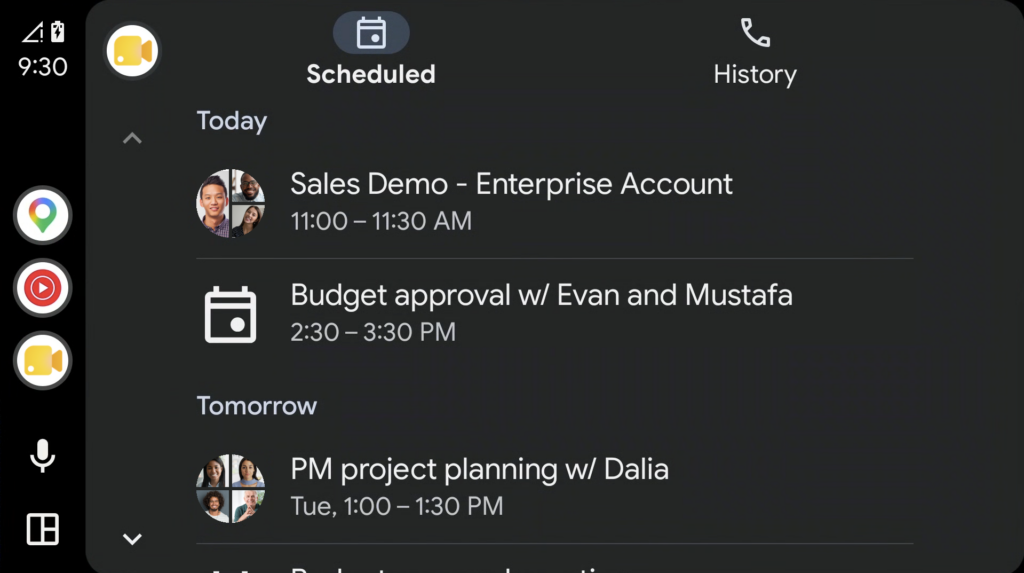
You also have the flexibility to make and receive direct audio calls, with a convenient History tab that lets you quickly dial colleagues or clients.
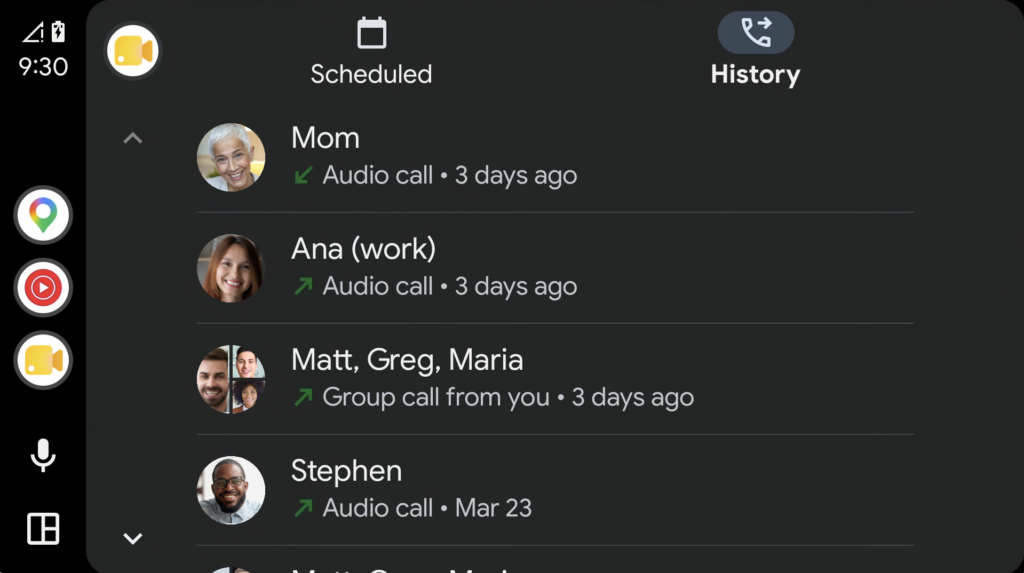
Note: When you join a meeting or call, your camera is turned off and you won’t see the incoming video content. You’ll hear the audio from the meeting and have audio input access from your microphone.
For more information, visit: Use Meet on Android Auto – Google Meet Help.
Feature Availability: This feature is now available.
Join Google Meet calls from Safari on iOS devices
You can now join Google Meet calls in the Safari app on iOS devices. Previously, it was not possible to join from the Safari app. Now, you can join and either as a guest or while logged in.

Additionally, if someone tries to join a Google Meet and does not have the Google Meet or Gmail apps installed, they will be prompted to use Safari to join.
Feature Availability: This feature is now available.
Categories Gmail, Google Calendar, Tasks, and Keep, Google Chat, Google Drive & Docs Editors, Google Feature Updates and Changes, Google Forms, Google Meet, Google Workspace News