Google Updates Recap: June 2026
Google has brought several new features and improvements such as additional capabilities and improved syncing in NotebookLM, an improved flow for admitting guests in Google Meet, improved performance and error checking in Google Sheets, and more.
Table of contents
Google AI
Warning: Gemini and NotebookLM are approved for Category II and III data only. Do not enter Category I or any HIPAA data into AI.
Expanding access to longer musical tracks in the Gemini app
Lyria 3 Pro allows users to create tracks up to three minutes long, with customization and creative control. Lyria 3 Pro better understands musical composition, so users can now prompt for specific elements like intros, verses, choruses, and bridges. It’s great for experimenting with different styles or adding custom tracks to projects, presentations, or assets.

To get started, select “Create music” from the tools menu in the Gemini app.
For more information about limits when using Lyria in the Gemini app, visit: Use Gemini Apps with a work or school Google Account – Gemini Apps Help.
Feature Availability: This feature is now available.
Expanded NotebookLM capabilities
VCU Faculty, Staff, and Students will now see improved benefits in NotebookLM, such as:
- Increased source context: Support for more sources in each notebook.
- More engagement: Send more chat queries per day.
- Expanded study tools: Create more flashcard sets and quizzes.
- More multimedia generation: Create more Video Overviews, Audio Overviews, infographics and slide decks.
Users will also now see a Plus badge next to their profile picture, indicating access to higher usage thresholds.
For more information about features and usage limits in NotebookLM, visit: Use NotebookLM with a work or school Google account.
Feature Availability: This feature is now available.
Move from conversation to creation with file generation in Gemini
Gemini can now transform your ideas, using conversational prompts, directly into thoughtfully formatted files, such as Google Docs, Sheets, and Slides, PDFs and more, directly in your chats with Gemini. This feature bridges the gap between brainstorming and ready-to-share files, allowing you to generate functional and downloadable documents without ever leaving the Gemini app.
This update helps users do their best work by reducing the effort of copying, pasting, and formatting text into different applications. Whether you need to export a project plan to a Microsoft Excel (.xlsx) file or a complete course syllabus to Microsoft Word (.docx), you can now move from an idea to a polished file with a single prompt.
Supported file formats include:
- Google Workspace files (Docs, Sheets, and Slides)
- PDF file
- Microsoft Word (.docx)
- Microsoft Excel (.xlsx)
- CSV file (.csv)
- LaTeX (.tex)
- Plain Text (.txt)
- Rich Text Format (.rtf)
- Markdown (.md)
Note: Gemini currently supports generating one file per prompt.

For more information, visit: Generate files from your chats – Use Gemini Apps – Gemini Apps Help.
Feature Availability: This feature is now available.
Keep your sources up to date with automatic Drive syncing in NotebookLM
Automatic syncing between notebooks in NotebookLM and Drive files (Docs, Sheets, and Slides) is now available. Previously, if you attached one of these files to a notebook and then made changes, you would need to manually resync. Now, as the content in your Drive files evolves, the information within the notebook updates automatically to match. This update ensures that you’re always working with the most accurate and up-to-date information without the manual effort of re-syncing files.
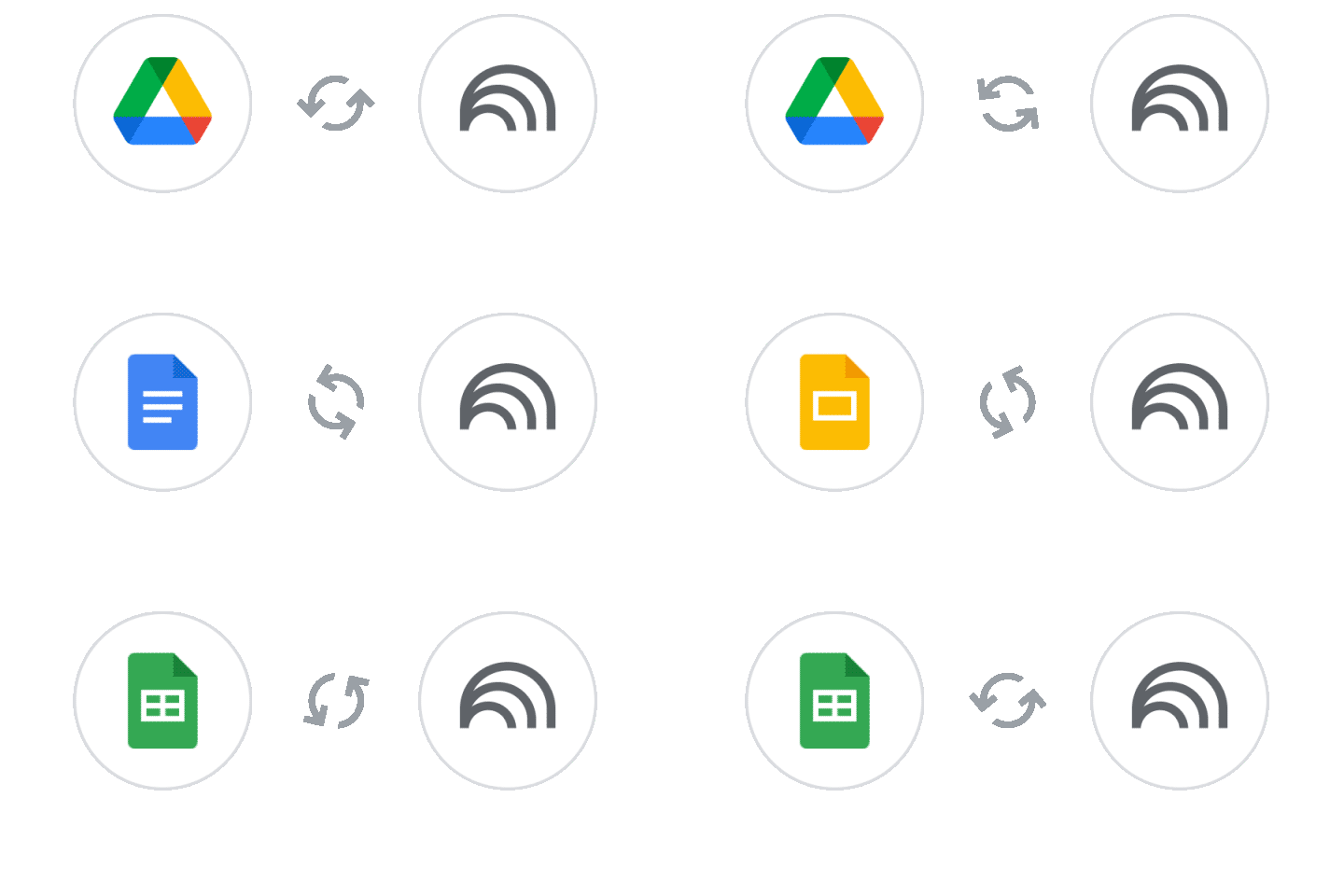
NotebookLM will also strictly respect file deletions and permissions. If a user’s access to a Drive file is revoked, they will no longer be able to use that file as a source in their notebook. The source will appear in the sources list with a link to the source for the user to request access. Additionally, if a file is deleted from Drive, it will be removed from the notebook as well.
Feature Availability: This feature is now available.
Google Calendar, Tasks, & Keep
Easily find and set time zones in Google Calendar by searching for city or country
When selecting a time zone in Google Calendar, instead of scrolling through a list of the time zones, you can now search by a City, State, or even Country to locate the desired time zone, making it much easier to coordinate a meeting over long distances.
This improvement is available on all Google Calendar surfaces where a time zone can be picked. For example, in meeting scheduling flows, setting a secondary timezone for your main calendar grid view or for configuring the world clock.
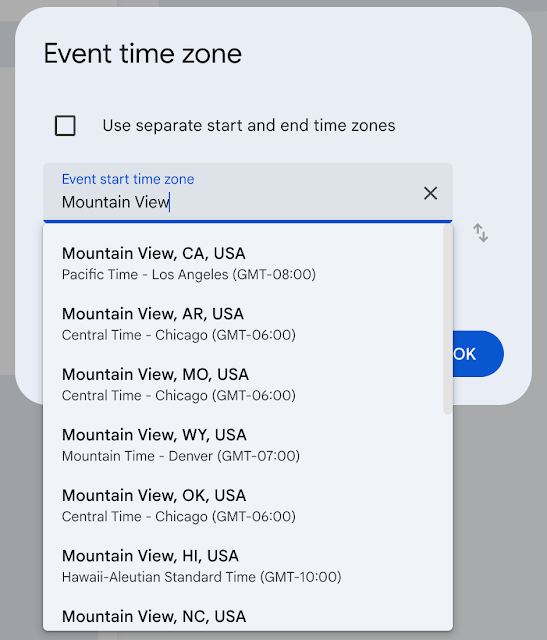
For more information, visit: Use Google Calendar in different time zones.
Feature Availability: This feature is now available.
Better screen scaling for Google Calendar on large monitors
Google Calendar on the web now offers improved scaling on large, high-resolution monitors. This update provides a clearer overview of your day or week by reducing unnecessary whitespace and better utilizing your available screen space.
Previously, users with large or high-resolution monitors may have felt that it was difficult to get an overview of the day or week’s most relevant events.
This update means:
- Better visibility: Calendar events will better fill the available space, giving more room to short meetings.
- Focused views: The grid will prioritize showing a relevant 12–15 hour range (such as 7:00 AM to 7:00 PM) based on your viewport height.
- Consistent experience: These improvements apply to both the main Calendar application and the side panel companion view in other Workspace apps (e.g. Gmail).
For more information, visit: Change event color set & density in Google Calendar.
Feature Availability: This improvement is now available.
Google Drive & Docs Editors
Migration update on restricted access items
Last year, a change was introduced that removed the option to restrict files and folders in shared folders, requiring users to instead use the limited access folder setting. Now, all items with legacy restricted access will be automatically migrated to use the limited access setting instead. There will be no change to who can already see or access the files.
After the migration to the limited access setting, any user can audit the files they own with limited access by entering this search into the search bar in Google Drive: owner:me is:limitedaccess.
Items moved due to this will show this in the Activity and Share settings areas for the folder or file:
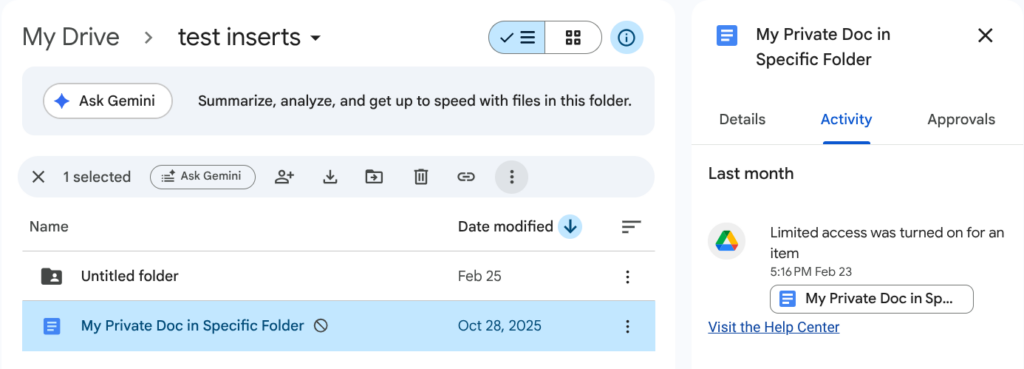
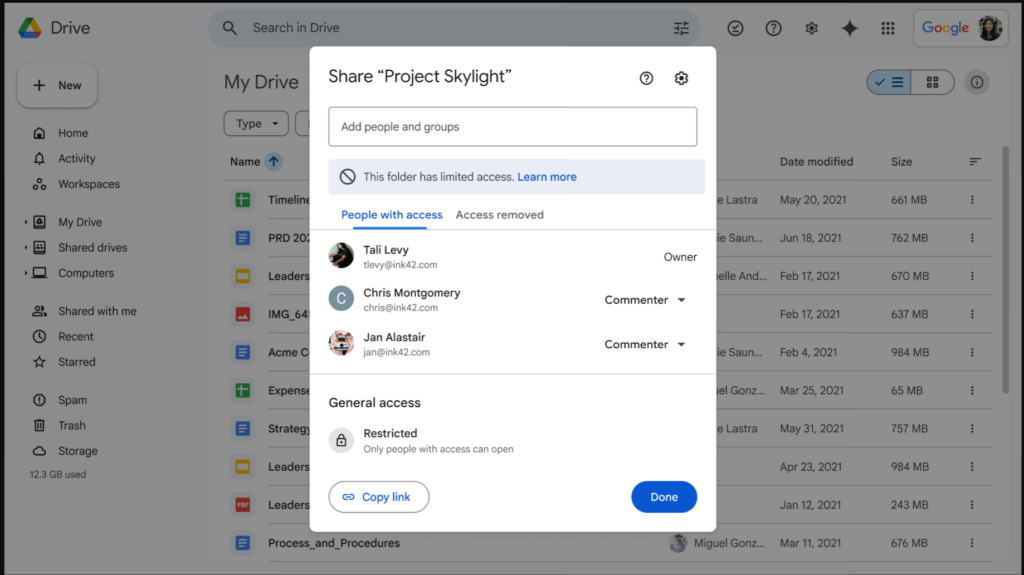
For more information, visit: Learn about limited access to files and folders in Google Drive.
Feature Availability: This change is now in effect.
Google Meet
Safeguarded guest admit flow in Google Meet
Google Meet has a new flow for admitting guests who ask to join a meeting (aka “knocking”). This flow makes it easy to handle large amounts of individuals who are trying to join.
Meeting hosts will now get those requests presented in two separate queues. A new second queue now shows requests from connections where the host is more likely to need a closer look before deciding to approve them into the meeting. The default action for entries in this queue is to deny entry. Hosts/co-hosts still remain in control and are always free to take another action than the default suggested.

For more information, visit: Add or remove people from a Google Meet meeting or call – Google Meet Help.
Feature Availability: This feature is now available.
Improved video quality on high-resolution displays in Google Meet
Meet is being updated to provide higher quality video for users with high-resolution displays on the web and in rooms. This change will provide sharper and more detailed video, particularly for meetings with three or more participants.
To serve users with high-resolution displays, additional bandwidth will be used, and Meet will automatically adjust the resolution if the device is bandwidth constrained.

Feature Availability: This feature is currently rolling out.
Google Sheets
Greater control and error visibility for Google Sheets formulas
Google Sheets now offers greater visibility into errors and control for certain types of functions. These improves includes:
- Better error surfacing: Select informational and statistical functions (such as HYPERLINK, VALUE, and T.TEST) will now more accurately flag underlying errors, like broken URLs or zero-variance denominators, preventing potential data issues from being masked.
- Enhanced parameter support: Several statistical distribution functions (such as HYPGEOM.DIST, NORM.S.DIST, and LOGNORM.DIST) now support additional parameters, allowing for greater control and ensuring they import smoothly from external spreadsheets.
- Refined calculation logic: Select financial and array functions (such as CUMIPMT and FREQUENCY) have been updated to provide more precise and predictable results based on your specific data inputs.
You can now troubleshoot complex spreadsheets more effectively and import external files with confidence, knowing your formulas will evaluate as expected.
For more information and a complete list of functions in Google Sheets, visit: Google Sheets function list – Google Docs Editors Help.
Feature Availability: These improvements are now available.
Faster performance in Google Sheets
Google Sheets has received several improvements to performance:
- Get started faster: You can now open and start working in large spreadsheets (1M+ cells) up to 30% faster.
- Rapid data analysis: You can now filter large spreadsheets (1M+ cells) up to 60% faster.
- Easier formatting: You can now apply conditional formatting to large spreadsheets (1M+ cells) up to 60% faster.
Google has also indicated that in a future update Sheets will support twice as many cells, increasing from 10 million cells to 20 million.
Feature Availability: This feature is now available.
Categories Google Calendar, Tasks, and Keep, Google Drive & Docs Editors, Google Feature Updates and Changes, Google Meet, Google Sheets, Google Workspace News, Other Google Feature News