Google Updates Recap: October 2025
This month we’re covering both August’s and September’s posts! We have a couple of important changes and several quality of life changes across Drive, the Docs Editors, and more.
Table of contents
Important Notices
Learn about Google Keep reminders in Google Tasks
Google Keep reminders are migrating to Google Tasks. Any new reminders created in Google Keep will be found in Google Tasks, and can be interacted with through Calendar, Tasks, Keep, and Gemini (if permitted.)
Reminders will also be denoted by “From Keep” in the description line.
To receive notifications about Reminders, you will need to have Google Calendar or Google Tasks installed to receive the reminders from those apps.
For more information about this migration, visit:
Upcoming Changes to Drive Sharing Permissions
In February this year, a change to restricting sharing of files within folders was announced. Starting September 22, 2025, the option to restrict files and folders in shared folders will be removed and the “limited access folder” setting should be used instead.
Users with permission to restrict access on the parent folder will no longer see the “update item only” option:
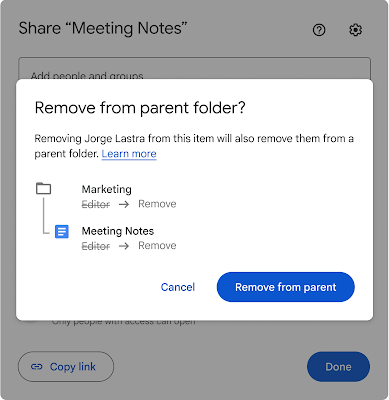
For more options on restricting access to a specific file or folder, visit: Tips to unshare your Drive files – Google Workspace Learning Center
Additionally, starting on September 22, 2025, the “Editors can change permissions and share” setting will also change. Turning the setting off will still prevent users with Editor access from sharing the item directly, but if the owner places the item into a shared folder, any changes to the containing folder’s access will be applied on the item. Previously, those changes were only applied if the item’s owner was the one making the folder access change.
Starting on October 8, 2025, Google will apply limited access to items that have this setting turned off. Due to the limited access, the owner will still be the only person who can share those pre-existing items. Limited access will not be applied to items that have the setting turned off after October 8, 2025.
Feature Availability: These changes are currently rolling out.
Google Calendar, Tasks, & Keep
Sorting your notes in Google Keep on Android devices
In Google Keep, you can now sort your notes by “Date created” and “Date modified,” in addition to the default sort called ‘Custom’ which is the way you’ve sorted your own notes via tapping and dragging.
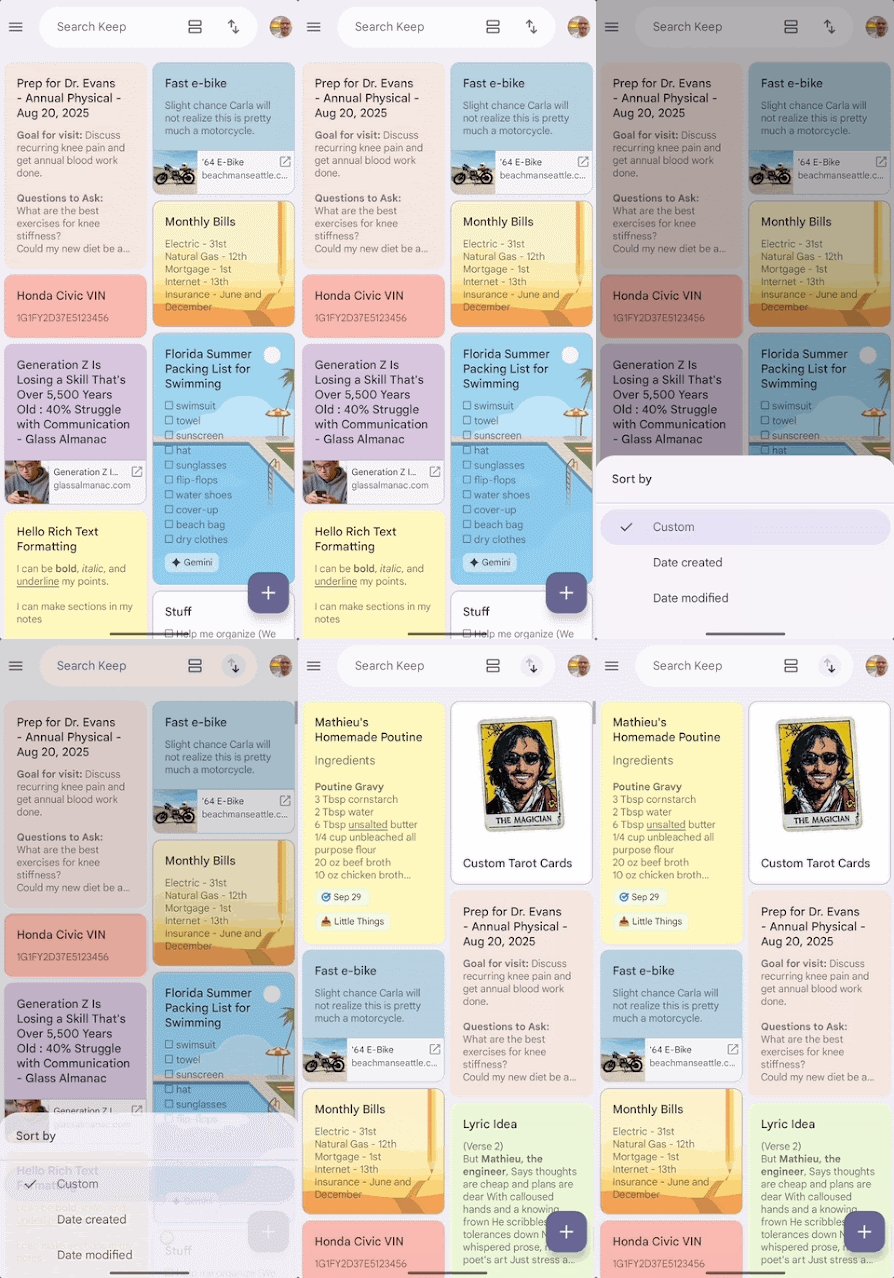
For more information about interacting with your notes in Google Keep, visit:
Feature Availability: This feature is now available.
- Note: This feature is only available on Android devices at this time.
Google Chat
Get real-time push notifications for reactions on your messages in Google Chat
You can now enable real-time push notifications for reactions to your messages in Google Chat by Google Chat → Settings → Notifications → Reaction notifications, and can be enabled on Desktop and/or mobile.

For more information about notifications in Google Chat, visit: Get real-time push notifications for reactions on your messages in Google Chat.
Feature Availability: This feature is now available.
Google Drive & Docs Editors
Thumbnail previews will now show on video progress bar in Google Drive
When hovering over a video’s progress bar in Google Drive, Drive will now automatically show thumbnail previews for that point in the video, making it easier to find what you’re looking for. This experience is more consistent with the normal video viewing experience found on YouTube and many other related websites.
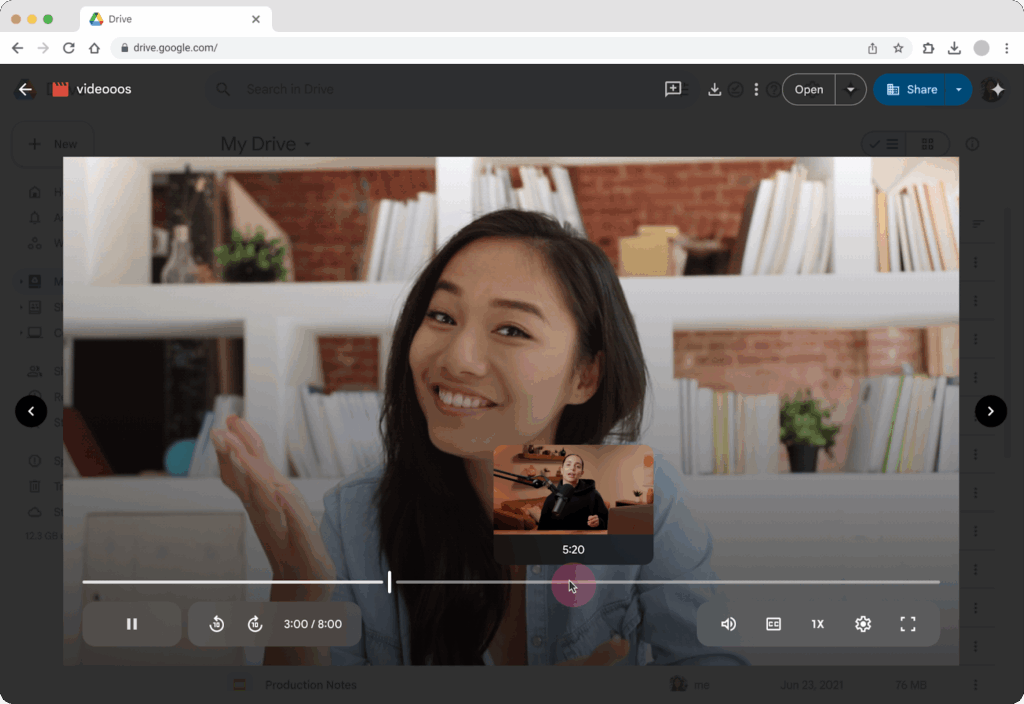
To use this feature, upload a new video to your Drive account (via web or mobile app) → Open the newly uploaded video in Drive web → hover your mouse over the video progress bar to see thumbnail previews and drag your mouse along the progress bar to quickly scrub through the video using the thumbnails.
For more information about this feature, visit:
Feature Availability: This feature is now available.
Note: Video thumbnail previews will only appear on newly uploaded videos at this time.
Google Sheets
Understand changes more quickly with condensed version history in Sheets
Google is introducing a new condensed view for version history in Google Sheets. By default, Sheets will now only show rows with cells that had changes in the selected version. The condensed version history will help identify relevant edits to the sheet more quickly and efficiently.
To return to the previous version history experience, where the entire sheet is displayed and the cells with changes are highlighted, simply select the checkbox to “Show unmodified rows”.
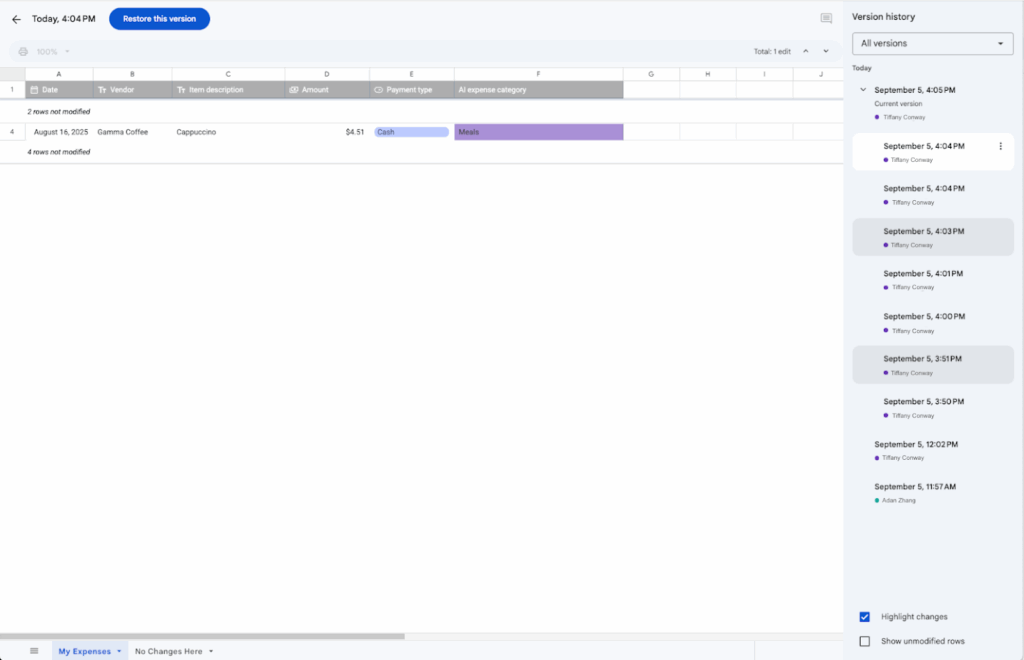
Note: some embedded objects, like images, may not display when the condensed view is on.
For more information, visit: Find what’s changed in a file – Google Docs Editors Help.
Feature Availability: This feature is now available. Note that it will be the default experience going forward.
Configure up to 20 conditional notifications per Google Sheet
The maximum number of conditional notifications in Google Sheets that can be set up is being increased to 20, up from the previous 10.
For more information about conditional notifications in Google Sheets, visit: Use conditional notifications.
Feature Availability: This feature is now available.
Google Slides
Arrow keys now move an object by a pixel distance in Google Slides
In Google Slides, when selecting an object, you can now use the arrow keys to move the object by one pixel at a time. This feature allows for very fine adjustments.
You can also hold the “Shift” key in combination with the arrow keys to make larger movements.
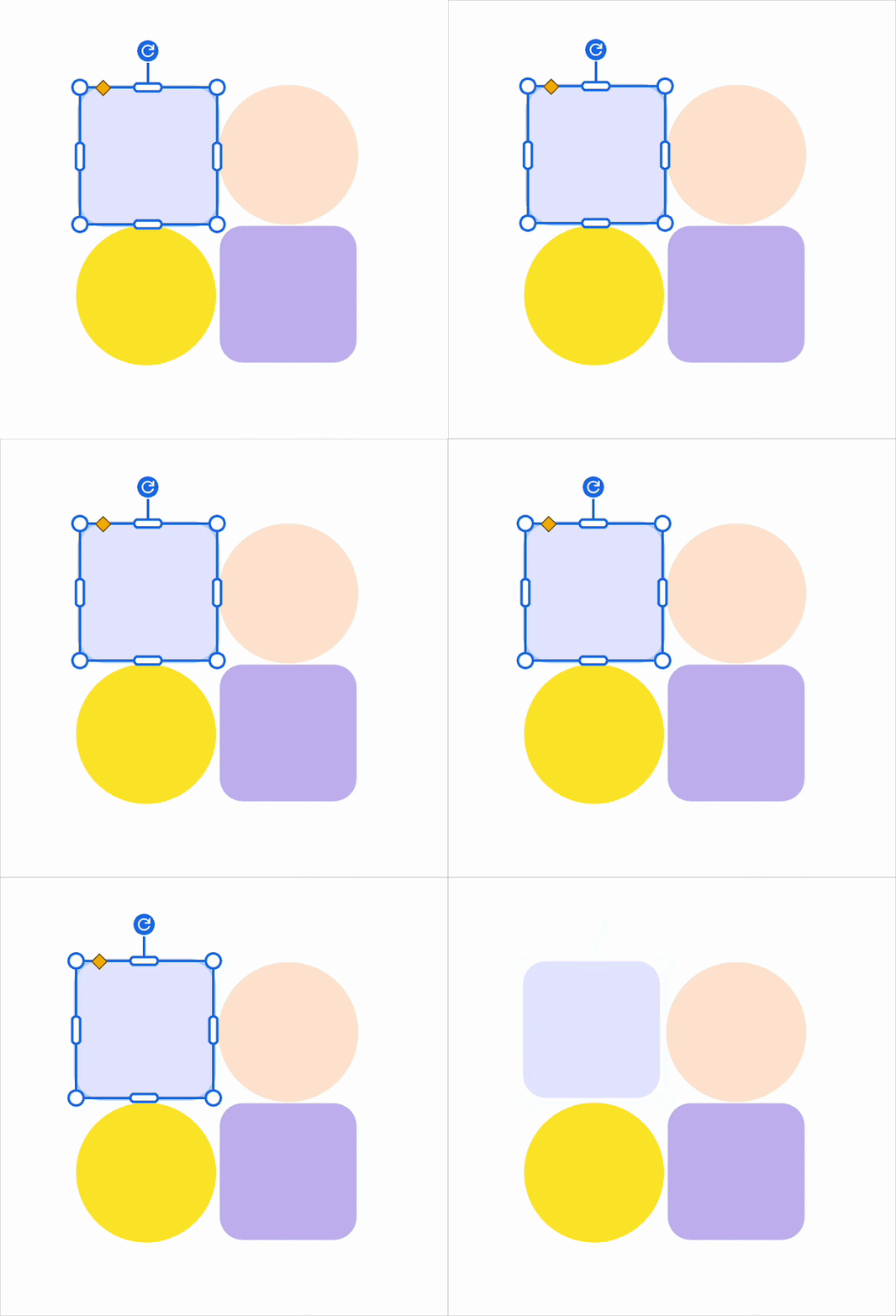
For more information about keyboard shortcuts in Google Slides, visit:
Feature Availability: This feature is now available.
Google Vids
Edit your Google Drive videos in your browser, using Google Vids
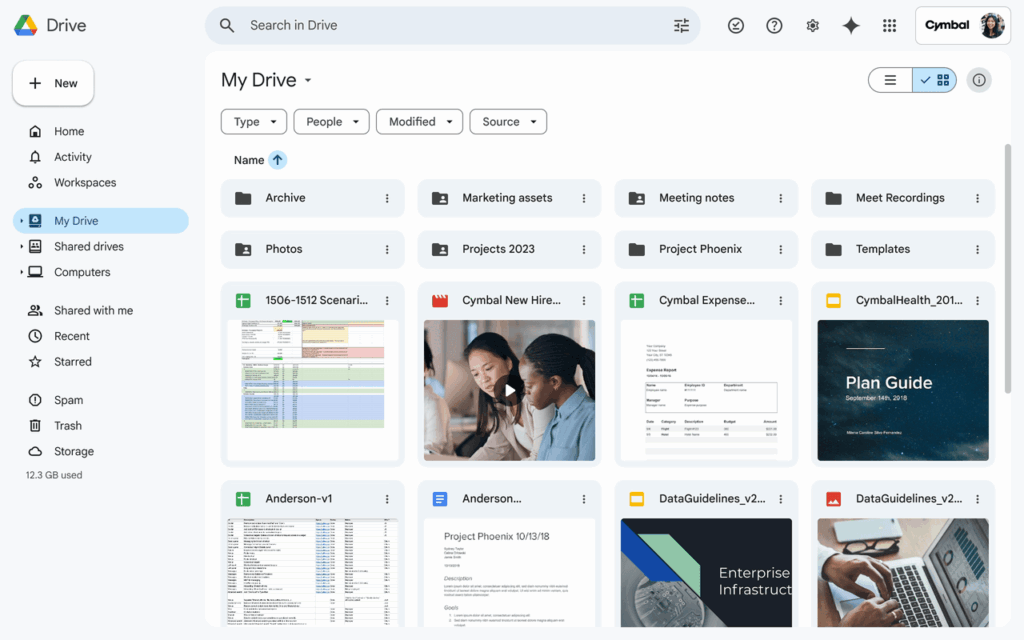
While in Google Drive, after clicking a video to preview it, you now have an option to jump directly into editing the video using Google Vids with a new “Open in” button located in the top-right corner.
Vids will automatically open the video file, and from there you can further edit as you see fit. For example, you can then trim the clip, add music, add text, and much more.
Currently, the following video formats are supported: MP4, Quicktime, OGG, and WebM. Individual clips have limits of 35 minutes and 4 GB.
For more information about Google Vids, including getting started, visit:
- Get started with Google Vids – Google Docs Editors Help
- Edit videos stored in Google Drive with Google Vids – Google Docs Editors Help
- Easy video creation for teaching and learning with Google Vids
Feature Availability: This feature is now available.
- Note: It is suggested to use the latest versions of Firefox, Google Chrome, or Microsoft Edge on Windows to ensure all available features are visible. Other browsers can be used, but some features may be unavailable.