Google Updates Recap: April 2026
Here’s the April 2026 post for Google Updates at VCU! Through March and April, we’ve got several updates for Google Chat, several across Google Drive and the Docs editors, Google Meet, and Gemini/NotebookLM.
Table of contents
Google AI
Introducing Nano Banana 2 in the Gemini app
Nano Banana 2 is the next generation of image generation and is now available in the Gemini app.
For more information about generating images in Gemini, visit: Generate & edit images with Gemini Apps.
Feature Availability: This feature is now available.
New ways to customize and interact with your content in NotebookLM
NotebookLM now supports the following:
- Slide revisions: Users can now revise presentation content, ask for changes or fix any issues on both desktop and mobile. Users can submit stylistic or factual feedback for each slide and the slides are regenerated quickly as a new deck in the Studio panel.
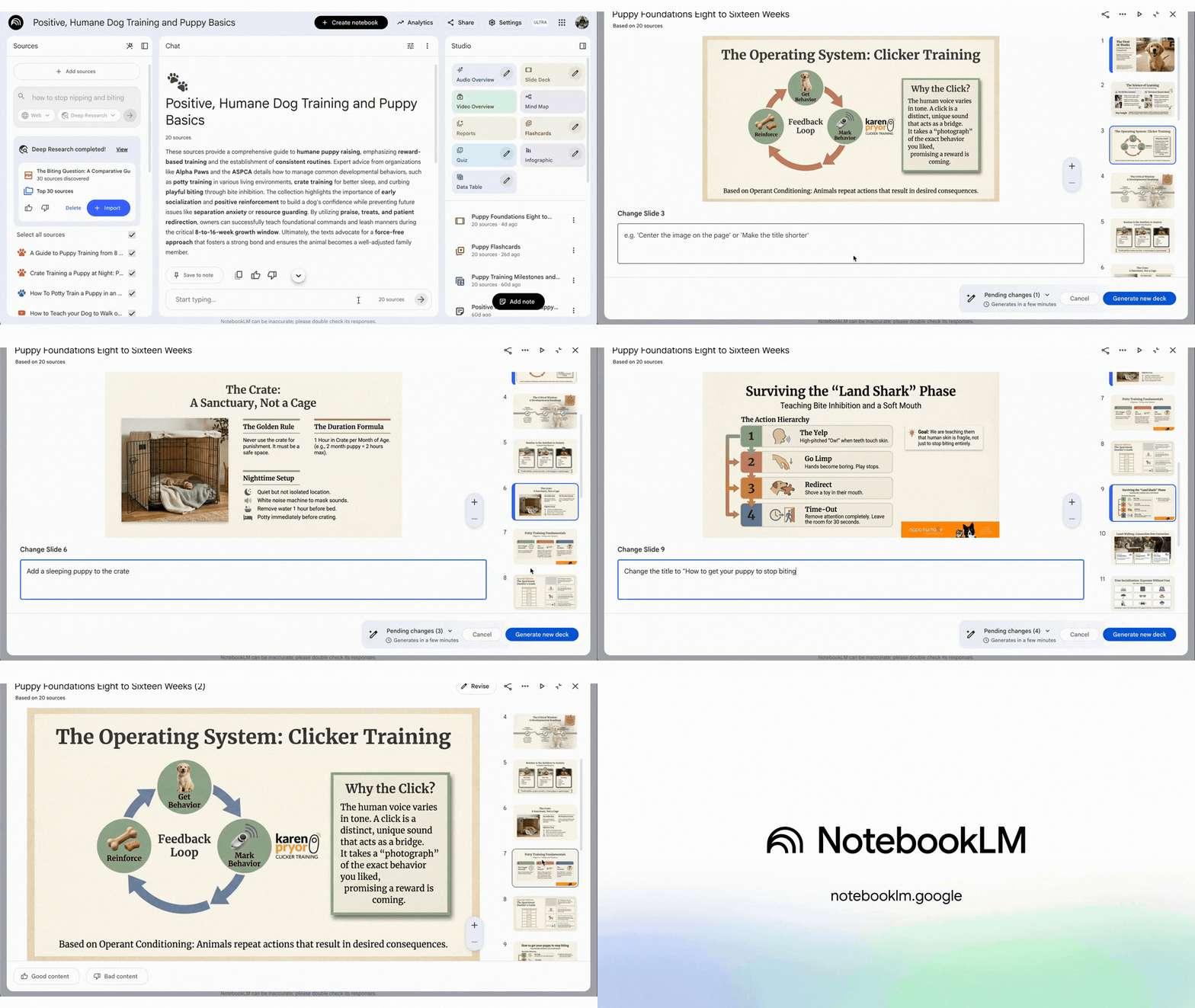
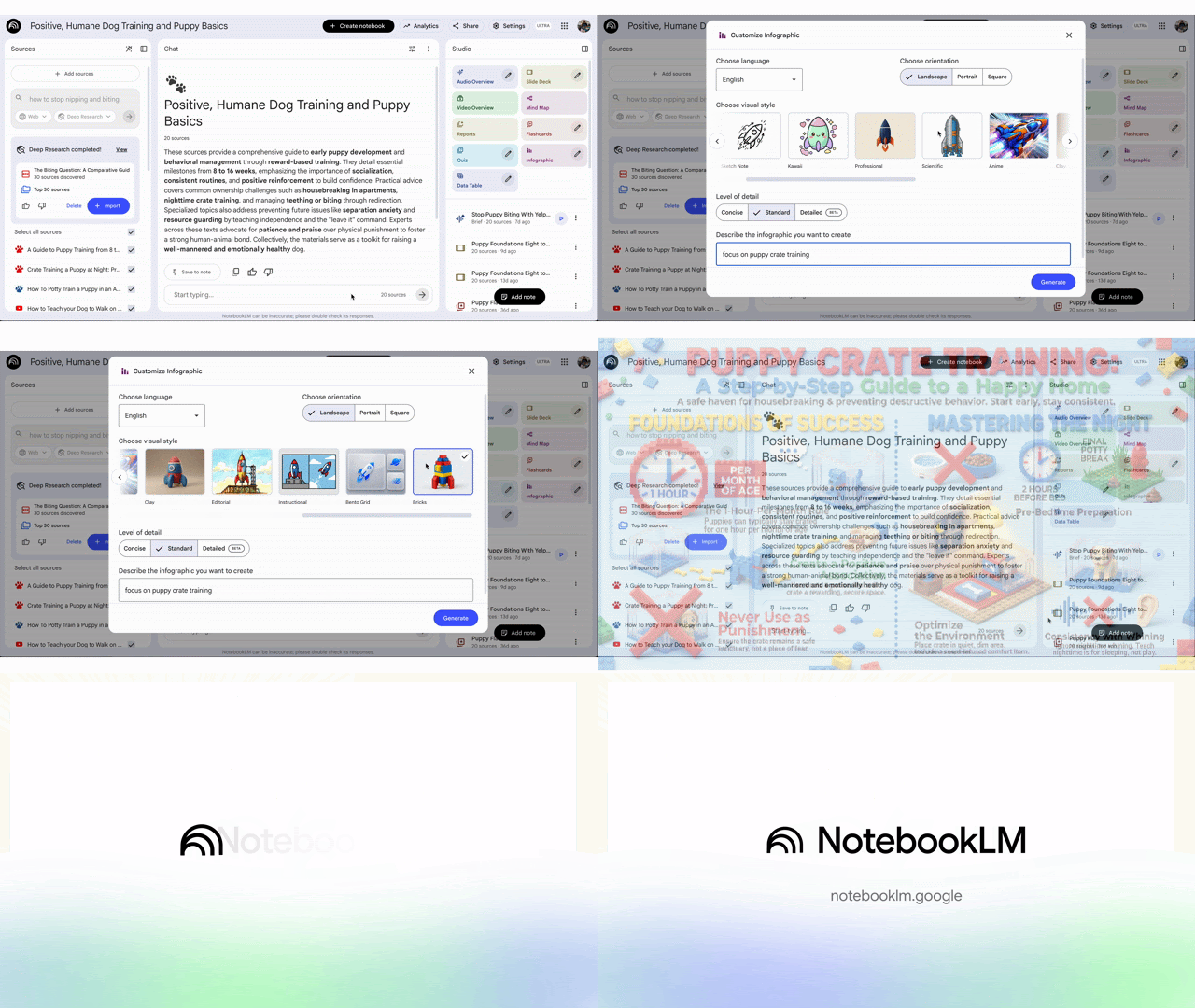
- New infographic styles: Users can now manually choose from ten new predefined infographic styles to visually summarize their sources. Options include: Sketch Note, Kawaii, Professional, Scientific, Anime, Clay, Editorial, Instructional, Bento Grid, and Bricks. By default, NotebookLM will continue to auto-select the best style for your sources.
- Improved flashcards & quizzes: Progress is now saved and loaded across sessions when using Flashcards and Quizzes in NotebookLM. Users can also now mark flashcards as “Got it” or “Missed it,” shuffle the deck, and use a new results screen to rerun any cards they missed. Additionally, specific flashcards or quiz questions can now be deleted. These improvements are available on both web and mobile.
- Support for .EPUB and .PPTX formats: NotebookLM can now import .EPUB file formats, the standard for eBook formats. Additionally, NotebookLM can now export slide decks in .PPTX (PowerPoint) format.
Feature Availability: This feature is now available.
Google Calendar, Tasks, & Keep
Improving the connection between Google Calendar events and Google Meet calls
Google Calendar is improving the way that it determines who is an owner and who has access to a Google Meet attached to a calendar event. For each event, Google Calendar must make the determination to know who to send meeting artifacts to, who to allow into continuous (repeating) meetings, and who can join a meeting without the host joining first.
To make these improvements, Google Calendar will now associate a created Google Meet with the calendar it was originally created on.
Additionally, when a Google Meet originates from a Google Calendar event created from Apple Calendar, new meeting codes will now be generated and guests will be informed when a new meeting code is generated.
For more complete information about this change, please visit: Learn about meeting codes in Google Calendar events.
Feature Availability: This change is now effective.
Google Chat
Forward messages in Google Chat
In Google Chat, you can now forward chat messages. This provides the following benefits:
- Simplified sharing: Users can quickly share information between various direct messages and spaces, without clunky workflows.
- Context preservation: Forwarded messages display the original sender, source, and any attachments instantly; recipients can view this content even if they are not members of the original conversation.
- Enhanced visibility: Messages forwarded from a thread can be moved into the main conversation stream, ensuring they get necessary attention.
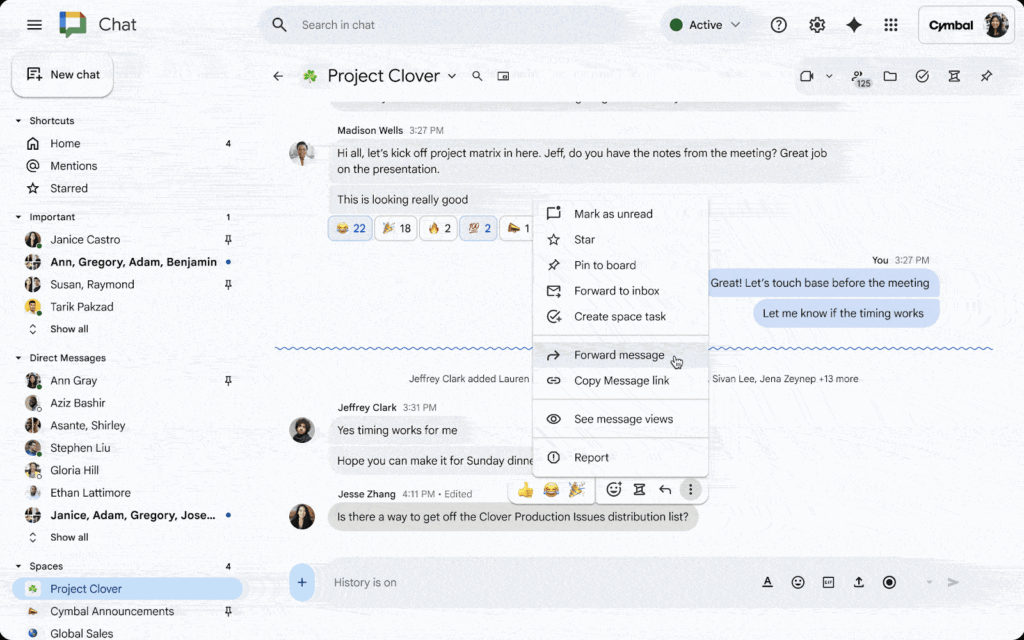
Note that forwarding chat messages is not possible in cases where the messages are:
- From entirely internal conversations to conversations that include users from other organizations, and
- From conversations that include users from external organizations to other conversations that include users from external organizations
However, chat messages can be forwarded from conversations containing external participants to conversations containing entirely internal participants.
Also note that when users forward a message from a DM or group DM, a reminder to protect sensitive information will appear.
For more information about chat message forwarding, visit: Forward a message in Google Chat.
Feature Availability: This feature is now available.
A new web address for Google Chat
The web URL for Google Chat is changing (back) to chat.google.com, whereas previously the web URL was mail.google.com/chat. The old URL will continue to function as a valid bookmark that will take you to the new address.
Feature Availability: This change is now effective.
Introducing the new Meetings section in Google Chat
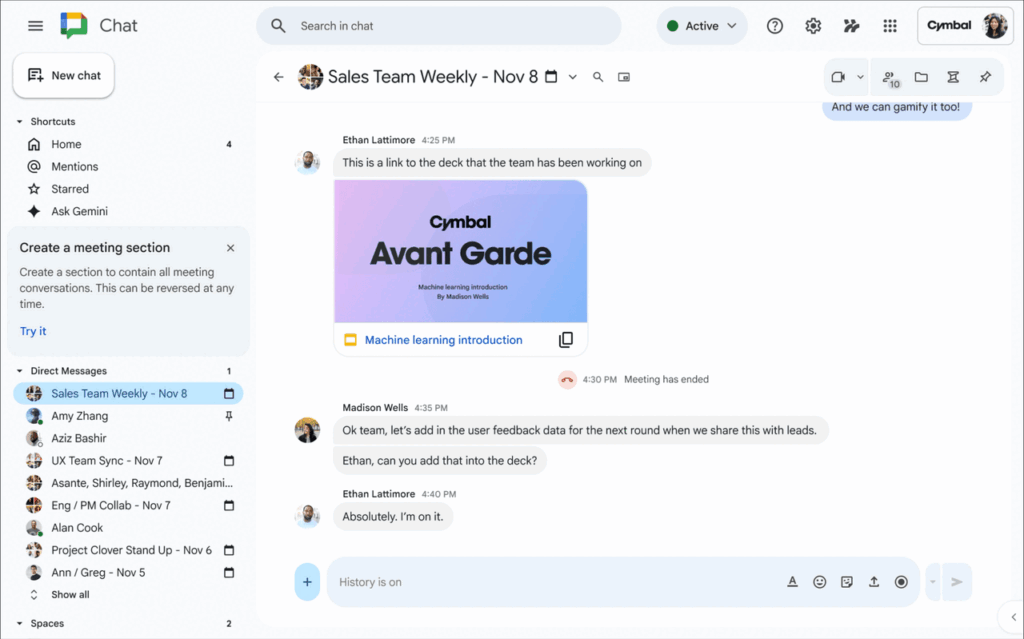
Google Chat now has a new “Meetings” section, where conversations that are created from scheduled Calendar events can now be found. Previously, these conversations were initially created under direct messages. This feature consolidates those group messages into one location that is easier to locate.
By default, this new section is not visible and needs to be created. It can be created by clicking the “Try it” button from a notice that will appear under the Shortcuts section, or by clicking the triple dot menu icon when hovering over the “Direct Messages” section, then clicking “Create a meeting section”, then click “Create.” This new section can also be moved around like other sections.
For more information, visit: Learn how to use Chat with Google Meet.
Feature Availability: This feature is currently rolling out.
Google Drive & Docs Editors
Save PDFs to your Google Drive
In Google Chrome, you can now save PDFs from any website directly to your Google Drive with a new “Save to Drive” button. The PDF is automatically saved in a folder titled “Saved in Chrome.”
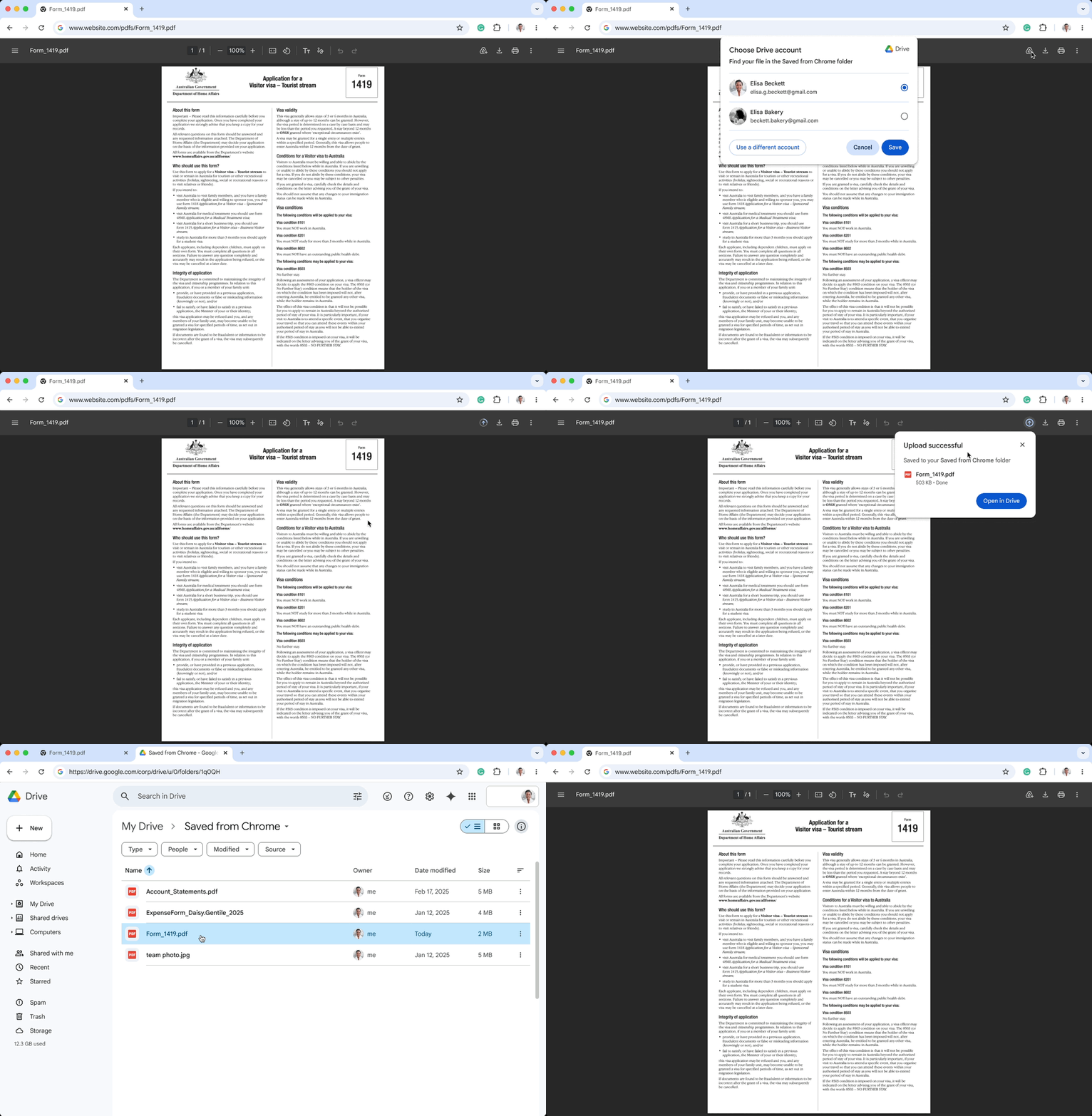
For more information, visit: Manage PDFs in Chrome.
Feature Availability: This feature is now available.
Introducing a new video player experience in Google Drive on iOS devices
In December 2024, a new video player was rolled out for Google Drive on Android for devices, and is now available on iOS devices as well.
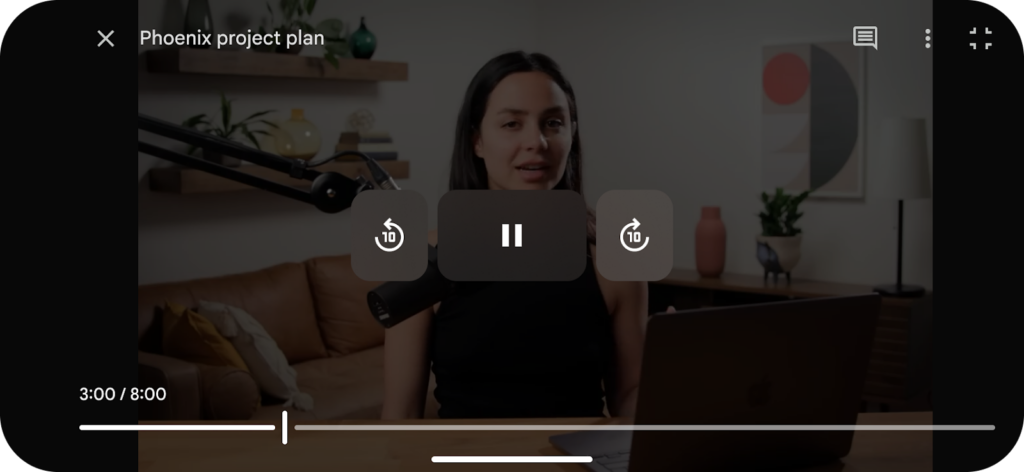
For more information, visit: Store & play video in Google Drive.
Feature Availability: This feature is now available.
Google Meet
Move shared content in Google Meet to a separate window with the “Open in new window” option
A new option is now available in Google Meet to move shared content (while sharing your screen or presenting a presentation) to a new window.
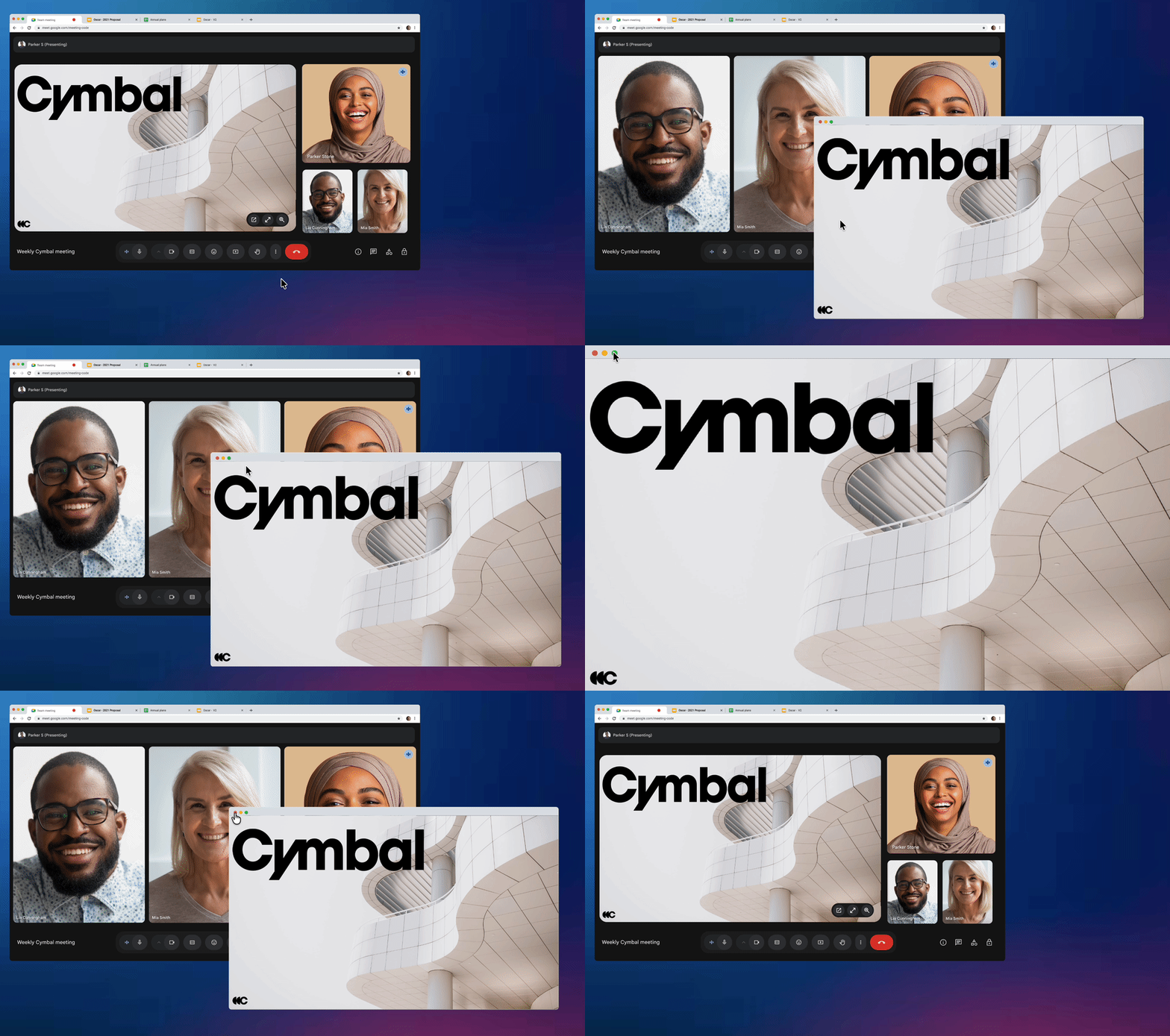
To get started, while already presenting something, hover your mouse over the presentation tile in the Meeting and select the “Open in new window” button.
To learn more about sharing in Google Meet, visit: Tips on how to collaborate in a video meeting.
Feature Availability: This feature is now available.
Google Meet is now available on CarPlay
You can now join meetings in Google Meet using CarPlay for iOS. This provides the ability to participate in a Google Meet safely while on the go.
Note: When joining this way, you will only be able to send and receive audio. Video will be turned off and unavailable.
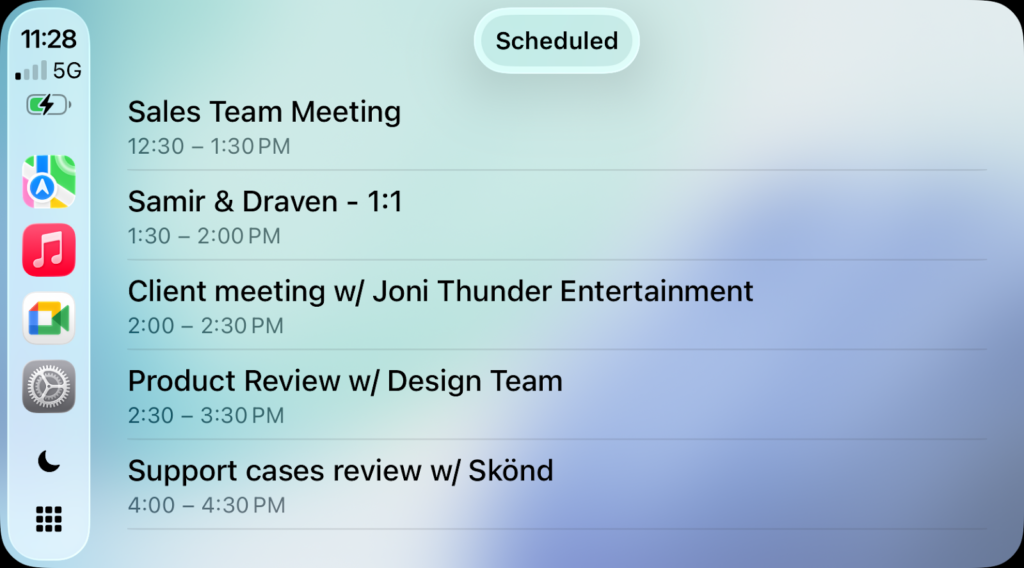
For more information, visit: Use Google Meet with Apple CarPlay.
Feature Availability: This feature is now available.
Google Sheets
Two new functions in Google Sheets
Google Sheets now has the SHEET and SHEETS functions.
These new functions operate as follows:
- =SHEET(value) – Returns the Sheet number (in order of the Sheets in a Spreadsheet) when value is the title of a Sheet or a reference to a cell or range in a Sheet. If no value is provided, it provides the Sheet number of the Sheet the function is located in.
- =SHEETS – Returns the amount of Sheets in current Spreadsheet.
For more information, visit:
Feature Availability: This feature is now available.
Google Vids
Expanding access to select Google Vids features for all users
The following Google Vids features are now available to all Vids users:
- Read-along teleprompter: Allows you to read from a script that automatically scrolls as you speak, helping you maintain eye contact with the camera and deliver a more natural performance.
- Transcript trim: Provides a simple way to edit your video by deleting words or silences directly from the video’s transcript.
- Styled captions: Lets you choose from a variety of visual styles to render captions directly on your video, making your content more accessible and engaging.
Previously, these features required a license to be able to be used.
For more information, visit:
- Record a video or audio clip – Google Docs Editors Help
- Trim video & audio transcripts in Google Vids – Google Docs Editors Help
Feature Availability: This feature is now available.
Expanded duration limits in Google Vids
Google Vids now allows for increased duration limits:
- Vids projects can now be up to 30 minutes, up from 10 minutes previously.
- Recordings: The maximum length for any video or audio clip created directly in the Vids recording studio is now 30 minutes.
- Imports: You can now import video or audio clips up to 95 minutes in length (or up to 4 GB in file size).
- Note that while the maximum allowed length for importing is 95 minutes, the resulting export must be 30 minutes or less.
For more information, visit: Google Vids storage, object & version history limits – Google Docs Editors Help.
Feature Availability: This feature is now available.
Categories Google Calendar, Tasks, and Keep, Google Chat, Google Drive & Docs Editors, Google Feature Updates and Changes, Google Meet, Google Sheets, Google Vids, Google Workspace News, Other Google Feature News