We’re growing! New assistive technology materials to inspire learning!
We have been listening to you! Based on your requests, we have curated more assistive technology (AT) devices for you to trial with your students of all ages. Check out these materials that were added to our library recently!
Lights, Camera, Action!!!

Spruce up your classroom or learning station or highlight a science activity with these creative switch-activated neon lights. You will be the talk of the pod!
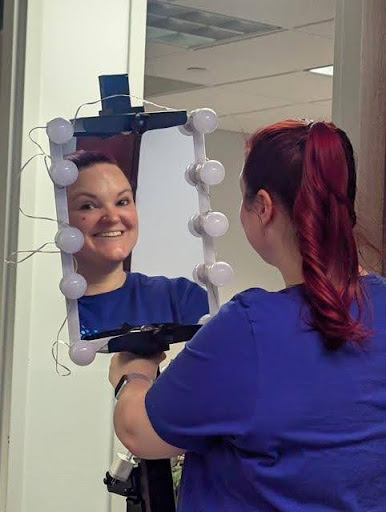
Do you have aspiring actors in your classroom or students in the drama, dance, or theatre club? This combo shatter-resistant vanity mirror/light stand may just be what they need. This light set-up can be easily mounted and can be switch-activated. Check out the Vivo Clamp-on Art Easel Desk Mount and the LED Vanity Lights with mirror separately from the AT Lab.

This light is sure to make a statement in your student’s favorite learning station! The colors illuminate and change when the switch is depressed and stop when the switch is released. Great for teaching core words like stop, go, and different
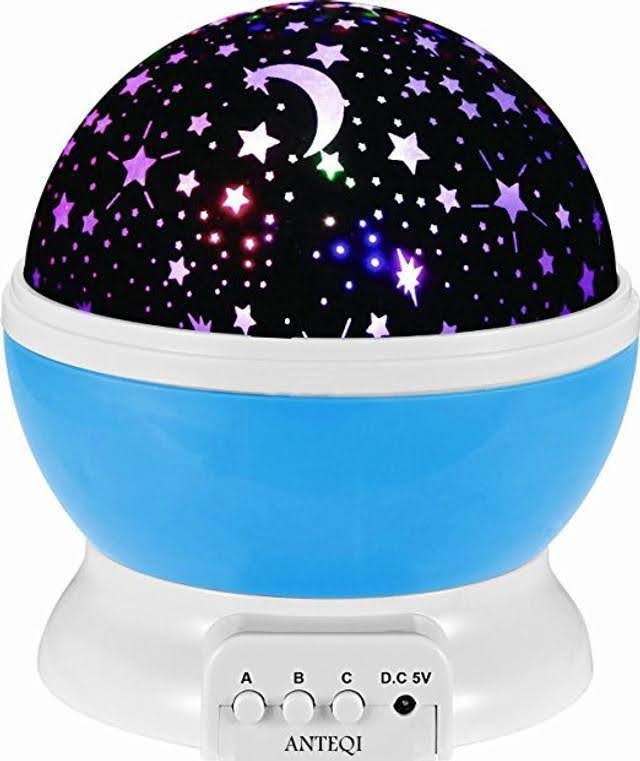
Are you looking for meaningful materials for your VESOL astronomy and space science projects? This switch-activated star projector sends images onto a screen in a dimly lit area of your classroom. Your students who require switch access can be the “star” of this activity!
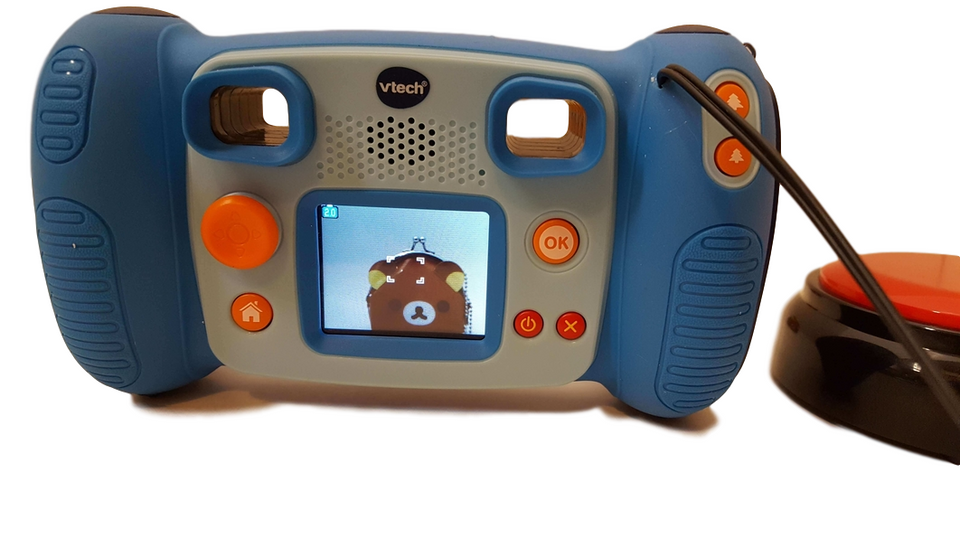
Capture successes and fun moments in your classroom with this switch-activated camera. This camera takes photos, selfies with face detection mode, and even videos with sound. It works with or without a switch and would be great to use with small groups of friends. Send these photos and videos home with your students so their families can stay on top of classroom experiences. Photos and videos from this camera can spark memorable discussions at school and home.
For the culinary artists in your classroom

#1 most requested item from the AT Lab!!
This very versatile tool can be used by the food enthusiasts in your classroom or culinary arts classes to create food and beverage explosions! For students who have difficulty holding measuring cups, this switch-activated tool will help them pour liquids into mixing bowls or other containers. It can be used to help with school jobs like watering plants or feeding pets. Sometimes, there is a waiting list for the pouring cup, so request it soon!

This blender is perfect for creating classroom smoothies! Align your cooking activities with the VESOL basic understanding of nutrition and promote healthy eating habits among your students. This blender can be used with a Power Link device and a switch to support student independence.
Switches, switches, and more switches!!
Choosing a specialized switch for students with disabilities is crucial because it enables them to interact with technology, communicate with others, and participate in learning activities they might otherwise find inaccessible. Switches are designed to accommodate a variety of abilities and needs. With the support of your therapy team, choosing the right switch can empower students and facilitate independence.

These switches, with high-contrast visual and tactile surfaces, are helpful for students with sensory needs. They have a 2” by 2” light touch activation area and feature three patterns: dots, lines, and circles. These switches will activate any switch-enabled device. Check them out separately or together!

Here is another option for textured switches that offer light-touch activation. They are very sturdy and will activate any of your switch-enabled devices.

How about this joystick?! This joystick provides access to video games and will drive battery-powered vehicles and other directionally controlled devices. What a great way to help your students participate in play and leisure activities with friends.

This colorful and neon stretchy noodle switch will motivate even your most reluctant user. The slightest touch will turn on the glowing light and activate a favorite toy.
Highly specialized switches

This switch works well for students who use small muscle movements such as wrinkling a forehead, raising an eyebrow, or minimal finger movement. It offers three modes of operation (i.e., latched, timed, or momentary) and can be easily positioned and mounted. Try out one of these switches with your students who have complex motor needs.

You may have students who are unable to activate a standard switch manually, thus limiting their participation in daily activities. Work with your therapists to try out this Tilt Switch. This gravity-sensitivity switch has a velcro strap that can be attached to your student’s head, arm, leg, or foot and is activated when the student tilts that particular body part.

This specialized head switch can be easily mounted and activated by very light pressure from the head, knee, elbow, or other body part. Try out this switch with your therapy team and family to determine if it is the right tool for your student.
Got Math?
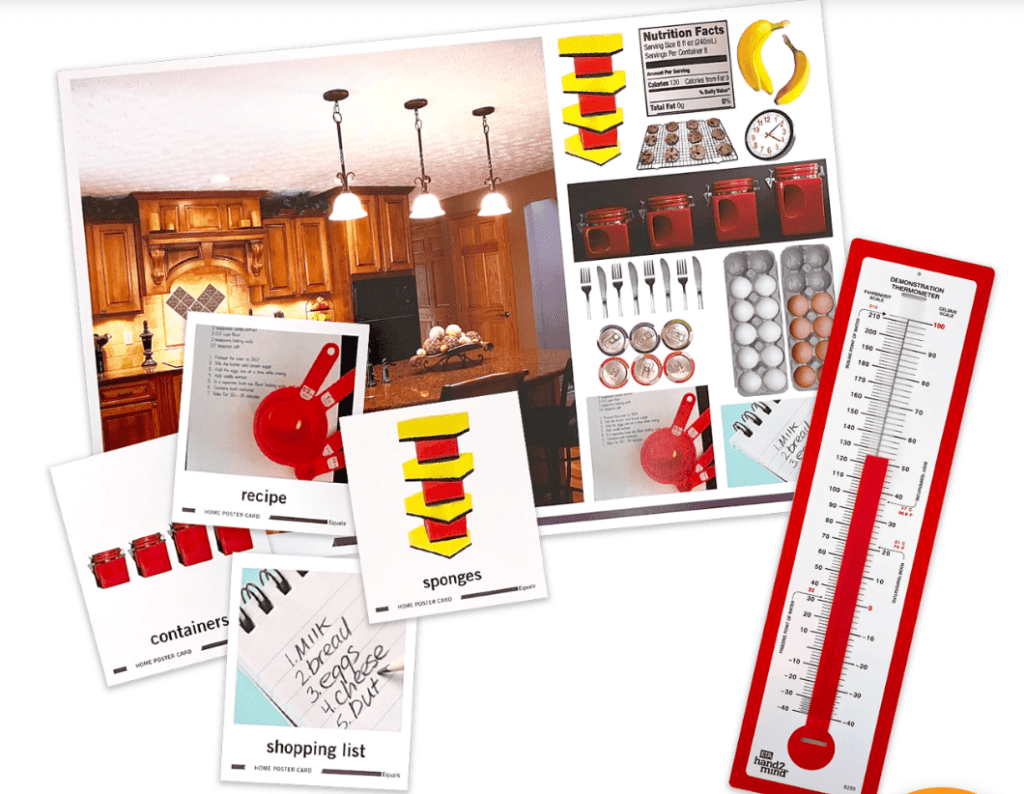
Equals Math was designed specifically to help students with disabilities build foundational math and problem-solving skills as active learners in all grades. This print-based, multisensory math curriculum meets individual needs, aligns with extended standards, and includes a variety of adaptations to support students’ language, motor, vision, and cognition needs. The curriculum includes structured lessons with real-world problem-solving activities, print-based practice, and lots of hands-on manipulatives that help build foundational math and problem-solving skills and reinforce vocabulary.
How do I check out these items?
These materials can be checked out from the T/TAC at VCU’s Assistive Technology Lab in person or online. We invite you to contact us at [email protected] to schedule a time to come into the AT lab to explore the materials or meet with a Program Specialist who can help you choose specific materials to meet your student’s needs. If you prefer to search online through our Library catalog, use the search bar to find your item, then request that the item be placed on hold. Someone will reach out to you once your request is received.
Don’t forget trialing devices is an important AT Consideration and Assessment component. Data collected during the trial period will assist your team in determining if the device is the right fit for your student, if modifications are needed, or if an entirely different device is needed. Use your preferred data sheet or check out these sample data forms from SET-BC. Once your student has tried the device, data has been collected, and the team has met to review the data and determine if it is the right tool, it’s time to advocate for funding those devices with your school administrators.
For more information, contact Sharon Jones ([email protected]), Program Specialist and VDOE Statewide Distance Education and Assistive Technology Coordinator, T/TAC at VCU.
Categories Assistive Technology, Autism Spectrum Disorder, Inclusive Practices, Intellectual Disabilities, Math