Link the Contract & Protect the Deal in RealSource

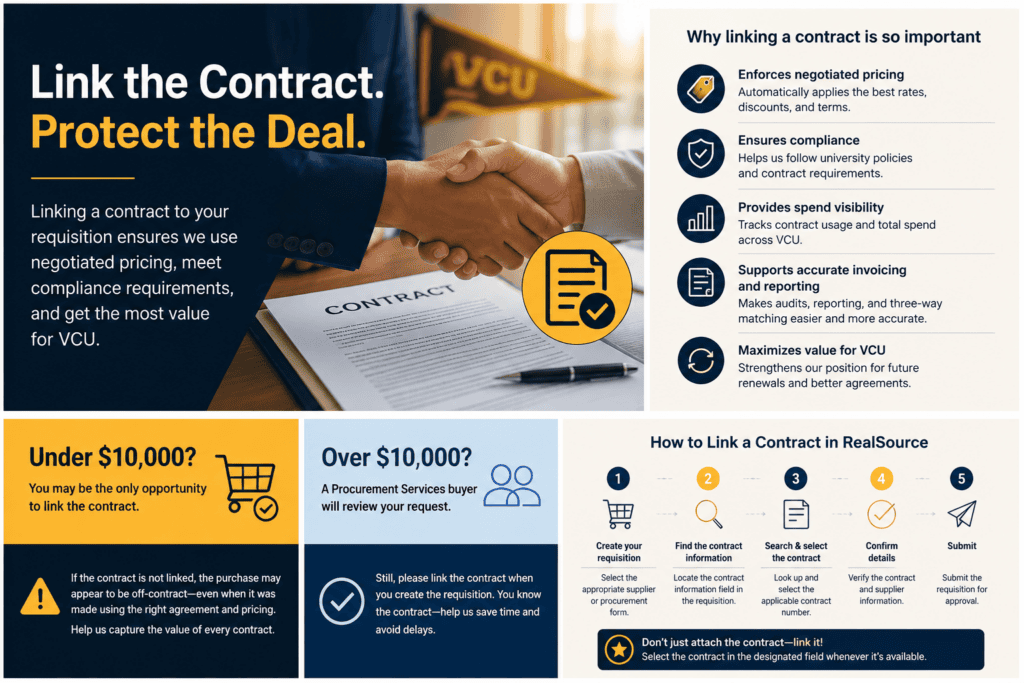
When you’re buying from an existing contract, link the contract to your RealSource requisition before you submit it. This matters most for purchases under $10,000, where the requisition typically becomes a purchase order without review by a Procurement Services buyer. If you don’t link the contract, no one else will.
Why linking matters
Linking connects the purchase order to the agreement that supports the purchase. That connection is what lets VCU:
- Enforce negotiated pricing, discounts, and terms to the PO
- Track how much a contract is actually being used across the university
- Keep a clean record for invoice review, three-way matching, and audit
- Track total spend against the contract.
It also affects what happens to the contract later. Usage data is how Procurement Services identifies which agreements should be renewed, expanded, or renegotiated. A contract that looks unused is a contract that looks unnecessary.
Under $10,000
Your department may be the only group with an opportunity to link the contract before the PO is issued.
If the contract isn’t linked, the purchase can look like an independent, off-contract transaction — even when you used the right contract and the right pricing. The purchase was correct; the record just doesn’t show it.
Over $10,000
These purchases generally get additional review, and a buyer may identify and link the applicable contract. Still link it yourself when you can.
What to do
When creating the requisition in RealSource:
- Select the appropriate supplier or purchasing form.
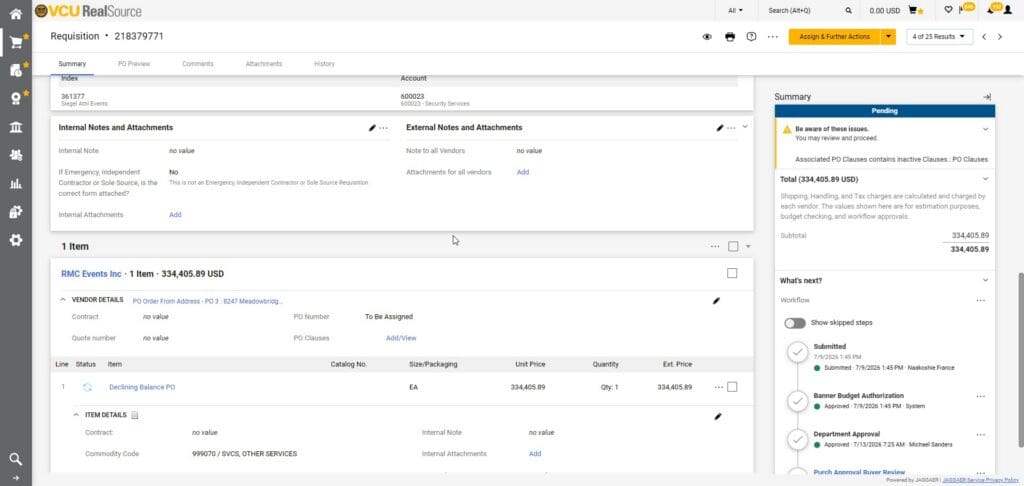
- Open the contract information section.
- Search for and select the applicable contract number. If a master agreement applies, select it so the PO inherits its terms.
- Confirm the supplier and contract details are correct
- Submit through the normal approval process.
📌 Select the contract in the designated contract field. Attaching a copy of the contract or typing the number into a comment doesn’t create the link — the system won’t pick it up.
Need help?
Not sure whether a contract exists for your supplier, or can’t find the contract number? Contact VCU PURCHASING [email protected] before you submit.