Making Your Canvas Course More Accessible with UDOIT
As instructors and instructional designers, we strive to remove barriers of learning. And one way of doing that is ensuring our content meets accessibility standards. But ensuring all our online content meets accessibility standards can feel daunting—especially if we are not sure where to start. Enter UDOIT—an accessibility checker built right into Canvas. And as […]

Teaching Gen Z: Adapting Your Approach to Empower Modern Learners
University faculty across the globe are facing a new teaching challenge—and opportunity—in the form of Generation Z. Born roughly between 1995 and 2012, these students have never known a world without high-speed internet or smartphones. They bring with them a distinct set of preferences, expectations, and needs that differ markedly from previous generations of learners. […]

Why Accessibility Matters
In 2024, the CDC reported that more than 1 in 4 people have a disability, but according to the National Center for Education Statistics, roughly 32% of that 1 in 4 report having a disability while in college. Many don’t report for fear of discrimination, low self-esteem, or a lack of self-advocacy skills. At some […]

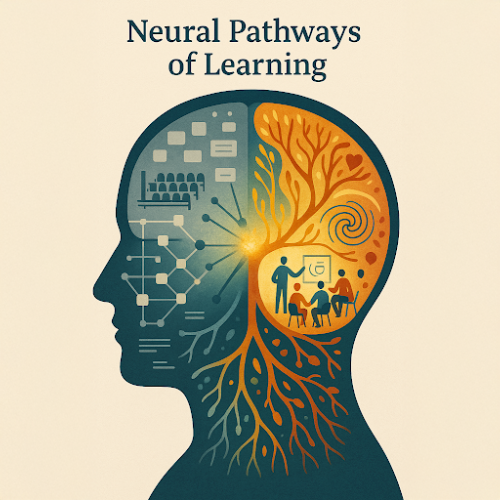
Rewiring Education: How Neuroscience Is Transforming University Teaching (Part 1)
This is the first in a 5-part series exploring how insights from brain science can revolutionize teaching and learning in higher education. The Century-Old Classroom vs. The Modern Brain Picture two university classrooms. In the first, a professor stands at the front, delivering a meticulously prepared 90-minute lecture. Students dutifully transcribe notes, occasionally glancing at […]
Practical Tips to Improve Your Professional Writing
Writing can be scary, especially when others are going to read it. As a former writing tutor and consultant, I’ve experienced people feeling generally insecure about their writing abilities. But I guarantee your writing is not bad, or even close. It’s like hearing your recorded voice played back to you: You hate it, but no […]

Dive into Infographics with Adobe
LEDStudio Media Specialist, Melanie Felix and Graphic Designer, Erin Christoph help us dive into engaging content with infographics. Educators can create interesting and appealing infographics that facilitate learning with Adobe software. Infographics are an engaging way to communicate complex or dense information to students or general audiences. They can be used for a multitude of […]
Spring Professional Development Opportunities with Adobe
Looking to enhance your digital teaching toolkit this spring? VCU and Adobe are offering a range of professional development opportunities designed to help you integrate creative tools into your teaching and research. Whether you’re looking for quick tech tips, student-centered applications, or hands-on training, there’s something for you. Upcoming Workshops & Webinars Save the Date: […]

Advancing AI in Education: A Collaborative Vision for VCU
In his recent State of the University address, Virginia Commonwealth University (VCU) President Michael Rao, Ph.D., highlighted the rapid pace of technological innovation and VCU’s vital role in preparing students for a world shaped by emerging tools—particularly artificial intelligence (AI). While Rao’s speech covered many university-wide initiatives, one standout moment was the spotlight on Elaine […]

From Polls to Pixie Dust: LEDstudio’s OLC Accelerate 2024 Highlights
At this year’s OLC Accelerate 2024 Conference “30 Years of Magic: Envisioning a New Era of Digital Learning,” three instructional designers from the LEDstudio team—Cairo Jones, Rebecca Stooks, and Sydney Wilk—gave a presentation titled “Creating Harmony in the Classroom Using Harmonize and DesignPlus.” They offered attendees a glimpse into how LEDstudio leverages innovative tools to […]

Adobe Badges: An easy on ramp to digital literacy
In this blog post, we consider the scenario in which you are interested in learning how to easily create more visually appealing presentations or more engaging video content for your next course. Or, consider another scenario in which, as part of the learning goals for your course, you want your students to be able to: […]