Turning information into understanding with graphic organizers
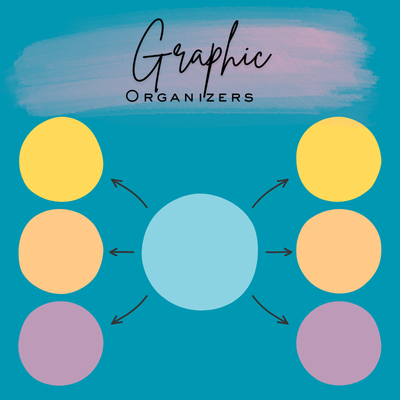
In today’s classrooms, students are expected to read, listen, and process new information as they work toward identified learning targets. You’ve probably seen students, especially those with disabilities, struggle to understand, remember, and apply new information presented during instruction. Skills such as connecting new information to prior knowledge and identifying main ideas and supporting details can be challenging (Dexter & Hughes, 2011). One tool to support students in organizing and processing new information is a graphic organizer.
What are graphic organizers?
A graphic organizer is a visual and spatial display that shows students how information is organized and related (Dexter et al., 2011; Marlett, n.d.; Tennessee Technical Assistance Network, n.d.). With a graphic organizer, students typically add text to shapes and/or lines on a document. Yet, without instruction, they may not understand how the visual representations connect to what they are learning. As Dexter & Hughes (2011) explain, “graphic organizers make relationships between related facts and concepts more apparent,” which facilitates understanding and retention of information (p. 52).
Why should I implement graphic organizers?
Graphic organizers support students’ learning in three ways:
- They strengthen memory and recall. Students with disabilities may struggle to remember and recall key facts and concepts. A graphic organizer provides a structure to create visual representations of abstract concepts and assists students in connecting new information to their prior knowledge (Marlett, n.d.). These representations support long-term retention of content.
- They improve comprehension. For example, when intermediate and high school students with learning disabilities used graphic organizers, their factual comprehension, vocabulary knowledge, higher-order thinking, and retention of social studies and science content improved (Dexter & Hughes, 2011; Hunsberger, 2013 ; Urton et al., 2025). Increased content retention can positively affect information recall and improve academic performance.
- They reduce cognitive load. The amount of new information and skills presented during instruction can affect a student’s ability to process, plan, and filter information. Short-term memory and working memory can be overloaded. A graphic organizer can help a student to “chunk” the information so it is more manageable to process and understand (Marlett, n.d.; Urton et al., 2025).
Which types of graphic organizers can support my students’ learning?
A variety of graphic organizers are available to implement in your classroom. Five types of graphic organizers are available to facilitate understanding and retention of new material.
- Cognitive maps graphically represent information and make main ideas and relationships explicit. Lines, arrows, and spatial arrangements are used in this type of visual representation (Dexter & Hughes, 2011; Urton et al., 2025).
- Semantic maps are similar to cognitive maps, with the addition of coordinate (i.e., main ideas) and subordinate (i.e., details) concepts in the visual. A semantic map illustrates the relationships between the levels of concepts and helps students identify essential information (Dexter & Hughes, 2011; Hunsberger, 2013).
- A semantic feature analysis helps students identify relevant information from the text or a lecture. A matrix is placed below the semantic map; it includes coordinate and subordinate concepts from the semantic map (Dexter & Hughes, 2011; Hunsberger, 2013). Students compare the main ideas by using the details listed in the matrix.
- Syntactic/Semantic feature analysis adds cloze sentences to a semantic feature analysis. Using this semantic feature analysis, a teacher could create a syntactic/semantic feature analysis by adding cloze sentences. Students complete the sentences by using sentence context and/or vocabulary from the matrix (Dexter & Hughes, 2011).
- A visual display graphic organizer spatially presents concepts or facts. The interrelationship of the concepts or facts is visible through the spatial arrangement (Urton et. al, 2025). Examples of visual displays are Venn diagrams, flowcharts, and timelines.
How do I teach students to use graphic organizers?First, consider how students will think about the content. Do they need to compare concepts? Do they need to understand the relationships between big ideas? Once you determine how students need to think about the content, select a graphic organizer to facilitate that type of thinking. For example, would a semantic feature analysis graphic organizer assist students in comparing the characteristics of four planets in the solar system? Or, would a Venn diagram serve the purpose? After choosing a graphic organizer, students need to learn how to use it. As Dexter and Hughes (2011) explain, “students with learning disabilities need explicit instruction to understand how concepts are related, to recognize differences between main and subordinate ideas, and to put all the pieces together to make a clear picture of the content…(p. 69).” Providing explicit instruction supports students with disabilities by modeling, practicing, and providing feedback that helps them reach their learning goals.
Graphic organizers help students organize information and deepen their understanding. When we provide these structured visual aids and explicitly teach how to use them, students engage with content in a more meaningful way. Learning to use graphic organizers supports their long-term success. As you plan an upcoming lesson, consider incorporating a graphic organizer and see how it supports your students.
References
Dexter, D. D. & Hughes, C. A. (2011). Graphic organizers and students with learning disabilities: A meta-analysis. Learning Disability Quarterly, 34(1), 51-72.
Dexter, D. D., Park, Y. J., & Hughes, C. A. (2011). A meta-analytic review of graphic organizers and science instruction for adolescents with learning disabilities: Implications for intermediate and secondary science classroom. Learning Disabilities Research & Practice, 26(4), 204-213.
Hunsberger, B. (2013). Making connections through graphic organizers. TeachBeyond.
For more information, contact Chris Frawley ([email protected]), Program Specialist, T/TAC at VCU.
Categories Autism Spectrum Disorder, Inclusive Practices, Math, Reading