Switch it up! Check out these awesome switches in the AT lab
Pedal switches, Makey Makey, and Bluetooth OH MY! The Assistive Technology lab has a variety of switches available for school and early intervention teams to check out. Pair them with any switch-activated device, and your students will be ecstatically able to interact with their environment.
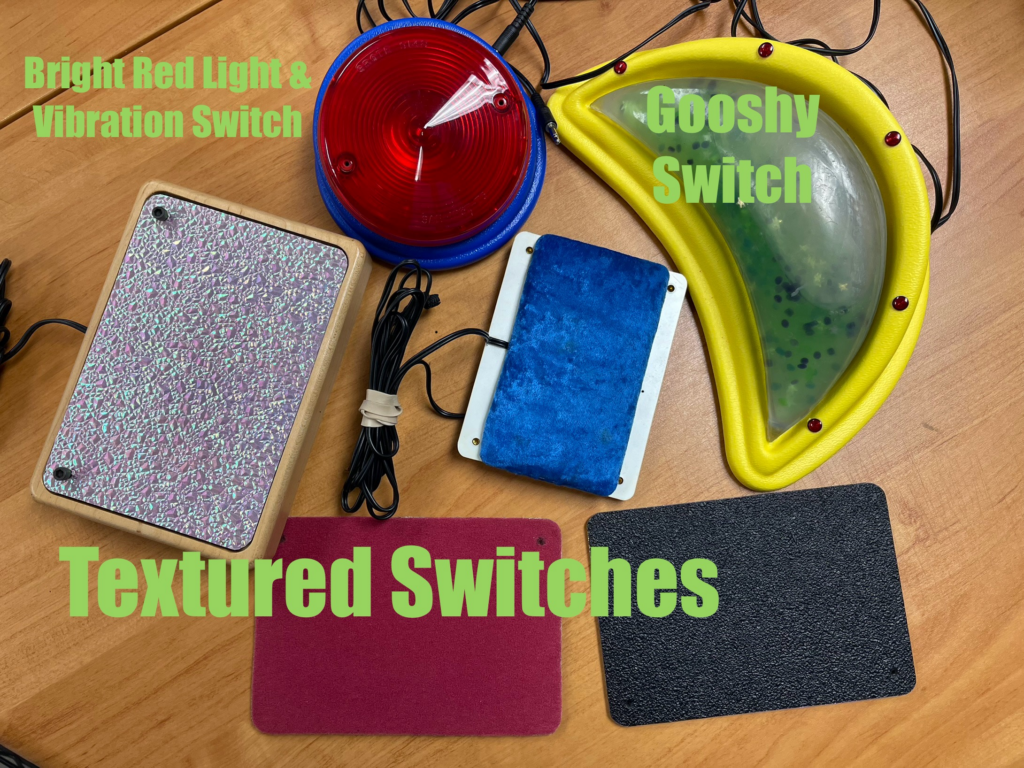
Are you looking for something that will give a sensory experience to your students as they activate a toy? Try out our Gooshy Switch, Bright Red Light & Vibration Switch, or one of our many textured plate switches. These switches help students with vision impairments or sensory needs learn to interact with a switch. These options have a wide switch activation area; they can be used for students with fine or gross motor planning challenges. Plus, they’re just plain FUN! Who doesn’t love a sparkly unicorn switch?
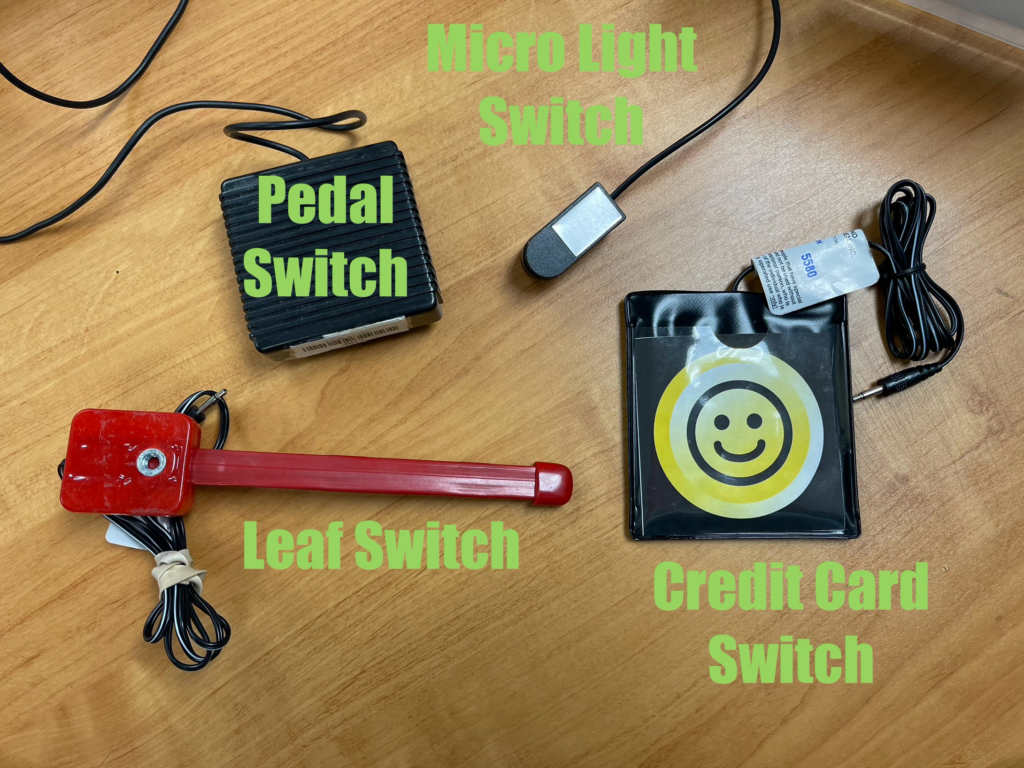
If your student needs more specialized access, you could try a Leaf Switch, a Credit Card Switch, a Micro Light Switch, or a Pedal Switch. The Leaf Switch, Micro Light Switch, and Credit Card Switch require light pressure to activate and can be mounted on a switch arm, a desktop, or anywhere else your student requires access. The Leaf Switch is a great option for students who need to use their arm, head, or leg to activate a switch, as the long stem is extremely flexible and can be hit from either side. The Pedal Switch is a great option for a student who may need to activate a switch using their foot; but it can also be used for other methods of activation too. These switches provide many creative opportunities in finding a way for students to interact with a switch-activated device.
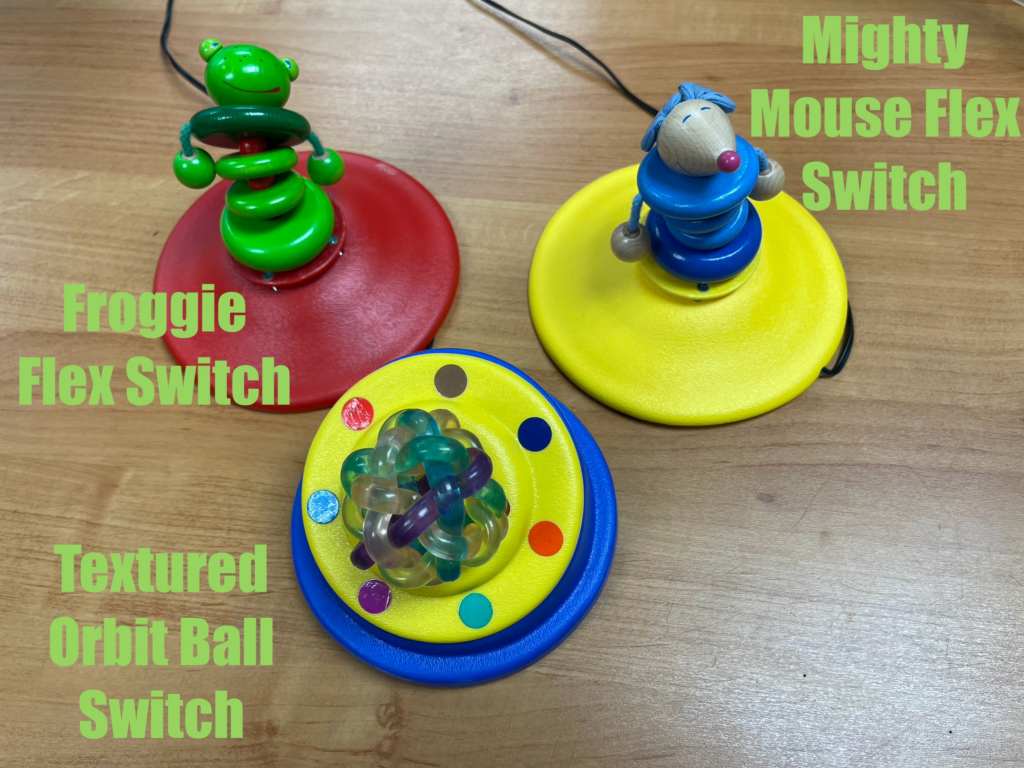
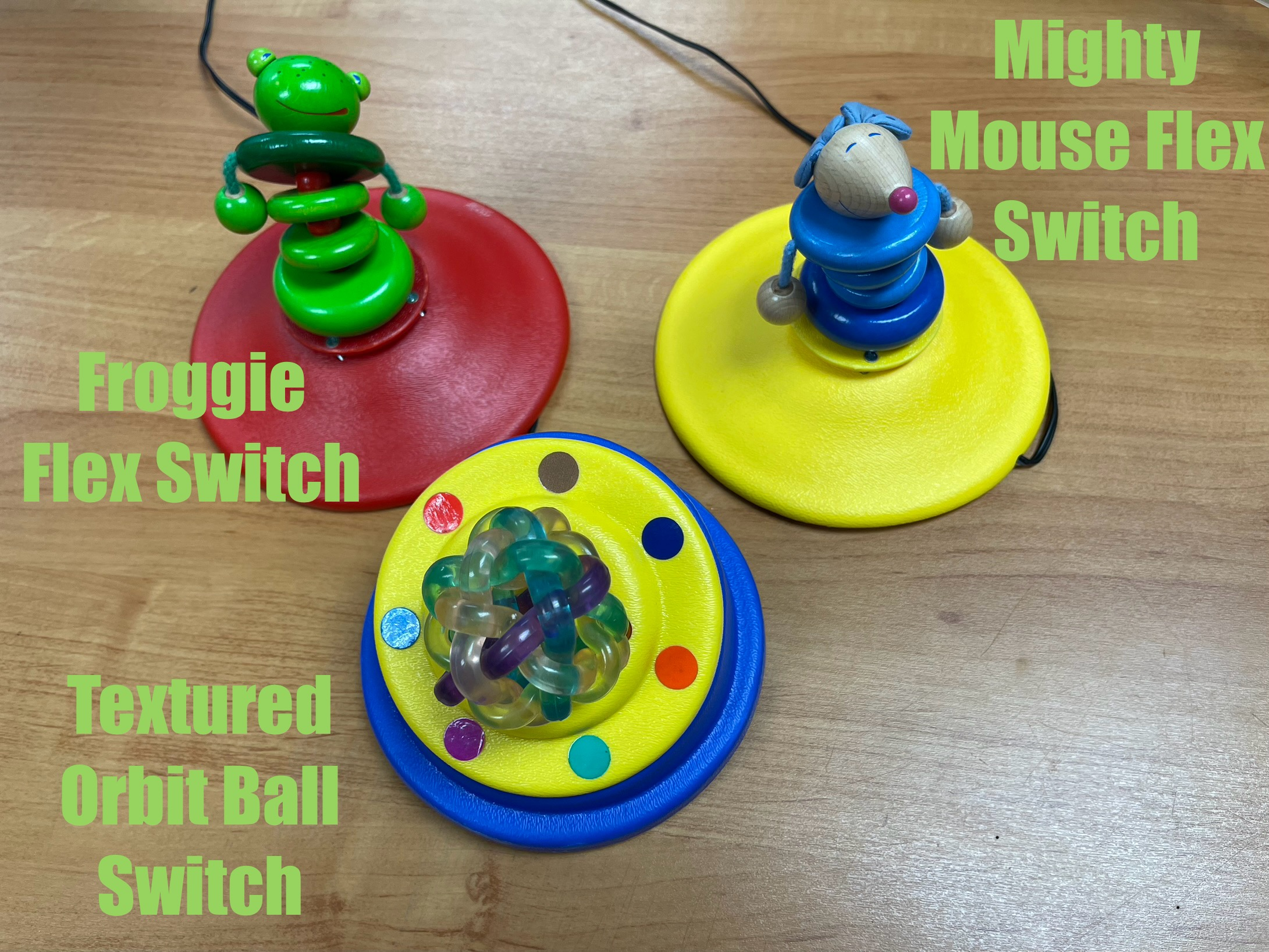
The Mini Mouse Flex Switch, Froggie Flex Switch, or Textured Orbit Ball Switch provide a playful way to interact for our younger learners. As is evident from their names, the Froggie and Mighty Mouse switches offer a flexible means of activation as they can be activated from all sides. The Textured Orbit Ball Switch simply provides an engaging and interesting feel as you activate it.
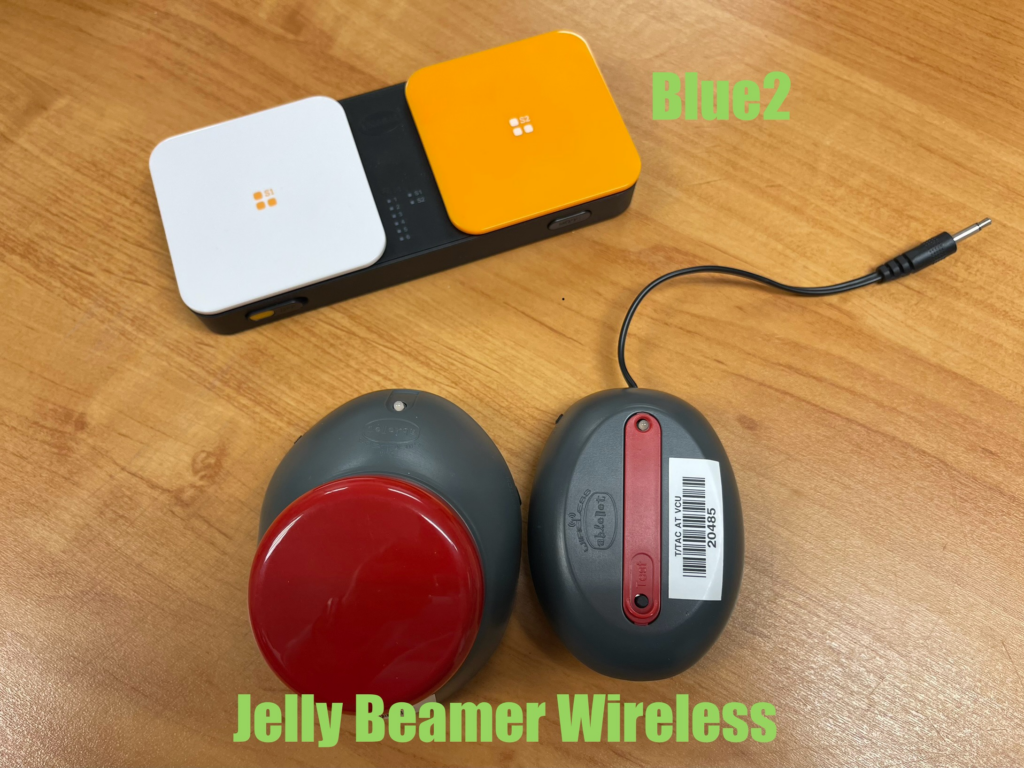
If you’re looking for more portable switches to use with a computer or an iPad, try the Blue2 Bluetooth Switch or Jelly Beamer Wireless Switch. Like most Bluetooth devices, wireless switches can be finicky and require an internet connection. In addition, they provide the ability to play around with the setup of access for a student with more specific physical access needs. These students may need more space between them and the device than a plug-in switch provides.
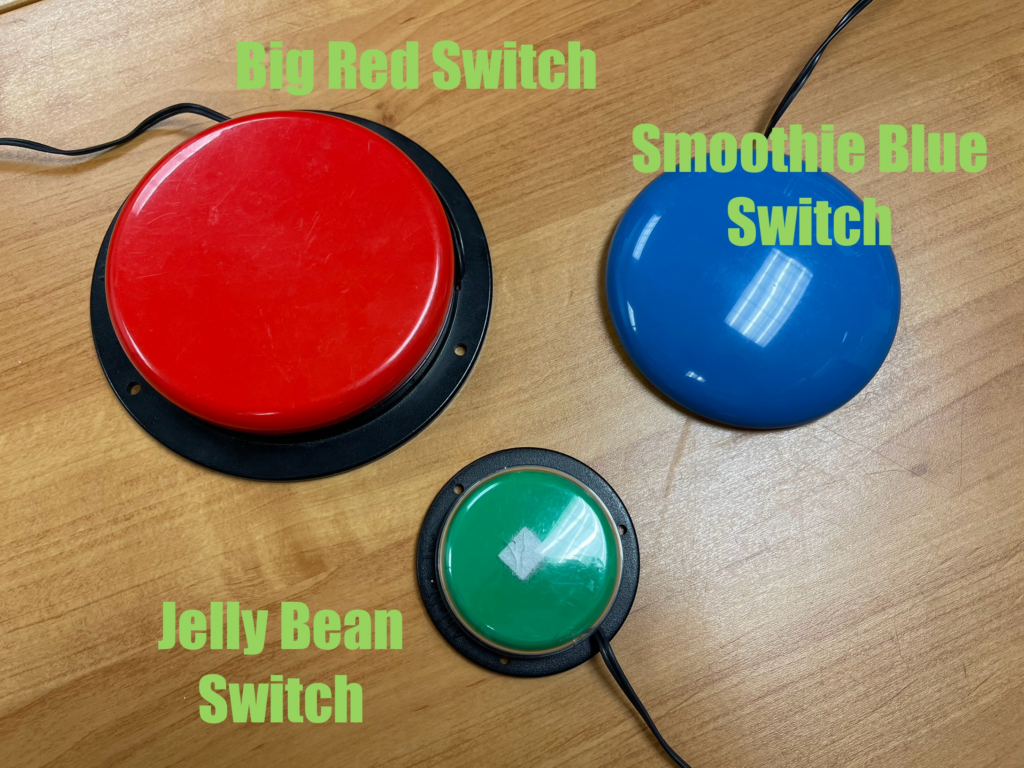
With all of the fun switches in our library, sometimes you can’t go wrong with the old standby simple plug-in switches. The Smoothie Blue Switch, Jelly Bean Switch, Big Red Switch, Spec Switch (not pictured), or Candy Corn Switch (not pictured) provide a reliable and simple access point for all who use a switch. These switches can easily be attached to a switch arm or anywhere else using a hook and loop fastener (i.e., Velcro) (for more permanent placement) or even command picture hanging strips (for more temporary placements). Also, though we only have one or a few of the other switches mentioned above, we have larger quantities of the Big Red and Jelly Bean switches, so you’re less likely to wait for a checkout of these items
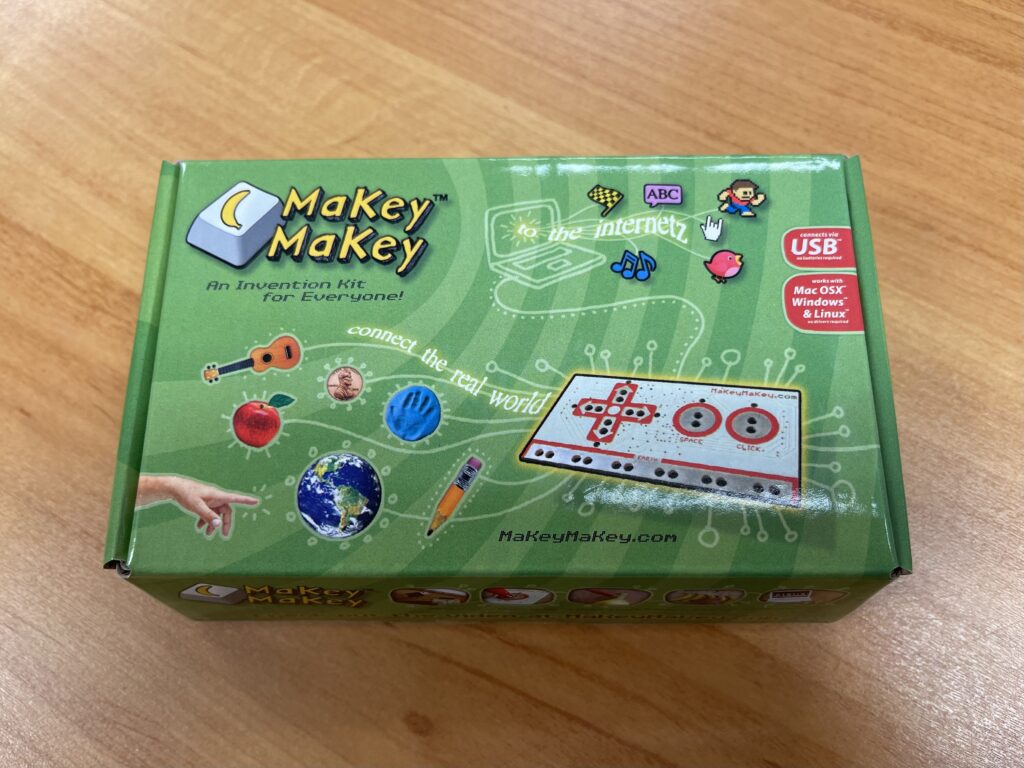
Finally, if all else fails, you can make your own switch using one of our Makey Makey kits. These kits provide the opportunity to make anything into a switch. A Beach Ball, Playdough, and even simple pencil drawings can be transformed into a switch. Think of the possibilities! With this kit, you can easily make a switch that fits any instructional unit under the sun!
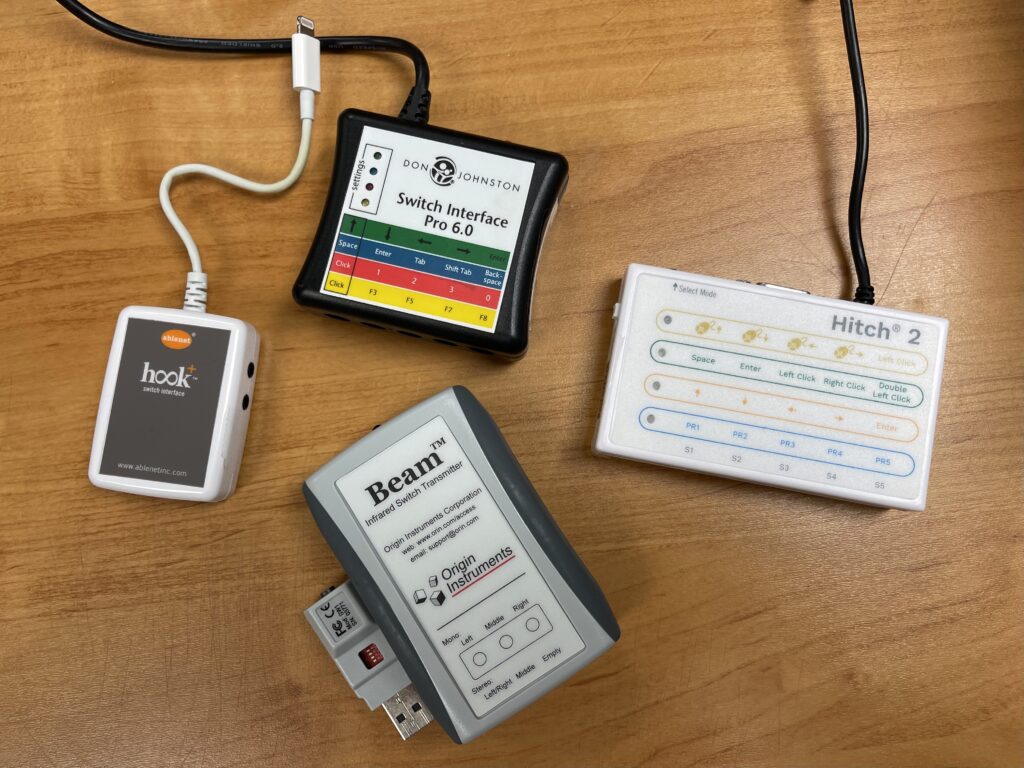
All of our plug-in switches can be connected to a computer or an iPad using a Switch Interface Pro, a Hitch 2, a Hook+, or a Swifty Wireless USB Switch Interface. The Switch Interface Pro, Hitch 2, and Swifty are all compatible with a laptop or desktop computer with a USB port. The Hook+ can be used to connect a switch to an iPad.
To check out any of these items, visit our website at https://ttac.vcu/edu and click the link to our catalog under the Library dropdown menu. In the search bar, type the name of the switch you are looking for to see it in our catalog. From there, you can request to check out your desired item. If you are looking for something else, you can use key terms to search the catalog for any other types of switches you may need. A maximum of nine items can be checked out from the AT lab at any given time. The checkout period for all AT items is nine weeks.
For more information, assistance determining the best switch for a particular student’s needs, or to schedule a time for hands-on exploration, contact Meghan Hyatt ([email protected]), Program Specialist T/TAC at VCU
Categories Assistive Technology, Autism Spectrum Disorder, Behavior, Early Childhood Special Education, Inclusive Practices, Intellectual Disabilities, Math, Reading