Using the “Auto Call” Feature
With so many tasks claiming our attention in the course of a day, it can be easy to miss the start time for a meeting — maybe even one you’re supposed to host! Zoom has addressed this with the “auto call” feature available in client version 6.5.0 and higher.
With his feature enabled, you can receive an incoming “call” whenever it’s time for a scheduled meeting. It works very much like the calls you get whenever a colleague wants to spontaneously invite you to a meeting in real time. In essence, you are inviting yourself.
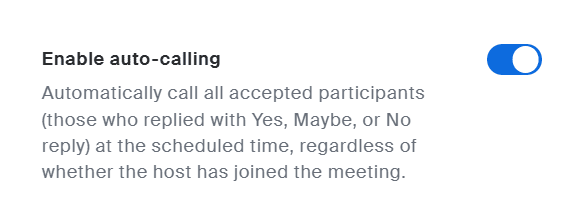
To use the feature, you’ll need to enable it in your account settings. Log in at vcu.zoom.us and go to “Settings > Meeting >General,” where it will be first thing on the page.
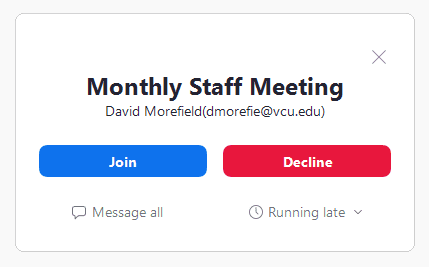
With this enabled, you’ll get a “call” when the meeting time arrives. Answer it to join/start the meeting, or choose “Decline” to ignore the call.
Note that with this setting applied, a call will also go out to anyone you may listed as an invitee, but only if they’ve enabled the feature on their own account. Likewise, you’ll get “calls” for meetings you’ve accepted invitations to as well as ones you’ve scheduled yourself.
The “Auto call” feature is a great way to keep yourself on schedule. As always, feel free to reach out to us at [email protected] with any questions or concerns you might have about this or other Zoom features.
Categories features