Beginning of Semester Reminders – Fall 2026
Greetings Faculty and Staff,
Welcome back! To ensure a smooth start to the upcoming semester, please review the following important reminders. For questions, email [email protected].
Canvas Login
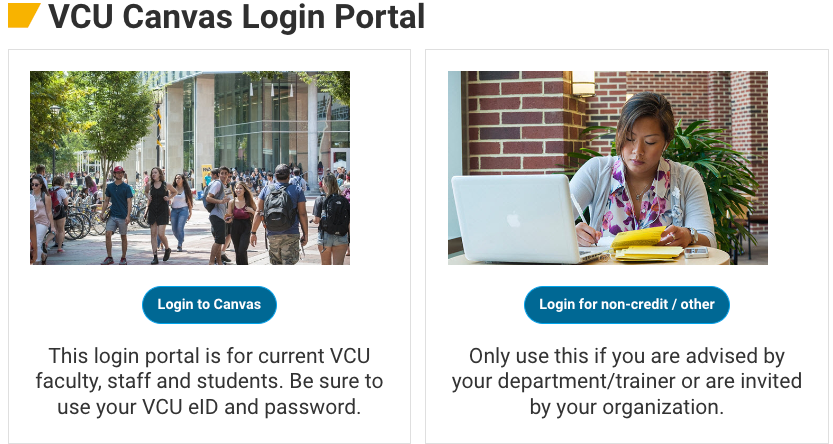
Log in to Canvas using the Canvas Login Portal page at http://go.vcu.edu/canvas.
Course Creation and Enrollment Provisioning
The Ellucian Intelligent Learning Platform (ILP) integrates our Ellucian SIS (Banner) with Canvas seamlessly, allowing Canvas to receive changes made in Banner within seconds of them being made. This is also the same tool that enables course grades to be submitted directly from Canvas to eServices for midterms and finals.
What does this mean for course enrollments? ILP provides real-time updates directly from Banner into Canvas, ensuring course information, student and instructor enrollments, and user data are always up to date.
- Missing an enrollment? If you or a student are missing a course enrollment, please check with your department or registrar’s office to ensure assignments are correctly entered in Banner.
- Have questions? For questions regarding the status of a student or instructor within Canvas, contact the Learning Systems team at [email protected].
When will the next term be available in Canvas? Learning Systems provisions a new term in Canvas when advance registration opens for that term. For specific dates, please reference the official Registration Dates page on the University Registrar website.
For additional information, please visit go.vcu.edu/canvas-ilp.
Copy a Canvas Course
Use the export and import workflow for moving course information from old courses into new shells. You can use our non-academic course creation tool to make a primary template to store course exports
Once you have your primary course template configured, you can now use the course copy feature for future terms. This can be done by anyone with the ‘Teacher’ role in a Canvas course. Note that you can only copy content into an existing course. For more information, visit the Copy a Course page linked above or watch the ‘Importing Course Content in Canvas’ video.
Note: All Canvas 3rd Party Tools have unique functionality; course copy behavior with integrated tools may vary.
Embedded VoiceThreads are intended to copy seamlessly with your course content. If any problems arise, please email [email protected] for assistance.
Canvas Course and Grade Export Advisory
In addition to course export/import best practices, it is advised to export course grades and your course roster from Canvas, which includes student emails. Additionally, it is strongly recommended that instructors back up any course content they wish to use in the future by following these steps.
Course or Section Cross-Listing
Our custom course merge tool, developed by Learning Systems, simplifies management for instructors overseeing multiple sections of a course. It enhances the student interface by presenting a single, clearly labeled parent course, which can be given a custom name.
To prepare for cross-listing, please visit the Cross-Listing Course Sections page or watch the Cross-Listing in Canvas video. These resources provide essential information and step-by-step instructions, including how to perform a custom cross-list (merge) of your courses, best practices, and important FERPA compliance guidelines.
IMPORTANT: Please refrain from manually enrolling students in courses. Manual enrollments may be overridden by the automated system enrollment process, which could result in students being unenrolled and potentially losing access to course activity and progress.
Publishing and Unpublishing Courses
A course becomes visible to students once it has been published by the instructor. Publishing a course makes it accessible to students’ Canvas dashboards. For detailed guidance, please refer to the instructions on how to Publish and Unpublish a Canvas Course.
Canvas 3rd-Party Tools & IT Governance Updates
As of June 1, 2026, instructor-level LTI configurations are disabled to ensure compliance with VCU data security and accessibility standards. Third-party tools can no longer be added directly to individual courses and must undergo centralized review prior to deployment.
Key Requirements & Process:
- Standard & Agreements: Proposed tools must hold an active VCU institutional agreement, support LTI 1.3, provide VPAT/HECVAT compliance documentation, and offer vendor-provided end-user support.
- Review Pathway: Submissions must be initiated through the VCU IT Governance Portal. Approval relies on meeting institutional compliance criteria and technical feasibility.
- Deployment Timeline: Approved tools are installed exclusively during scheduled end-of-semester maintenance windows. Complete requests, including all vendor documentation, must be submitted at least 6 weeks prior to a window to be considered.
Before initiating a request, review currently installed tools and track active evaluations on the VCU Learning Systems website. Direct governance or technical integration questions to [email protected] or [email protected].
In case you missed it…
- Kaltura’s Transition to the V7 Player: The Kaltura video players in Canvas have been updated to use the new V7 player, replacing the previous V2 version.
Training Opportunities
Start Strong: Launching Your Course in Canvas | August 10 | 11:00am – 12:15pm OR August 13 | 11:00am – 12:15pm | Both dates Virtual, via Zoom | Register Here
If you’re new to Canvas— or if you’re looking for more efficient ways to set up your course— this session is for you! A well-organized course site can support student success. In this session, we’ll focus on setting up your course shell, organize content for clarity and flow, review communication tools, and create a site that helps students easily navigate your materials from day one. We’ll also highlight how intentional site design can support a smoother, more manageable teaching experience throughout the semester.
Teaching With Technology at VCU: An Interactive Exchange and Expo
Wednesday, Sep. 9, 2026 from 10 a.m. to 2 p.m.
Save the date for LEDstudio and Academic Technologies’ Teaching with Technology at VCU: An Interactive Exchange and Expo in the Cabell Library, Room 303. Join faculty and university partners for a hands-on event exploring teaching, course design, instructional technology, and student engagement. Bring your laptop and an assignment, activity, or course element you’d like to rethink or redesign, and leave with practical ideas you can apply to your teaching. Help us plan by completing the brief interest survey below.
For more information, contact Cairo Jones at [email protected] or visit https://forms.gle/i8NNyUHsguRjFnmc7
Individual or Group Faculty Training
Faculty who would like individual or group/departmental training can request a session anytime by selecting the “Request Training” button on the Learning Systems website.
These sessions are designed for instructors who want to learn how to use the instructional tools supported by Learning Systems, including Canvas and Kaltura.
Training Recordings
We hope you had a chance to take part in this spring’s training opportunities. If you weren’t able to attend, you can still explore the recorded sessions; most of which were led by Learning Systems’ Support Lead, Jon Reed, in collaboration with the LEDstudios instructional design team.
VCU IT Status
To stay aware of IT systems and service outages, you can subscribe to updates on the IT Status page (click “Subscribe to updates” in the top right corner).
If you run into any issues with subscribing or have questions, email [email protected]. The IT Service Management Office is available to provide assistance and support.
Academic Technologies Support
Academic Technologies regularly shares updates about the support services we offer, and we encourage you to stay connected by subscribing to our blogs. You can subscribe to all of them or simply choose the ones most relevant to your work.
When you visit each blog, look for the “Subscribe” section on the right side of the page. Enter your email address and click the subscribe button to receive updates directly in your inbox.
- Adobe Blog – highlights and resources for Adobe Creative Cloud users
- Classroom Technology Blog – notices about classroom technology and support
- Learning Systems Blog – notices and resources for teaching and learning with technology
- Zoom Blog – announcements and tips for using Zoom
Have an amazing semester!
Categories Beginning of Semester, Canvas, Event, Faculty, Integrations, Learning with Technology, Online Teaching and Development, Staff, Teaching with Technology, Workshops and Training