Canvas Feature Updates – April 2026
Admin Tools – Sub-Account Grade Change Search- Admin
Production Environment Availability: 4/8/2026
In the Admin Tools Logging tab, sub-account admins can search Grade Change Activity by Course, Grader, Student, or Assignment ID for grade changes within courses in their sub-account. Previously, this functionality was only available to root account admins.
Change Benefit
- Grade Change Activity Search: Enables sub-account admins to quickly filter and review grade changes by course, grader, student, or assignment, improving oversight and auditing efficiency.
New Quizzes – Multiple Answer Question Feedback- Instructor, Student
Production Environment Availability: 4/8/2026
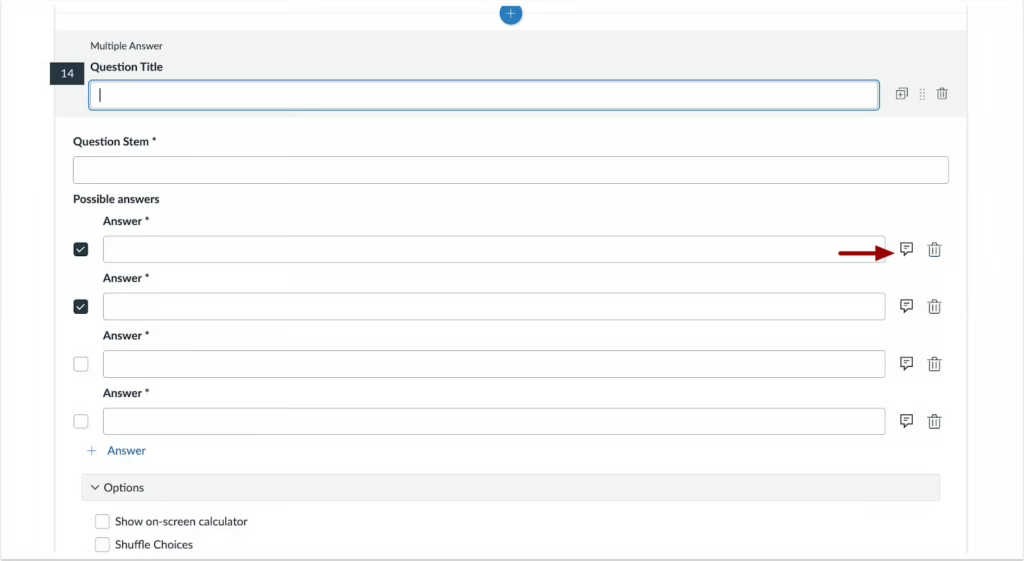
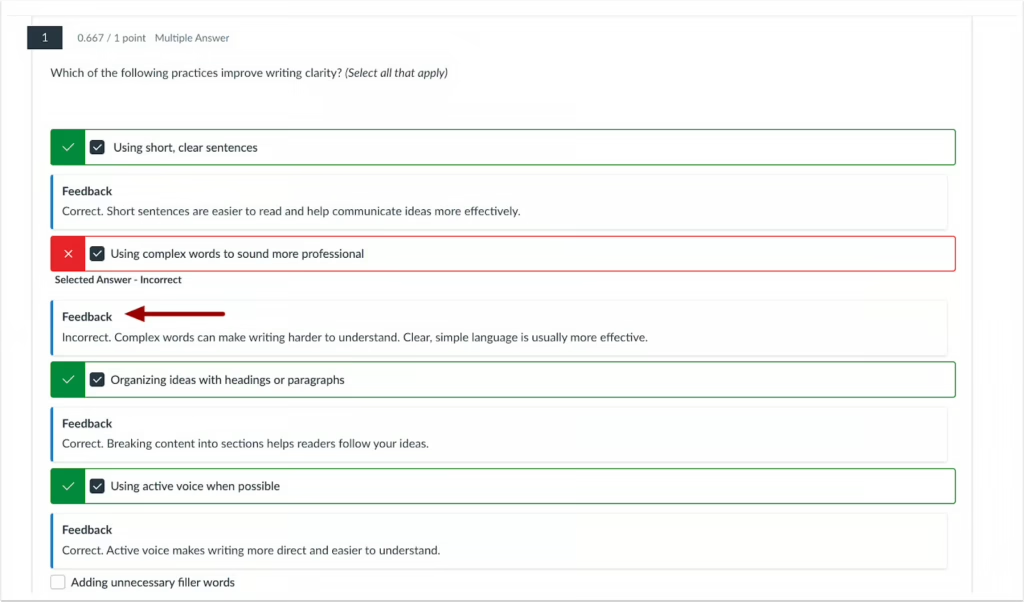
In New Quizzes, instructors can provide feedback for each answer in multiple-answer questions. Answer-Specific Feedback in Multiple-Answer Questions: Provides targeted feedback for each answer choice, helping students understand why answers are correct or incorrect.
When creating a multiple answer quiz question, instructors can add feedback for each answer.
Students can view answer feedback after completing the quiz.
Assignments – Assignments Page Tooltips Updated to InstUI- Instructor
Production Environment Availability: 4/8/2026
In the Assignments page, the following areas are updated to use React and InstUI:
- Assignment Group tooltip
- Multiple Available Date tooltip
- Multiple Modules tooltip
- Multiple Due Dates tooltip
Assignment Group Rules Tooltip Update: Improves tooltip performance and consistency by using React and InstUI. Note: Functionality remains unchanged, but there are minor visual updates to improve consistency.
In the Assignments page tooltips display minor visual updates.

Navigation – Enhanced Accessibility Reporting- Admin, Instructor
Production Environment Availability: 4/18/2026
An Account-level accessibility dashboard is available in the account navigation, and the course-level accessibility report includes additional features:
- At the course level, the report includes Announcements, Syllabi, and Discussions.
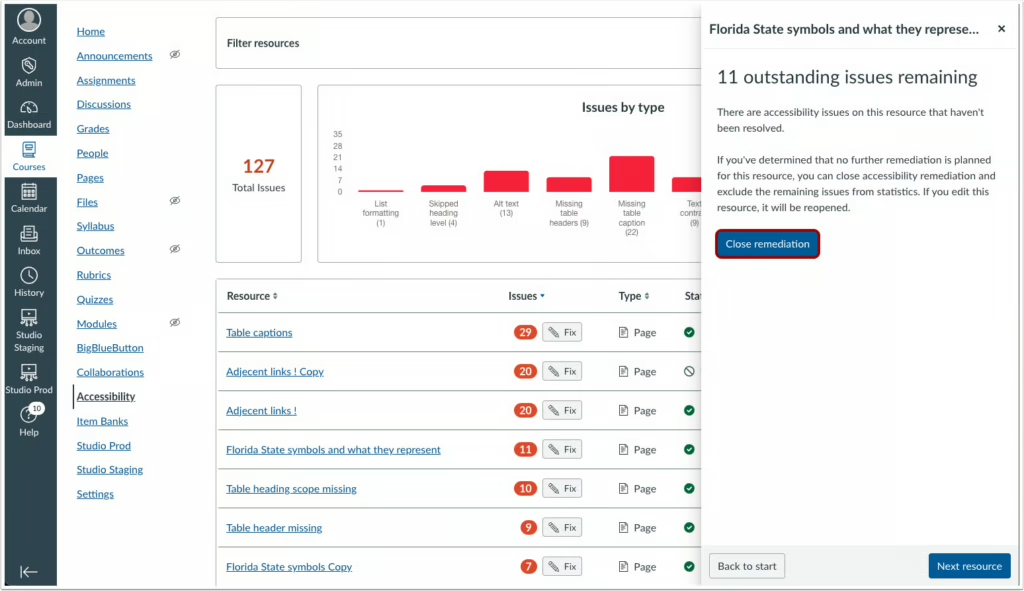
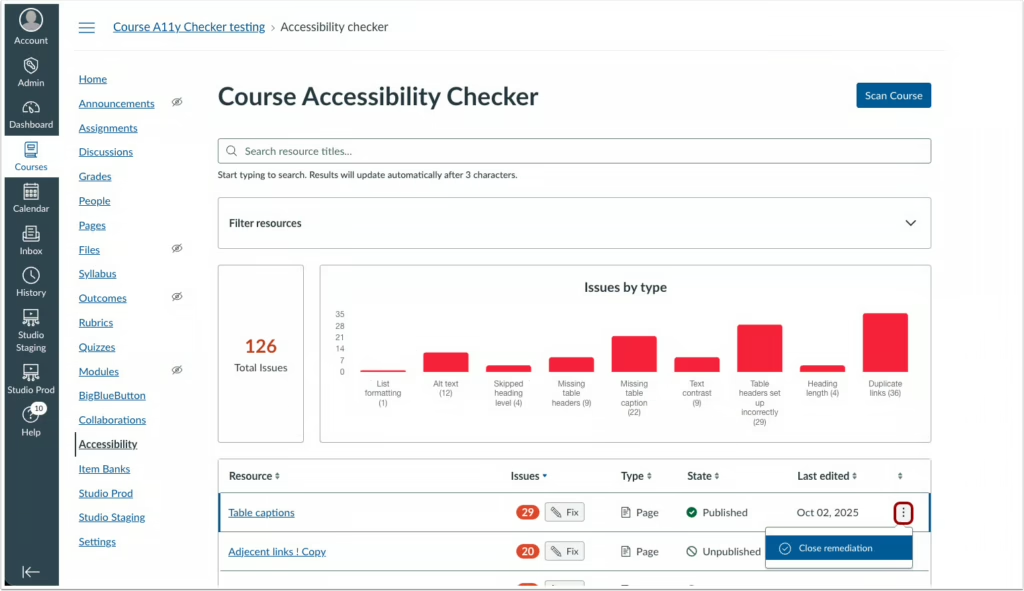
- A close remediation feature allows users to mark a resource as complete, removing any remaining issues from the total counts and statistics.
- Enhanced Accessibility Reporting: Provides an account-level overview of courses with active and resolved issue counts, expands resource scanning to include announcements, syllabi, and discussions, and allows users to dismiss or exclude issues and resources they do not wish to remediate.
- Remediation Control: Allows users to dismiss or exclude issues and resources they do not wish to remediate.
Notes:
- Users will need to update existing course level reports to surface additional resources.
- Automatic course rescans are paused when users manually update content.
- Manual updates are initiated by clicking the “Update report” button in the course-level report.
At the Account level, click the Accessibility link to view the Accessibility Report.

A Close Remediation button displays at the end of the remediation wizard for any unresolved items.
The Close Remediation option can also be accessed through the Options icon.
New Quizzes – Partial Credit for Categorization Question Type
Production Environment Availability: 4/22/2026
Automatic partial credit scoring is available for Categorization question types.
- Student scores are calculated based on the total number of correct decisions rather than all-or-nothing scoring.
- Correct decisions include placing items in the correct category and correctly leaving distractor items unplaced
Partial credit scoring allows instructors to award points for correct categorization decisions, providing a more precise measurement of student understanding.
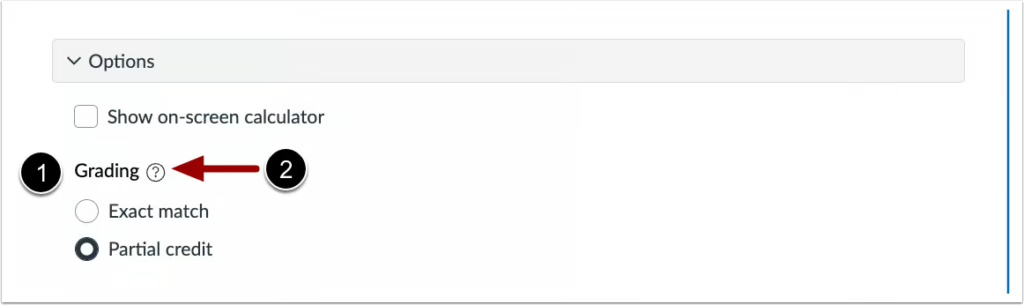
When building a Categorization question, the Grading section [1] displays in the Options drop-down menu. For descriptions of each grading option, click the Tooltip icon [2].
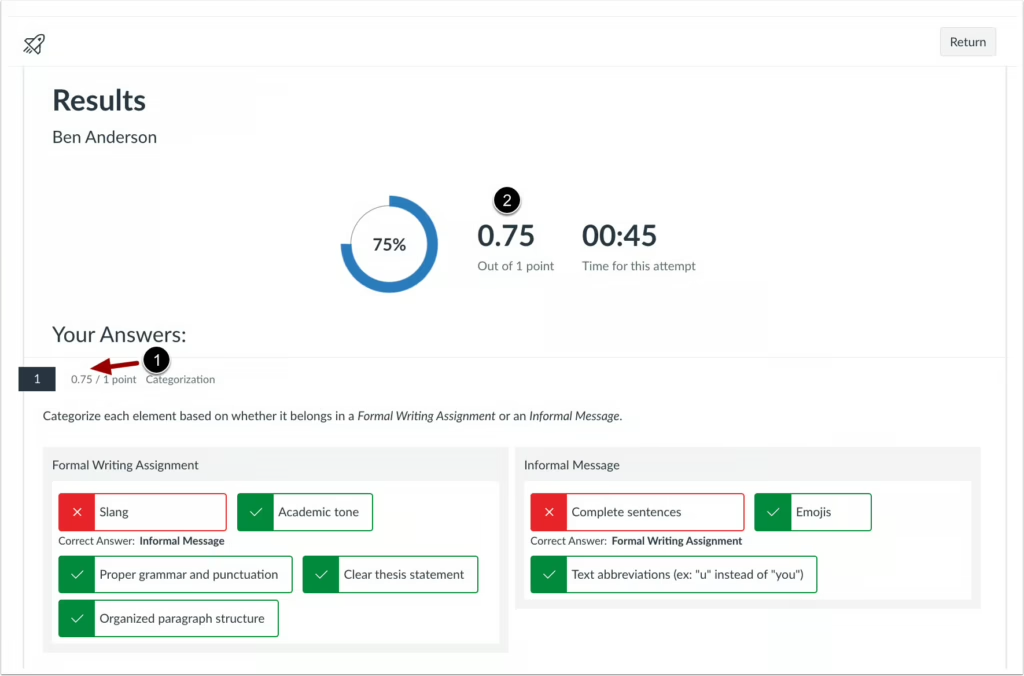
When partial credit is used, students can see the partial credit awarded for each question [1], and the total score is automatically calculated based on those partial points [2].
DocViewer/SpeedGrader – Allow annotating on rotated pages
Production Environment Availability: 4/22/2026
When annotating in SpeedGrader, pages can be rotated before annotations are added.
- Students view annotations in the orientation selected by the grader.
- After an annotation is added to a page, the page cannot be rotated unless the annotation is removed.
Instructors can rotate incorrectly oriented submission pages before adding annotations, making it easier to review and provide feedback without workflow interruptions.
Categories Canvas