Beginning of Semester Reminders – Fall 2025
Greetings Faculty and Staff,
Welcome back! To ensure a smooth start to the upcoming semester, please review the following important reminders. For questions, email [email protected].
Canvas Login
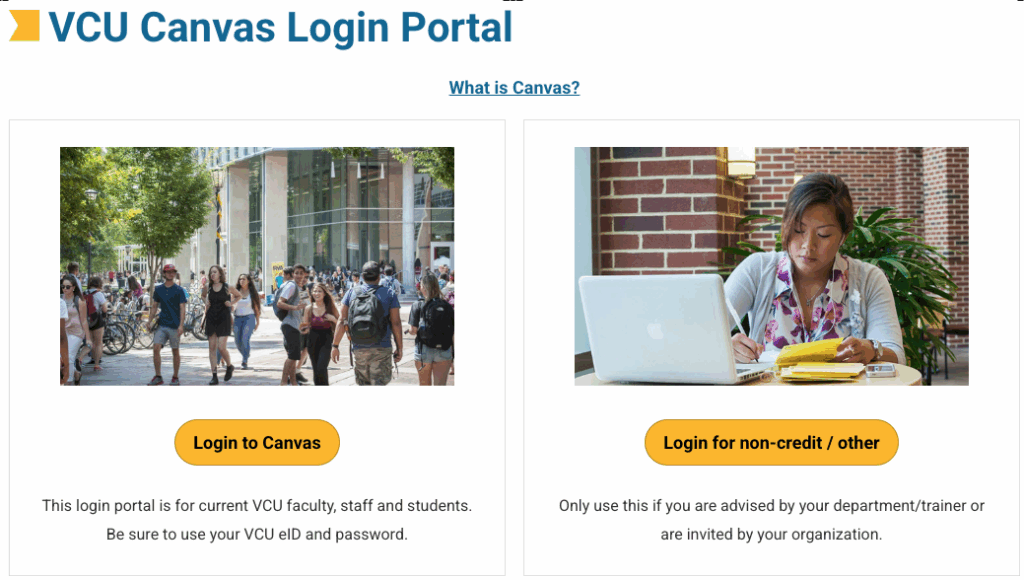
Log in to Canvas using the Canvas Login Portal page at http://go.vcu.edu/canvas.
Enrollment Reminders: Ellucian ILP and Canvas
In the Spring 2024 semester, the Ellucian Intelligent Learning Platform (ILP) was implemented to integrate our Ellucian SIS (Banner) with Canvas seamlessly.
What is Ellucian ILP? The Ellucian Intelligent Learning Platform (ILP) acts as a bridge, synchronizing vital information between our SIS and Canvas. It streamlines the exchange of user data, course details, student enrollment, and faculty assignments, eliminating the need for the three-times-a-day Banner import process (for Academic Courses and enrollments).
What does this mean for my course enrollments? ILP allows for real-time updates directly from Banner into Canvas, ensuring that course information, student and teacher enrollments, and user data are always up-to-date. If you have any questions about the status of a student or instructor within Canvas, please contact the Learning Systems team at [email protected].
For more information, please see: go.vcu.edu/canvas-ilp.
Copy a Canvas Course
To transfer content between courses in bulk, use the course copy feature. This can be done by anyone with the ‘Teacher’ role in a Canvas course. Note that you can only copy content into an existing course. For more information, visit the ‘Copy a Course’ page or watch the ‘Importing Course Content in Canvas’ video.
Note: All Canvas 3rd Party Tools have unique functionality; course copy behavior may vary.
Embedded VoiceThreads are intended to copy seamlessly with your course content. If any problems arise, please email [email protected] for assistance.
Course or Section Cross-Listing
Our custom course merge tool, developed by Learning Systems, simplifies management for instructors overseeing multiple sections of a course. It enhances the student interface by presenting a single, clearly labeled parent course, which can be given a custom name.
To prepare for cross-listing, please visit the Cross-Listing Course Sections page or watch the Cross-Listing in Canvas video. These resources provide essential information and step-by-step instructions, including how to perform a custom cross-list (merge) of your courses, best practices, and important FERPA compliance guidelines.
IMPORTANT: Please refrain from manually enrolling students in courses. Manual enrollments may be overridden by the automated system enrollment process, which could result in students being unenrolled and potentially losing access to course activity and progress.
Publishing/Unpublishing Courses
A course becomes visible to students once it has been published by the instructor. Publishing a course makes it accessible to students’ Canvas dashboards. For detailed guidance, please refer to the instructions on how to Publish and Unpublish a Canvas Course.
Canvas 3rd Party Tools: Action Required
Following an audit finding in mid-2024, the Learning Systems team is required to take the following action regarding Canvas Third Party Tools by June 1, 2026:
- Identify known tools that lack an institutional agreement. All new and existing tools are required to secure a VCU agreement in order to be integrated within Canvas.
- Identify known tools that are configured using a deprecated version of the LTI standard. All existing tools are required to be upgraded to the latest version (LTI 1.3).
- Disable the ability for instructors to configure deprecated LTI versions at the course level.
On June 1, 2026, instructors will no longer be able to add a third-party tool to their own individual course. Instead, they will be required to submit a request to integrate the tool to the Learning Systems team at: go.vcu.edu/canvas-tools-request.
Following the completion of the Canvas Third Party Tool request form, the tool must be submitted for review by the IT Governance process: go.vcu.edu/itgov
A timeline, deadlines, and a list of all in-progress requests can be found on the Request a Canvas 3rd Party Tool page, alongside the requirements for the requestor, vendor, and other details.
Visit Canvas 3rd Party Tools to learn more about these tools and see a list of those already installed.
Note: The Canvas 3rd Party Tool Request Form, including both the requester and vendor sections, must be completed 6 weeks before the upcoming change window.
In Case You Missed It…
- Lon-Capa has been decommissioned and is currently available in read-only mode. Teaching materials that have not yet been migrated will remain accessible through the end of the fall term.
Möbius has been selected as an alternative platform to Lon-Capa. To learn how to get started, please visit go.vcu.edu/mobius. - Kaltura’s Transition to the V7 Player: Starting July 1st, the Kaltura video players in Canvas have been updated to use the new V7 player, replacing the previous V2 version.
- NEW Non-Academic Course Creation Tool: Easily create a Sandbox, Training, or Template course shells in a few simple steps.
Fall 2025 Training Opportunities
Upcoming Training Opportunities
To register for upcoming training sessions hosted by Learning Systems, please visit www.training.vcu.edu and search using the keywords: Canvas, Kaltura, or Möbius.
Individual or Group Faculty Training
Faculty may request individual or group/departmental training by selecting the ‘Request Training‘ button on the Learning Systems website. These sessions are designed for faculty interested in learning how to effectively use instructional tools supported by Learning Systems, such as Canvas and Kaltura.
Training Recordings
We hope you had the opportunity to participate in the training sessions previously offered. If you were unable to attend, recordings are available and feature sessions primarily led by Learning Systems’ Learning Support Specialist, Jon Reed, with select sessions conducted in collaboration with the LEDstudio instructional design team.
To explore a comprehensive library of concise video tutorials, covering topics from Canvas fundamentals to using Kaltura, please visit the Learning Systems Academy.
Academic Integrity Concerns
When a faculty member requests a Course Access Report or any Canvas administrator-level report concerning a suspected academic misconduct case, the Office of Student Conduct and Academic Integrity (SCAI) has issued the following guidance:
According to the VCU Honor System & Standards of Academic Conduct, faculty members are required to “report suspected violations to SCAI as provided in the policy” (Section III.2). To initiate this process for use in an academic integrity matter, the request must come directly from VCU’s Office of Student Conduct and Academic Integrity.
Faculty may submit suspected honor violations using the Honor System and Standards of Academic Conduct Reporting Form.
Please note: Administrator-level report requests must be submitted directly by the SCAI office. For additional information on procedures and guidelines, visit go.vcu.edu/lsprocedures.
Explore Academic Technologies
Access a comprehensive overview of Academic Technologies, along with detailed information about the instructional tools and support services our team provides to faculty, through the Instructional Technologies Toolkit.
Categories Canvas, Faculty, LonCapa, Mobius, Online Teaching and Development, Teaching with Technology, Workshops and Training