Google Updates Recap: December 2025
As 2025 winds down, we’re happy to bring you December’s feature recap. This brings several changes, including improvements to Tasks, Chat, Drive, and Meet, and new AI improvements in Gemini and NotebookLM.
Table of contents
- Google AI
- Gemini Deep Research now integrates with your Workspace content
- Introducing Gemini 3 Pro for Gemini app
- Introducing Nano Banana Pro in Gemini app and NotebookLM
- Google Calendar, Tasks, & Keep
- Google Chat
- Updated Chat header helps you navigate chat more quickly and easily
- Bringing inline threading to direct messages in Google Chat
- Preview unread Google Chat messages from the left-hand menu
- Google Drive & Docs Editors
- Set sharing expirations on files and folders in shared drives
- Automatically generated captions for videos in Google Drive now available in more languages
- “Marked for Deletion” label now more visible across Google Drive
- A more modern interface for viewing PDFs, videos, images, and audio files in Google Drive on the web
- Google Meet
Gemini and NotebookLM
Before using generative AI with VCU data, ensure you’ve first reviewed VCU’s Acceptable Use of Generative AI Technology.
Gemini Deep Research now integrates with your Workspace content
When using Deep Research in the Gemini app, you can now use it combined with Gemini Apps to get the best of both worlds, allowing Gemini to have the added context of information from your VCU Google account combined with Deep Research.
For more information, see: Use apps connected to Gemini with a work or school Google Account and Use Deep Research in Gemini Apps.
Feature Availability: This feature is now available.
Introducing Gemini 3 Pro for Gemini app
Google’s newest AI model, Gemini 3 Pro, is now available in the Gemini app. Gemini 3 Pro continues to bring improved, advanced reasoning and analytic abilities.
With Gemini 3 Pro, there is also a new “My Stuff” section that easily allows you to browse content you’ve generated previously.
Feature Availability: This feature is now available.
Introducing Nano Banana Pro in Gemini app and NotebookLM
Nano Banana Pro (aka Gemini 3 Pro Image) is rolling out to the Gemini app and NotebookLM. In NotebookLM, Nano Banana Pro can generate Infographics, while in the Gemini app you can select the “Create images” or “Thinking” models to generate a variety of images from the prompt. Learn more and see examples about image generation here: Nano Banana Pro available for enterprise | Google Cloud Blog.
Feature Availability: This feature is now available.
Google Calendar and Tasks
Block off time to work on a task in Calendar
In Google Calendar, you can now create a Task and block off time to focus on that task.
To do this, first you can create a Task on Google Calendar, then you can click and drag the length of the Task similar to how you do for a calendar event. You can then leverage this to mark your calendar as Free/Busy, use Do Not Disturb in chat during the duration, and choose whether to automatically decline events during the time period.

To learn more about this, visit: Create & manage tasks in Google Calendar.
Feature Availability: This feature is currently rolling out and is anticipated to be available by December 16, 2025.
Google Chat
Updated Chat header helps you navigate chat more quickly and easily
Google Chat now has an improved header to make it easier to navigate Chat.
Specifically, the new header has icons which can be used to:
- Select “Shared” to access shared files, links and media.
- Select “Tasks” to create and manage space tasks.
- Select “Threads” to see and respond to active threads.
- Select “Board” to see pinned messages, files and shared links.
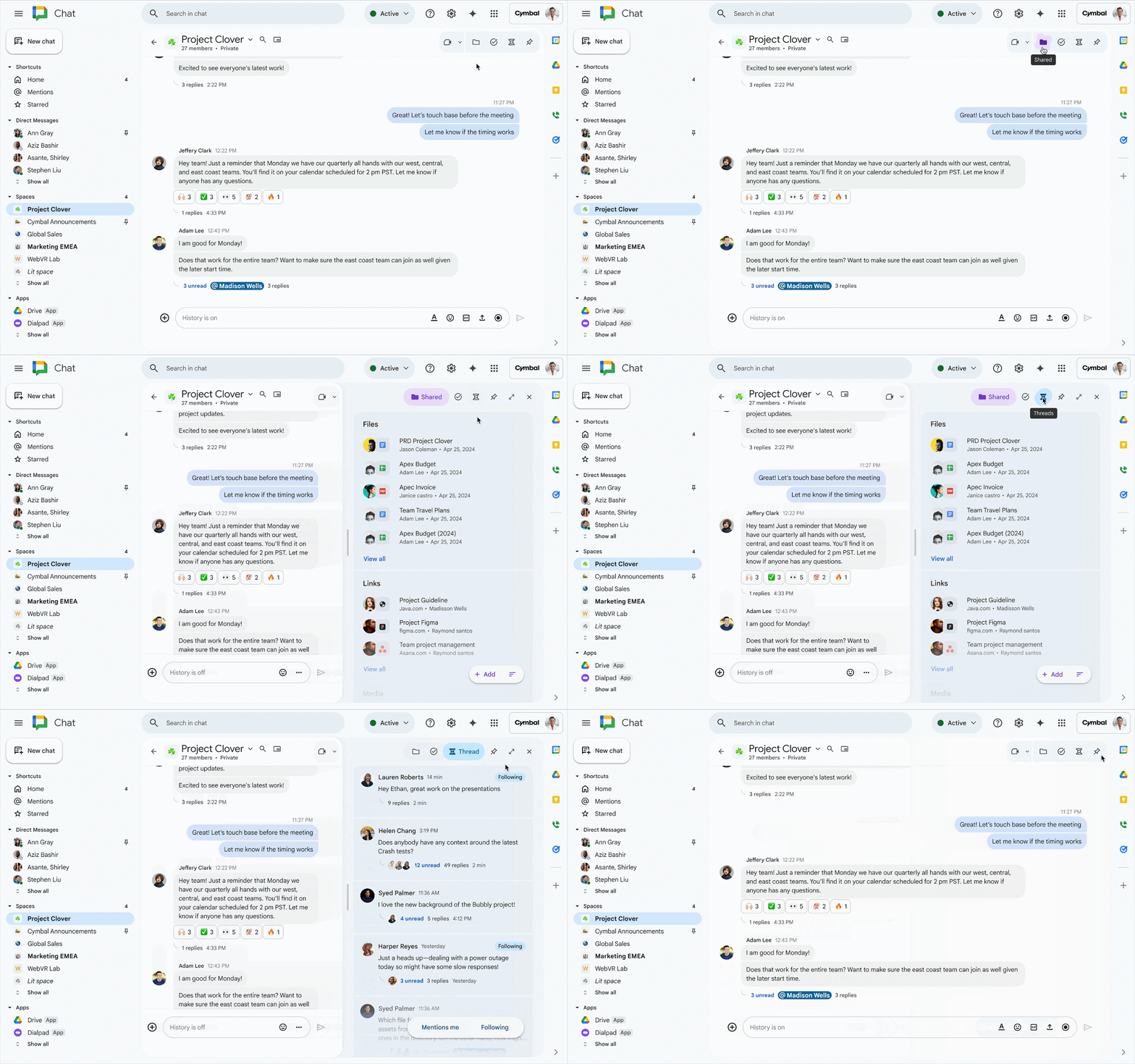
Navigating between Shared, Tasks, Threads, and Board by clicking on header icons
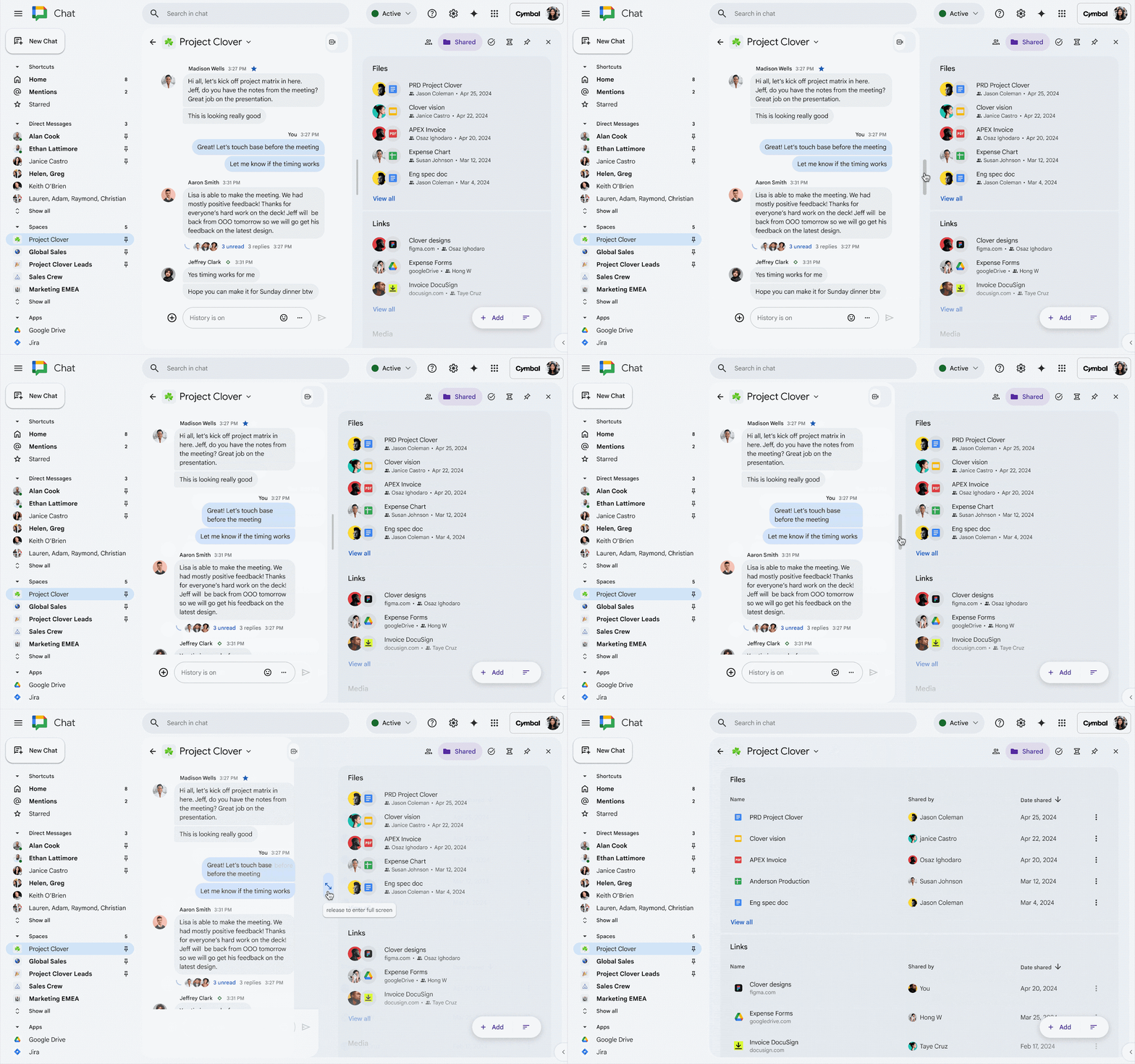
Side panels can expand into fullscreen with the drag bar
For more information, visit: Navigate Google Chat.
Feature Availability: This feature is now available.
Bringing inline threading to direct messages in Google Chat
In Direct Messages and Group Direct Messages, you can now use threading, similar to threading in Spaces.
For more information about threading, visit: Use threads in Chat – Google Chat Help and Reply to a message in Google Chat.
Feature Availability: This feature is now available.
Preview unread Google Chat messages from the left-hand menu
From the left-hand menu, you can now hover over your chats to preview new messages without needing to click on the chat and without marking the message as read. Then, when you’re ready to engage, you can click on the chat.
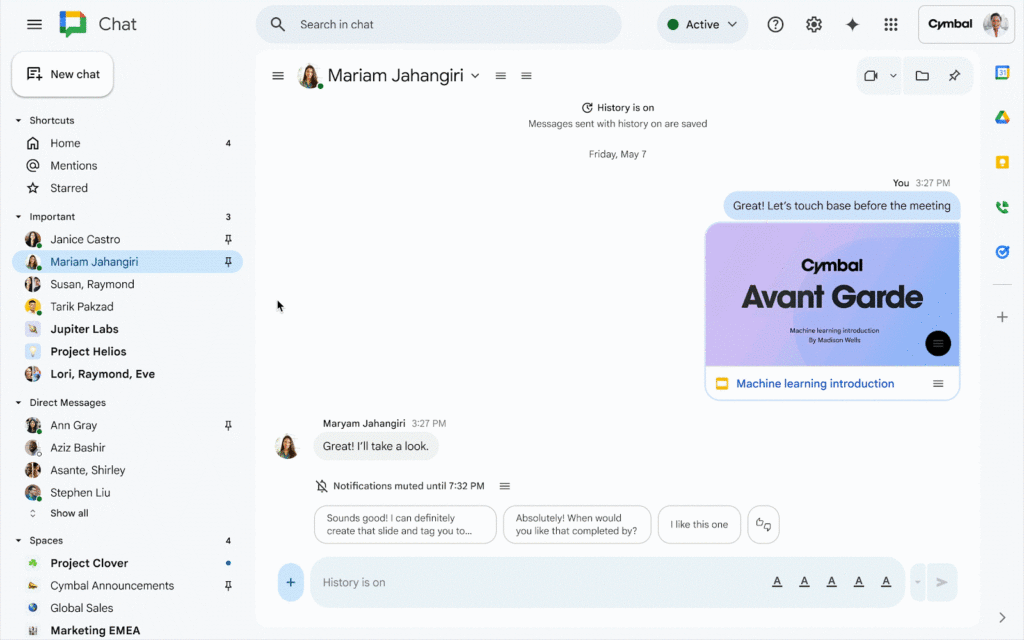
For more information about navigating Google Chat, visit: Navigate Google Chat.
Feature Availability: This feature is currently rolling out and is anticipated to be available mid-December.
Google Drive
Set sharing expirations on files and folders in shared drives
Similar to how you have been able to set sharing expiration on files and folders, you can now do so similarly with files and folders in Shared Drives.
This also brings changes that make sharing expirations more consistent. Now, when a sharing expiration occurs for a file within a shared folder, your access is reverted to the permission you were granted for the folder, where previously all access was removed.
For more information about managing file expirations, visit: Stop, limit, or change sharing – Computer – Google Drive Help.
Feature Availability: This feature is now available.
Automatically generated captions for videos in Google Drive now available in more languages
Automatically generated captions for videos in Drive are now available in 27 additional languages: Arabic, Czech, Dutch, Filipino, Finnish, French, German, Greek, Hebrew, Hindi, Hungarian, Indonesian, Italian, Japanese, Korean, Malay, Norwegian, Polish, Portuguese, Romanian, Russian, Spanish, Swedish, Thai, Turkish, Ukrainian, and Vietnamese. Support for Chinese is coming soon.
For more information, visit: Add caption tracks to your video files – Google Drive Help.
Feature Availability: This feature is now available.
“Marked for Deletion” label now more visible across Google Drive
When browsing Google Drive, you will now be able to see the “Marked for Deletion” label next to file names, allowing you to see the label without needing to open the file or view additional file details.

Feature Availability: This feature is now available.
A more modern interface for viewing PDFs, videos, images, and audio files in Google Drive on the web
When viewing PDFs, videos, images, and audio files in Google Drive on the web, you’ll now see a new set of improvements when viewing those types of files:
- A new left rail for PDFs which will include a table of contents (where applicable) and thumbnails for easier navigation of documents
- A new file menu
- A new toolbar and app bar
- An option to search by transcript when looking at a video
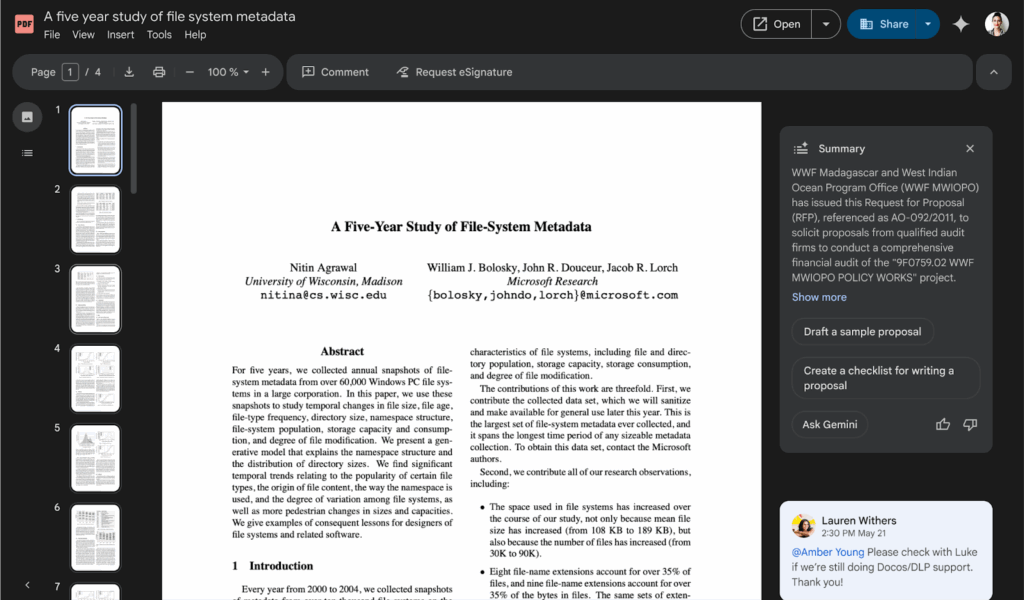
New Drive Web Viewing Experience for PDFs
Feature Availability: This feature is anticipated to be available by December 14, 2025.
Google Meet
Use a wider range of emoji reactions in Google Meet
When reacting with emoji reactions in Google Meet, you now have the ability to react with the entire library of emojis.
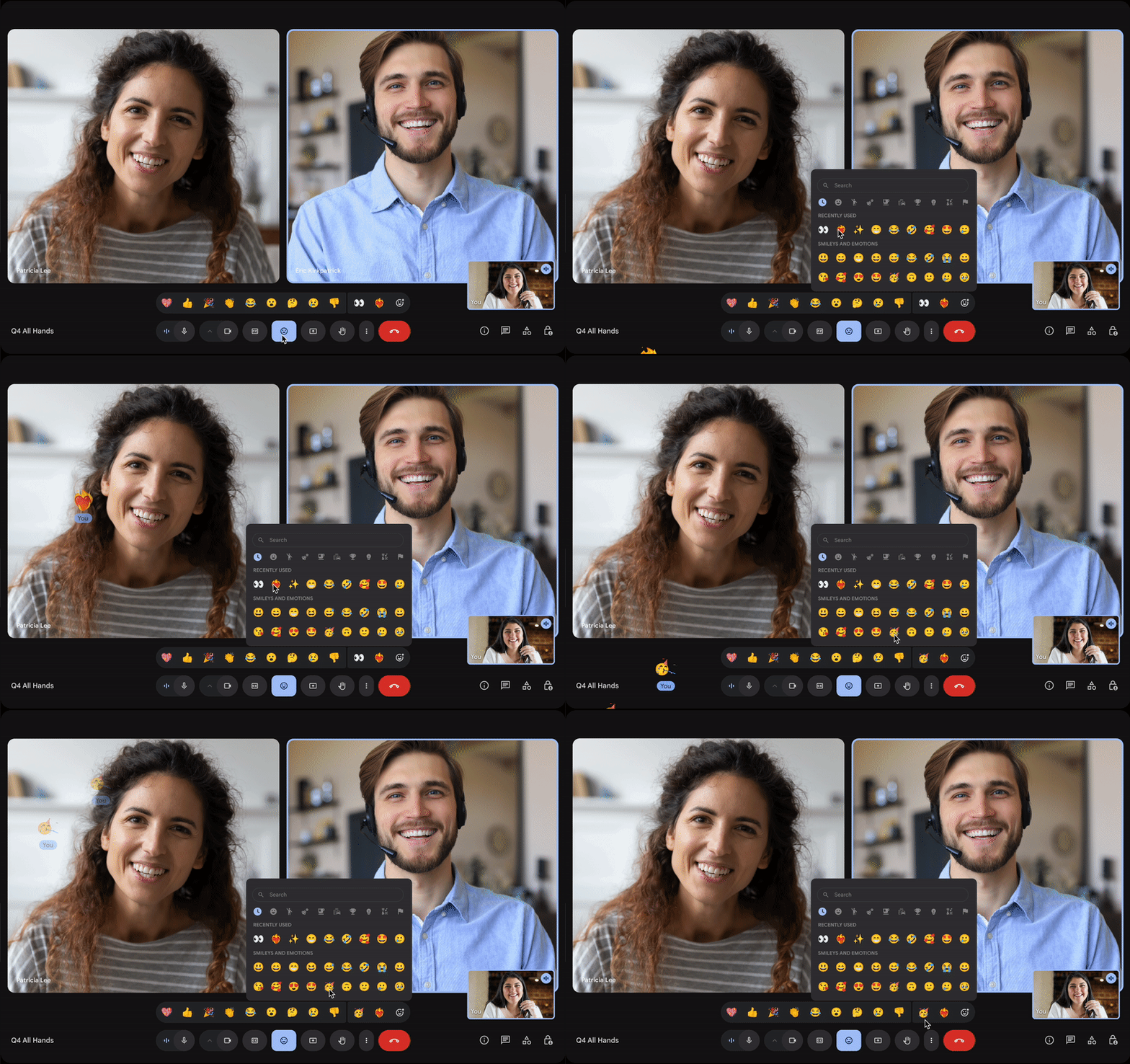
A user sending Emoji reactions “Heart on fire” and “Party face” from the extended set
For more information about using reactions in Google Meet, visit: Use Reactions in Google Meet.
Feature Availability: This feature is currently rolling out and is anticipated to be available by December 12, 2025.
New Google Meet links when changing recurrence or start time of recurring Calendar events
When changing the start time of a recurring calendar event or the recurrence schedule, the Google Meet link will change to provide enhanced security. However, the settings for the meeting, such as recording, transcription, cohosts, etc. will not be removed.
Feature Availability: This feature is now available.
Categories Google Calendar, Tasks, and Keep, Google Chat, Google Drive & Docs Editors, Google Feature Updates and Changes, Google Meet, Google Workspace News, Other Google Feature News