Zoom for Google Workspace
The “Zoom for Google Workspace” integration allows you to link Zoom to your Google Calendar to schedule and manage meetings. To take advantage of this feature, click on the “Google apps” content at the top right of your Gmail or Google Calendar screen…
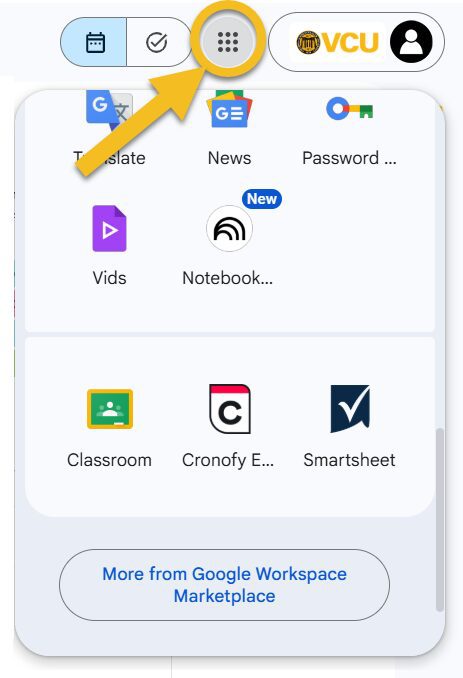
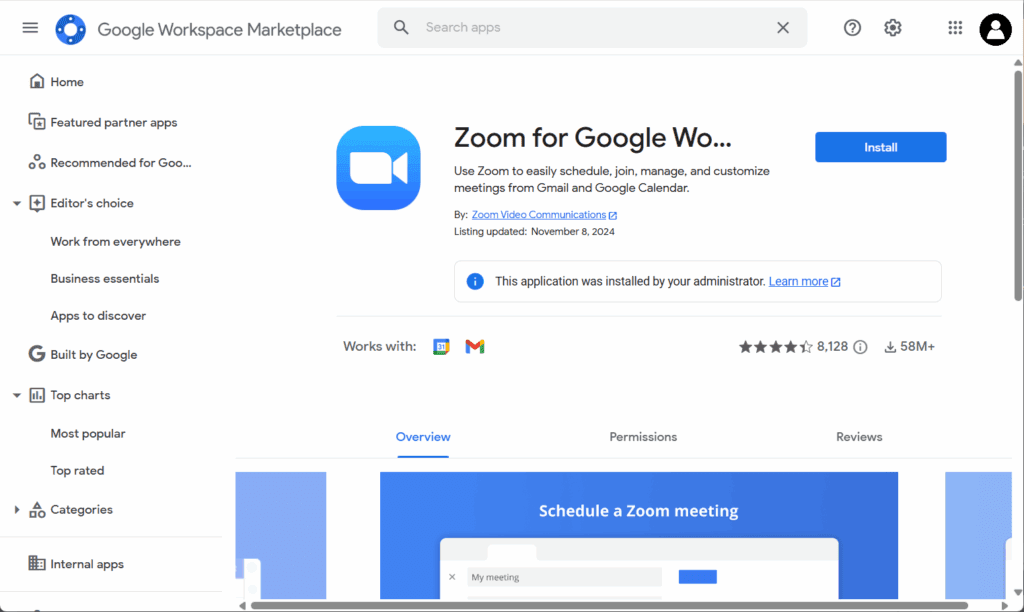
…then use the “More from Google Workspace Marketplace” button to search for “Zoom for Google Workspace,” and install the app.
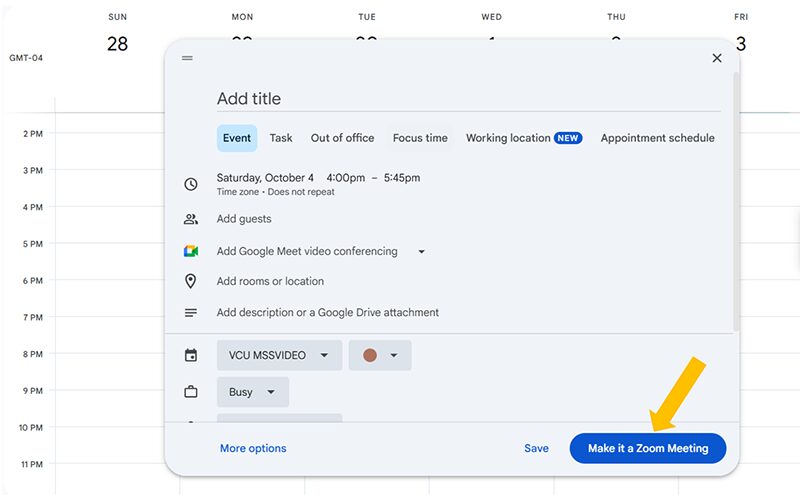
With the app now added to Google Calendar, any future events you create will include the option to “Make it a Zoom Meeting.” Use this to add a Join link to your event details. Anyone who accepts an invitation to your event as a guest will have the Join link added to their calendar, as well, so when the scheduled date and time arrive they have convenient access to the link, without having to search through old emails.
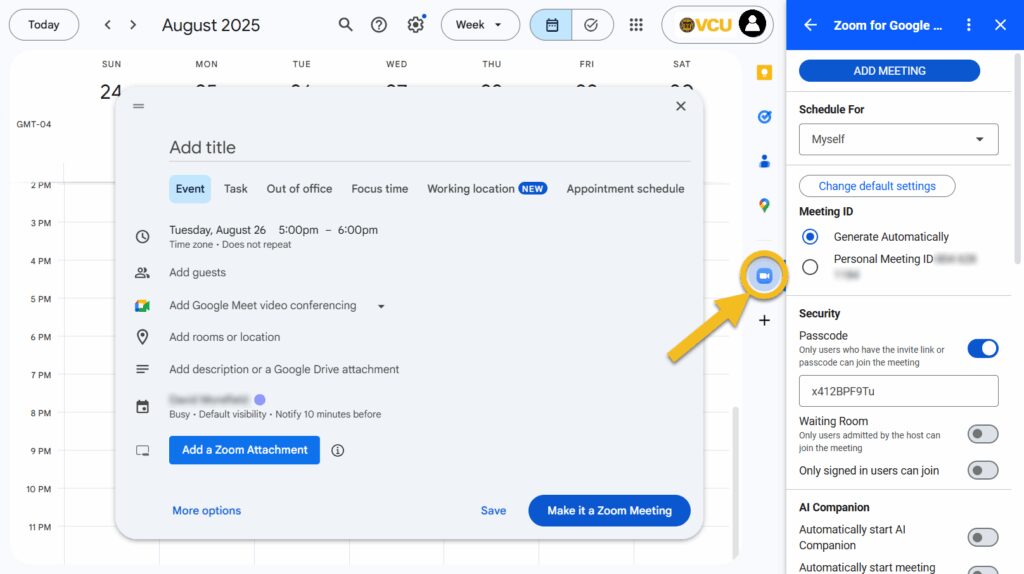
A small Zoom icon will appear along the right side of your Calendar and Mail pages, along with icons representing any other Google apps you may have installed. Click on this to access a more detailed interface for creating or editing Meetings, including the ability to enable a Waiting Room or Passcode, name an Alternative Host, choose whose video is visible, and more.
In short, Zoom for Google Workspace provides an easy and simple way to keep track of events you own as well as those you’ve been invited to attend, and it just takes a few seconds to set up. As always, if you have questions about this or any Zoom feature, please don’t hesitate to reach out to our team at [email protected] for more information.
Categories features, integrations