New, Simplified Interface with Zoom version 6.7.0
Zoom Workplace sports an updated design with version 6.7.0, released on December 15, 2025. The core features of the application remain unchanged, but with “refreshed interfaces and streamlined navigation” to “deliver a more intuitive experience for every user…without changing core features.”
Among other changes, the navigation menu formerly displayed along the top edge of the desktop app…
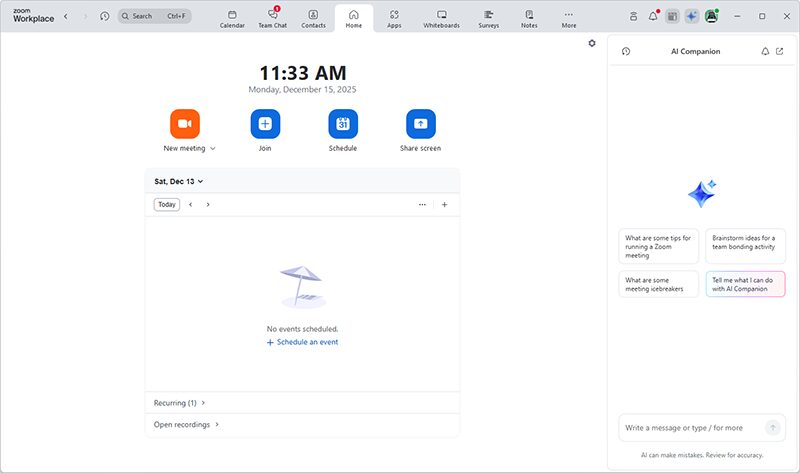
…has been relocated to the left side of the application window.
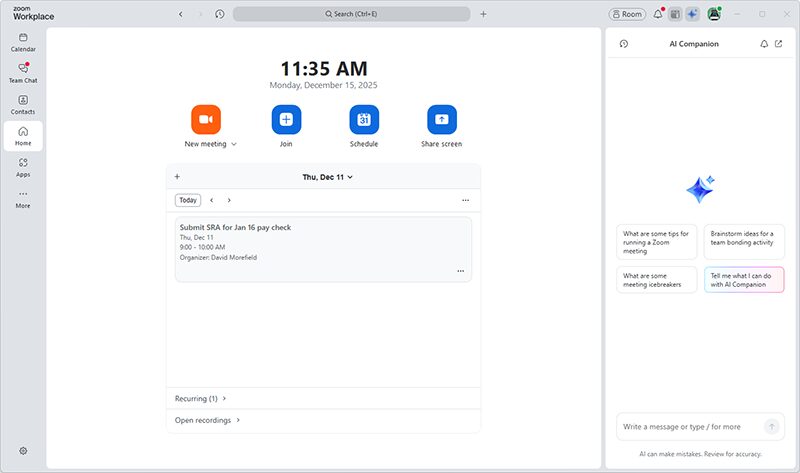
By default, only a few icons will appear in the navigation menu, with additional options collected under “More.” You can customize the menu by right-clicking on the icons to pin your favorites or to relocate less useful options to the “More” folder, where they’ll remain available, but out of the way.
With a meeting in progress, you’ll find the bottom toolbar similarly streamlined, displaying only “essential controls for a more focused experience.” Again, additional options are organized under “More,” where they can be extracted and pinned to or removed from your toolbar to suit your preferences.

Video and audio controls have also been redesigned for a cleaner workflow. Where before the controls displayed in a pop-up window that obscured your view of shared content and other participants, now the controls appear in a panel on the right side of the screen, where you can make changes without missing anything that might be happening in the meeting.
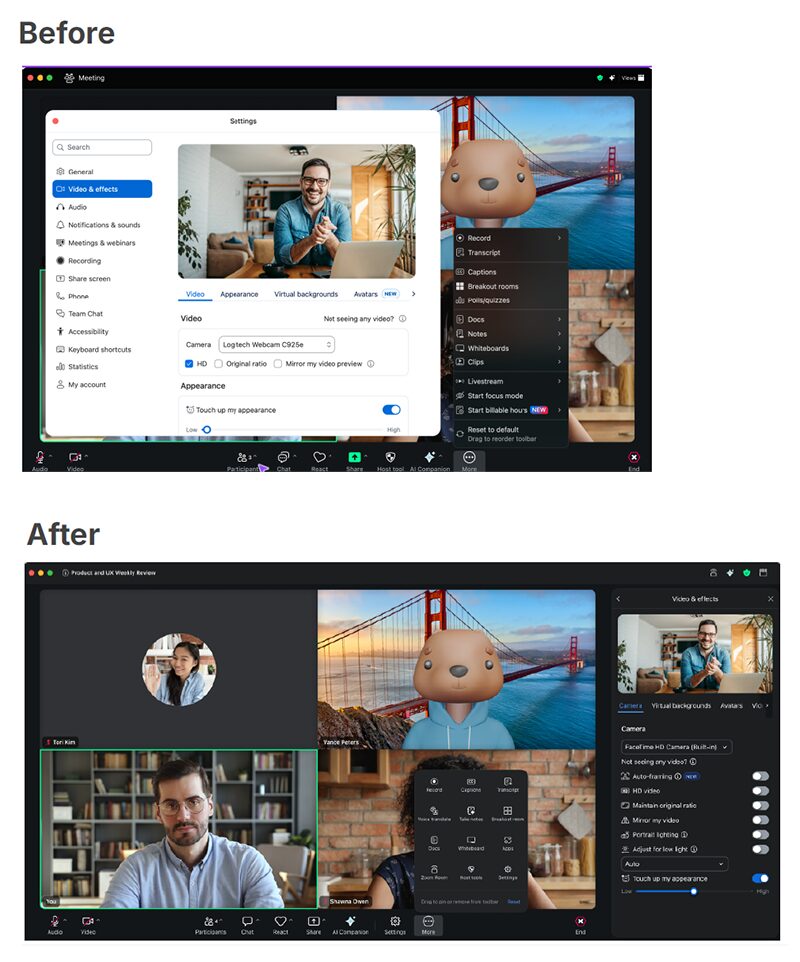
Likewise your “Host Tools” display in a right-hand panel, where you can adjust your security settings to lock the meeting, start a waiting room or turn on and off participant capabilities in the meeting. NOTE: you may initially find “Host Tools” under “More.” Given its value for responding to security incidents, it might be best to move it to a more prominent spot on the toolbar.
Please note that although certain settings and tools will have moved around a bit with this redesign, their operation remains the same. No in‑meeting features have been removed or discontinued. Even so, you may wish to update sooner than later so you have time to learn your way around the new interface and customize it to your liking before your next meeting.
As a reminder, you can easily update your desktop app by clicking on your avatar at the upper right of the app window and choosing “Check for updates” from the pull-down menu. Alternatively, you can always find the latest version of Zoom Workplace at zoom.us/download. If you routinely use the Web App for your meetings instead of the desktop app, no action is necessary on your part to stay up-to-date. (At this writing, the Web App interface appears unchanged, but is fully functional).
Hopefully you’ll find these changes make collaborating with Zoom a simpler, smarter and more seamless process all around. If you have any questions or concerns about this or any Zoom-related issues, please don’t hesitate to contact the VCU Zoom Support team at [email protected], enter a help ticket in Rams Central or schedule a help session with us using our online booking form.
Categories announcements, customizations, features