Why Accessibility Matters
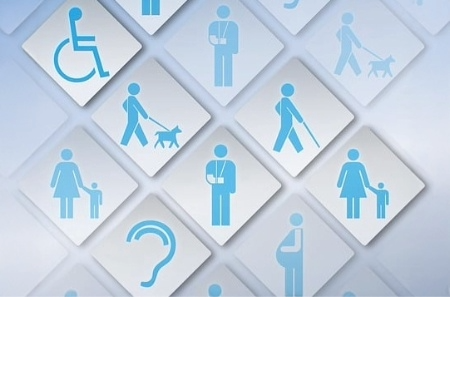
In 2024, the CDC reported that more than 1 in 4 people have a disability, but according to the National Center for Education Statistics, roughly 32% of that 1 in 4 report having a disability while in college. Many don’t report for fear of discrimination, low self-esteem, or a lack of self-advocacy skills.
At some point in our lives, we will all likely be impacted by a disability––permanent, temporary, or otherwise.
- Permanent disabilities include ADHD, missing limb, visual or hearing impairments.
- Temporary disabilities might take the form of a broken arm, cataracts, or anything that will heal or go away on its own or with medical intervention.
- Situational disabilities involve situations that might prevent access to course materials such as sharing the internet with a lot of people.
With that in mind, let’s explore some other reasons why designing for accessibility matters.
Accessibility Considerations
We have another post coming in the near future about best practices for accessibility, but in the meantime, let’s look at why making text and video accessibility benefits everyone. While text and video are not the only accessibility considerations, they are two high-impact areas.
Firstly, we know that many types of learners exist.
- Auditory learners retain information through lectures, discussions, or any other means of listening.
- Visual learners process course materials through infographics, diagrams, videos or anything that allows them to see the information.
- Kinesthetic learners prefer hands-on experience such as experiments, demonstrations, and role-playing.
Many students aren’t just one or the other; they could be a combination of any of the three. For instance, someone might struggle to grasp heavier philosophical concepts and would benefit from a visual aid. Others learn best with hands-on experience, which might require assignments that ask students to engage in an immersive experience, such as role playing or a site visit. The same is true when designing for accessibility. Accessibility ensures that one student who needs assistance is included with every student.
Accessibility in Practice
Everyone benefits from designing with accessibility in mind. Let’s talk about why text accessibility matters. Essentially, a screen reader needs to be able to read all text in a document or on a webpage. You might not have students who require the use of a screen reader, but you will have students who will benefit from text accessibility given their learning preferences and life situations. You might have a student who is a working mom and can listen to the journal articles while she works or folds laundry. You might have a student who can’t focus on the bus ride home and uses a screen reader to listen to the course content.
The same is true for video accessibility. All videos should be equipped with accurate captions. Captioning your videos is not just for individuals with permanent disabilities, such as those who are deaf or hard of hearing. There are also temporary and situational disabilities, like ear infections or noisy environments. There are also students who learn better with a visual aid. Imagine a student riding the bus home from work and trying to keep up with school but can’t watch the lecture video because her Airpods died. Without captions, she can’t watch the video, but with captions, she could read the transcript and not have to stay up late. Maybe a student is working his late shift and in his down time wants to watch a lecture without disturbing his coworkers. Any number of situations such as this arise every day.
Making conscious, accessible design decisions benefits everyone, not just persons with permanent disabilities. If you need a resource, we at LEDstudio created a quick start guide on Accessibility in Digital Learning. And be on the lookout for our blog on general best practices for accessibility!
Upcoming Department of Justice Deadline
By April 2026, the Department of Justice mandates that all online materials are accessible in accordance with Title II (the Americans with Disabilities Act). What that means for you, VCU faculty, is that you should aim to have all course content fully accessible to the best of your ability. This includes your documents, your web pages, your videos, and your audio files, among other things. You can get started by checking out VCU’s Digital Accessibility page and monitoring the LEDstudio social media sites as we work on creating and sharing resources this summer.
References
“CDC Data Shows Over 70 Million U.S. Adults Reported Having a Disability,” CDC, 16 July 2024, https://www.cdc.gov/media/releases/2024/s0716-Adult-disability.html.
“Students with disabilities.” National Center for Education Statistics. https://nces.ed.gov/fastfacts/display.asp?id=60, accessed 13 May, 2025.
“Why Accessibility?” SUNY Oswego, https://ww1.oswego.edu/accessibility/why-accessibility, accessed 1 April 2025.
Categories article