Canvas Feature Updates – January 2026
Blueprint Courses – Direct Link to Courses
Production Environment Availability: 1/14/2026
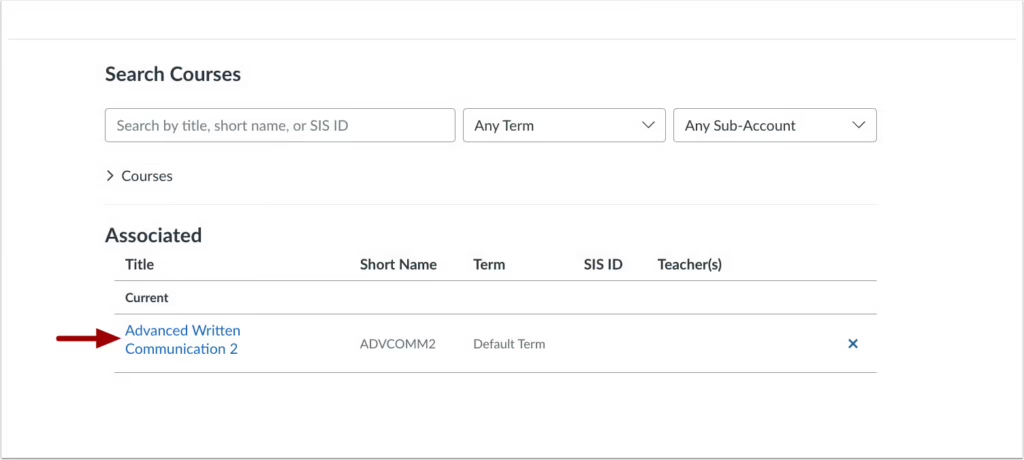
In the Blueprint Associations modal, a direct link to associated courses is added. This update allows users to navigate directly to the associated courses.
Click the desired course link to access the course directly.
SpeedGrader – Performance and Usability Upgrades for SpeedGrader Feature Preview is Concluded
Production Environment Availability: 1/17/2026
The Performance and Usability Upgrades for SpeedGrader feature is no longer in feature preview, and the feature option is enabled by default for all institutions, but can still be disabled if needed.
This feature provides foundational improvements to SpeedGrader’s backend, delivering faster load times and enhanced stability. Additional updates include:
- A streamlined interface for the Section drop-down menu.
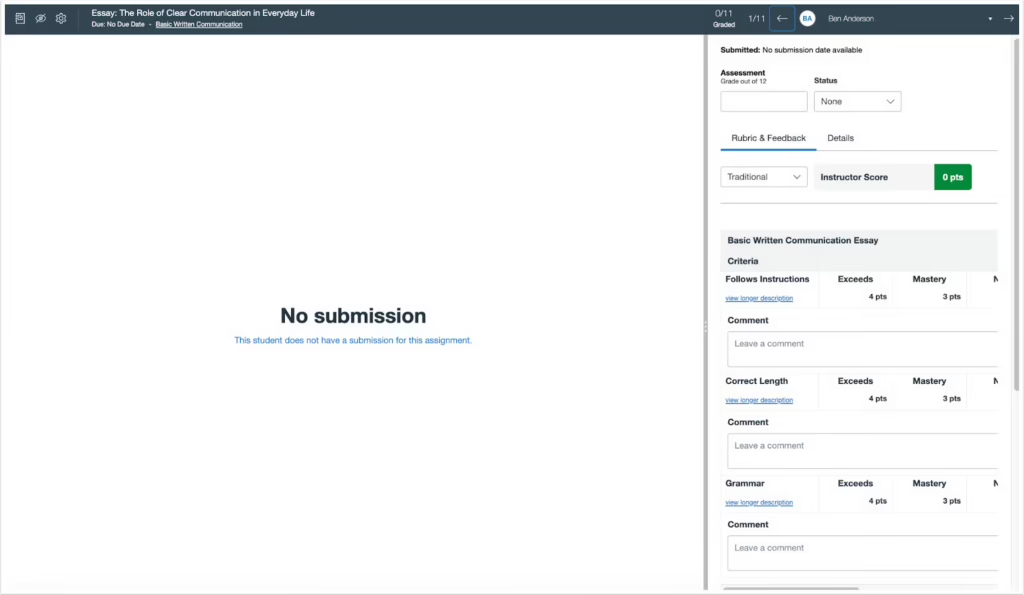
- A clearer, more prominent No Submission alert.
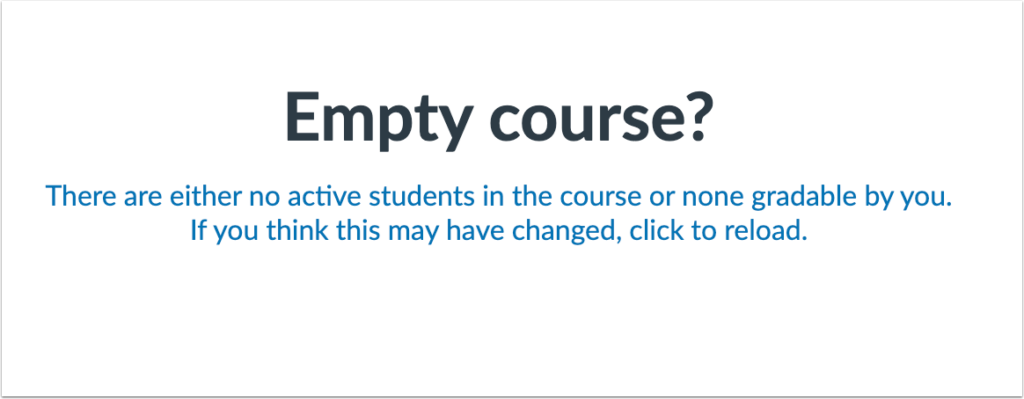
- An improved interface for courses without content.
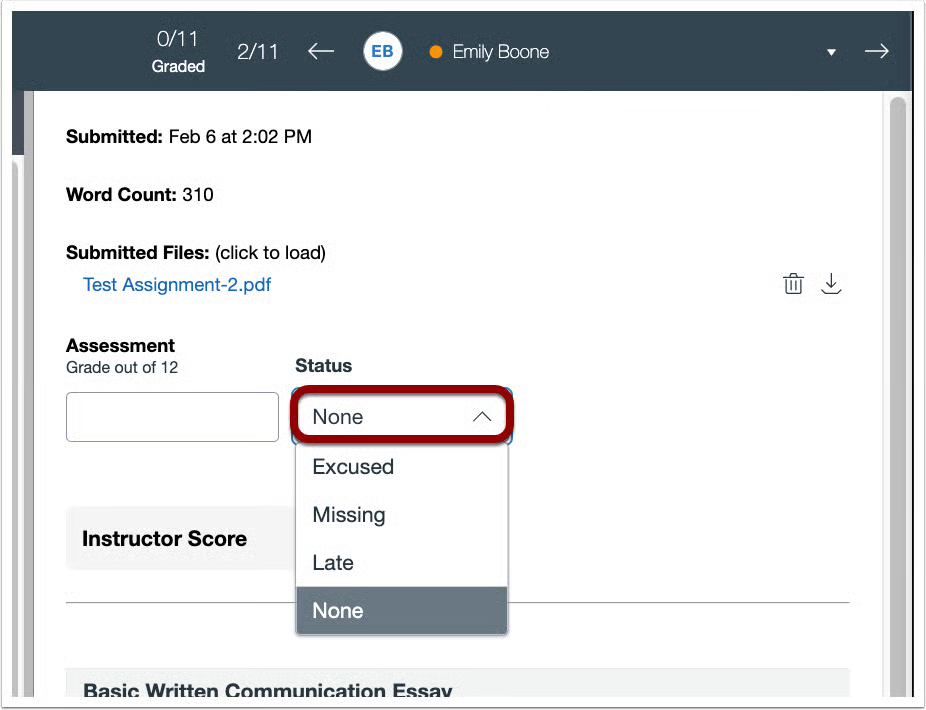
- Submission Status updated to a drop-down menu.
- Rubrics automatically display in the traditional view.
- Media attachments and submission comments are repositioned, and the delete icon has been updated.
- A Comment Library filter.
- Support for moderated grading
- The Assignment Comment Editor supports images, math, and course links.
- A Multi-Select Sections filter.
This feature enhances performance for a faster, smoother experience for users handling larger courses or complex assignments. Upgrading the backend technology improves SpeedGrader’s ability to manage high-demand tasks more efficiently and reliably.
The Sections drop-down menu is redesigned for a more streamlined and user-friendly interface.

The No submission alert is enhanced for better visibility and clarity.
Courses without content display a streamlined interface.
Instructors can edit the submission status using the updated Status drop-down menu.
Rubrics automatically display in the traditional view.

Courses – Concluded Courses and Blueprint Associations
Production Environment Availability: 1/28/2026
Courses that are associated with a Blueprint display a Concluded status pill. This update improves transparency for Blueprint associations by clearly identifying concluded courses.
A Concluded status pill displays when a concluded course is associated with a Blueprint course.

Gradebook – Gradebook Status Icons for Accessibility
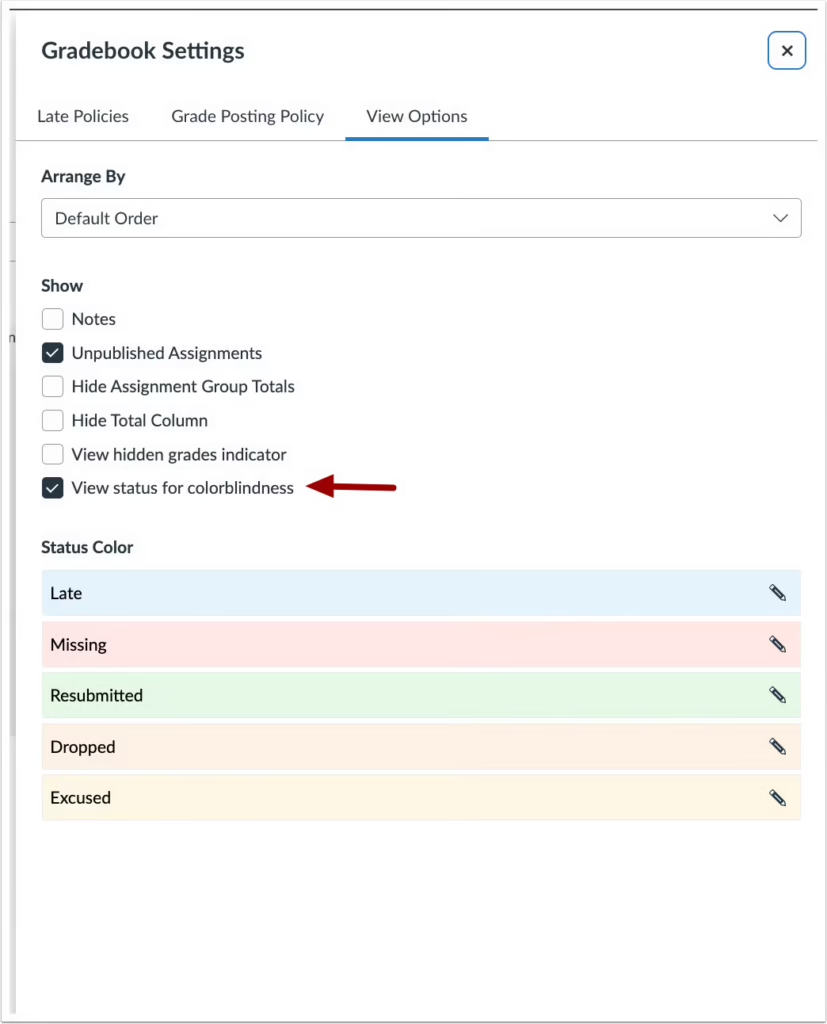
A View status for colorblindness option is added to Gradebook Settings. When enabled, a symbol displays next to each status in the Gradebook to provide an additional visual indicator. This update improves accessibility by adding icon indicators to view status colors, making statuses easier to distinguish without relying on color alone.
In the Gradebook settings, click the View status for colorblindness checkbox.
The gradebook status icons display in the gradebook.

ePortfolios – Canvas Native ePortfolios Legacy Transition Updates
Production Environment Availability: 1/28/2026
To improve clarity around ePortfolio options and support the transition to newer solutions, legacy indicators, in-product banners,added to Canvas native ePortfolios. Sunset Banner: Canvas native ePortfolios display an in-product banner indicating that the product is planned to sunset on June 30, 2026. Users can export their ePortfolio content by following the instructions in the linked guide. Legacy Naming Indicator: Canvas native ePortfolios are labeled as (Legacy), with the designation appended to the product name in the User Navigation.
This update helps users clearly understand which ePortfolio tools are legacy solutions, reduces confusion during the transition to newer offerings, and provides improved export options to support content retention and portability.
The User Navigation includes a Legacy label [1], and a banner displays on the ePortfolio page [2].
