Canvas Feature Updates – September 2025
Canvas Media – YouTube Overlay
Production Environment Availability: 9/24/2025
When the YouTube Content overlay feature option is enabled, an overlay message displays in Canvas for YouTube videos not hosted in Canvas Studio to alert viewers that ads may appear. The message displays in the browser before the video plays. This update allows teachers and students to be notified in advance of YouTube ads that could interrupt their learning experience. On top of the YouTube video player, an overlay displays before playback.

Gradebook – View Hidden Grades Indicator
Production Environment Availability: 9/24/2025
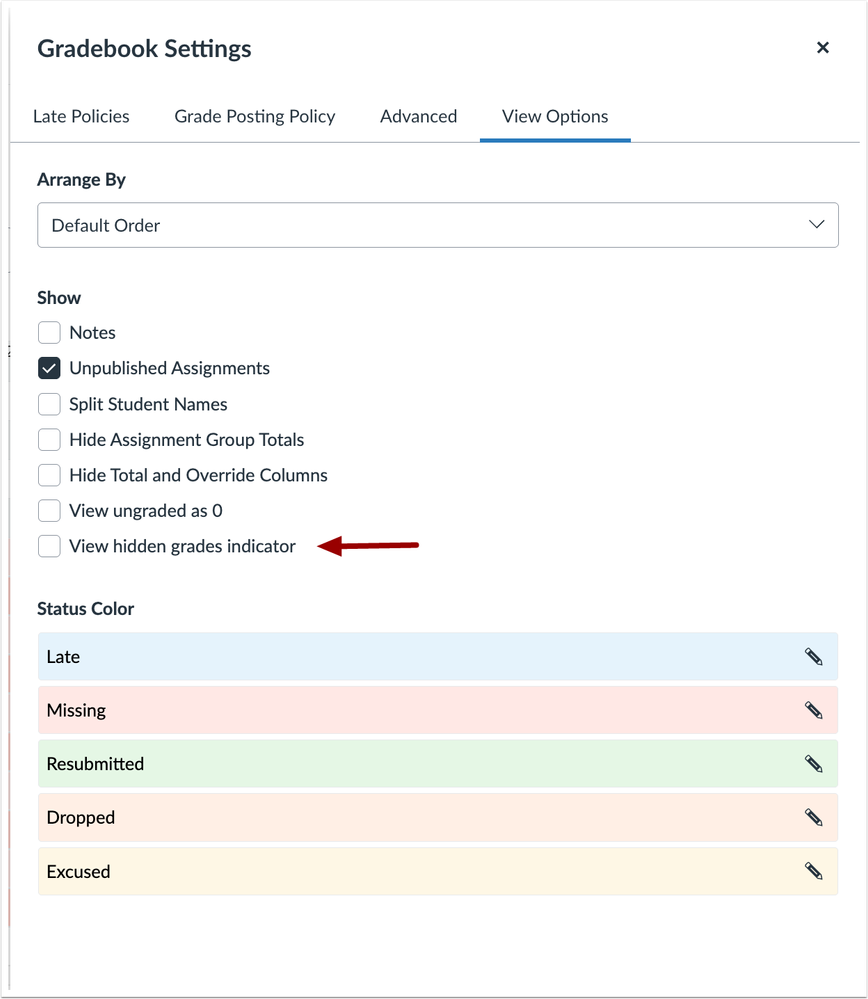
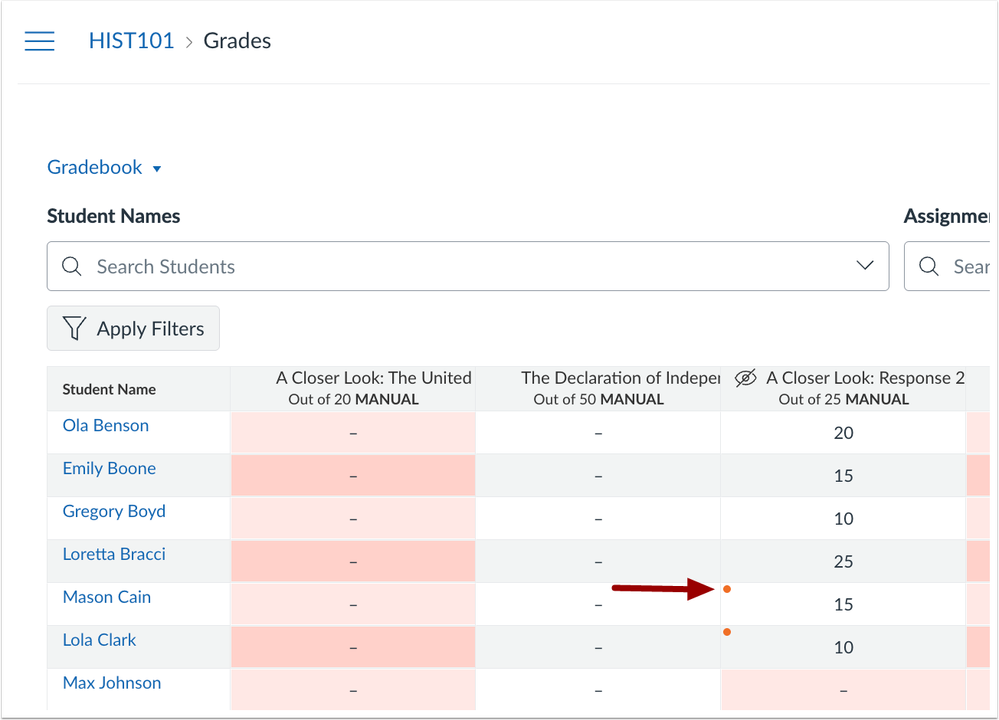
In Gradebook Settings, a View Hidden Grades indicator option is available. When enabled, instructors see an icon marking any grades that have not yet been posted to students. This helps instructors quickly identify which grades are hidden from students, reducing confusion and ensuring more accurate communication about grade visibility.
In Gradebook Settings, click the View hidden grades indicator checkbox.
In the Gradebook, an indicator displays which grades have not been posted.
People – Page View Updates (Admin)
Production Environment Availability: 9/24/2025
Multiple updates are available in the Page View section of user details to support asynchronous processing:
- Date Filtering: Admins can select a year and month when filtering data. The date filter applies only to CSV exports, not on-screen page views.
- CSV Downloads: CSV files include records for the selected month only, removing the 300 lines limitation.
- Page Views: For the most recent 30 days, page view records load gradually as users paginate, improving performance and usability.
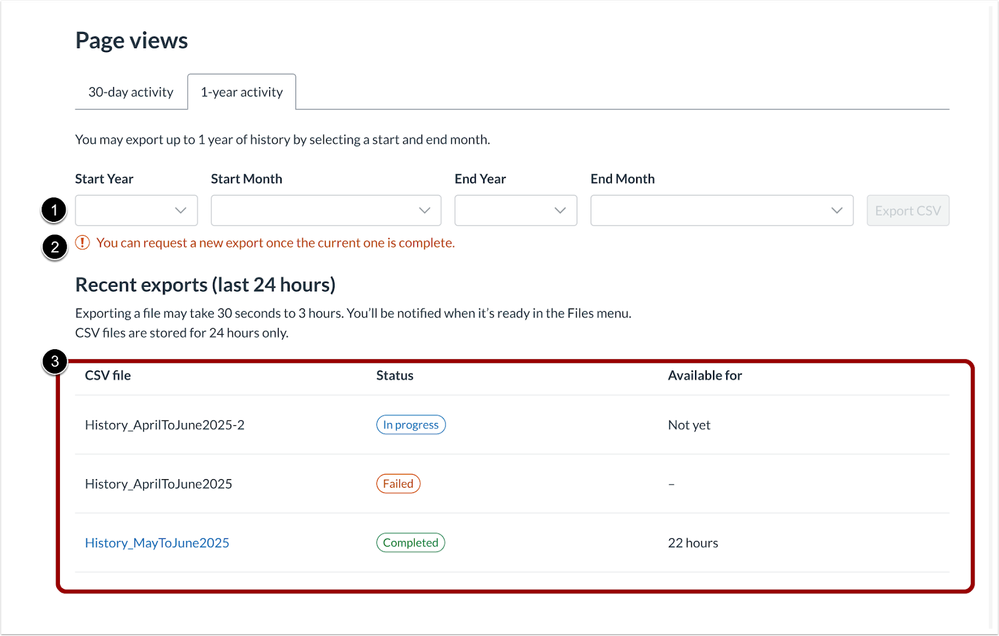
- CSV Export Requests: The interface prevents starting a new CSV export for the same user while a previous request is still processing. An on-screen indicator displays the status of the active request.
- Notifications: Canvas displays a notification when CSV results are ready for download.
These changes streamline the CSV export process, prevent duplicate queries, and provide clearer feedback when results are ready.
In the 30-day activity tab, page views for the most recent 30 days displays.

In the 1-year activity tab, admins can select a month and year to generate a CSV file [1]. If a request for the same month is already in progress, an on-screen indicator shows its status [2]. CSV exports from the last 24 hours are displayed in the table [3], allowing admins to easily track the progress and view the results of each request.
SpeedGrader – Multi-Select Section Filter with Checkboxes
Production Environment Availability: 9/24/2025
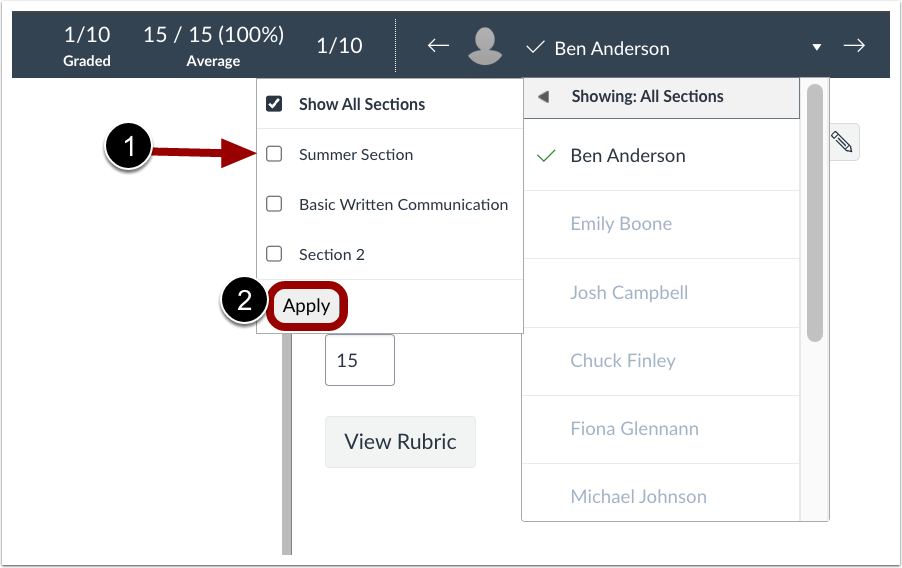
In SpeedGrader, checkboxes are added to sections, allowing instructors to filter submissions by multiple sections at once. This update allows instructors to filter student submissions by multiple sections at once, making it easier to manage and grade students across different groups.
To filter sections, select the desired section checkbox [1], then click the Apply button [2].