VCU Link Explained: Job Connections
VCU Link is the largest professional networking space that is home to over 10,000 VCU alumni. It’s your one-stop shop for career exploration and advancement.
The VCU Link Explained series walks you through the platform and shows you how you can make the most of this exclusive resource. In this article, you’ll learn about Job Connections, a feature that links job seekers with alumni who have real experience at the companies and in the roles they’re exploring, so you’re not just applying into the void.
What is Job Connections?
Did you know that as many as 80% of jobs are filled through networking? Job Connections was built with that in mind. Instead of scrolling through a generic job board, you’ll only see opportunities where someone in the VCU network has relevant experience, whether that’s at the company itself or in a similar role. That means every listing comes with a built-in connection who can give you real insight before you ever hit apply.
You can find Job Connections under the Jobs tab and on the profiles of job posters.
Searching for jobs
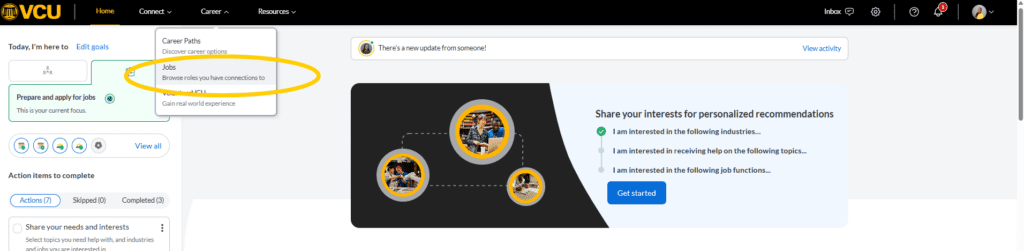
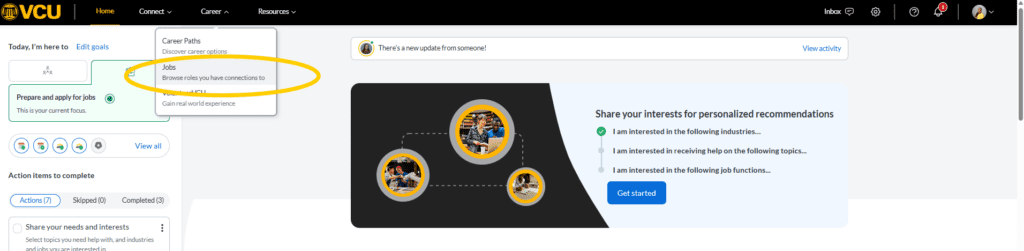
Step 1: Go to the Career tab in the top navigation bar and select Jobs from the dropdown menu.
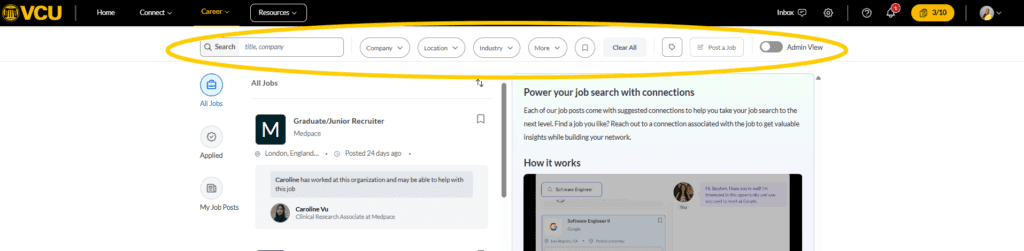
Step 2: Use the search bar at the top of the page to filter opportunities by company, location, industry or job type. You can also bookmark your search to come back to it later.
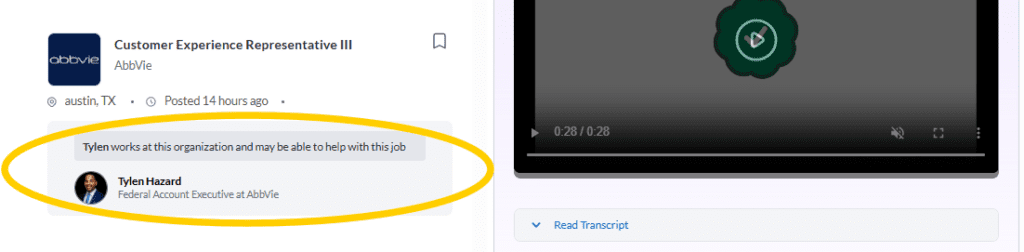
Step 3: Browse your results in the first column. Along with the job location and description, you’ll see a list of alumni matches who can help you learn more about the role or the company.
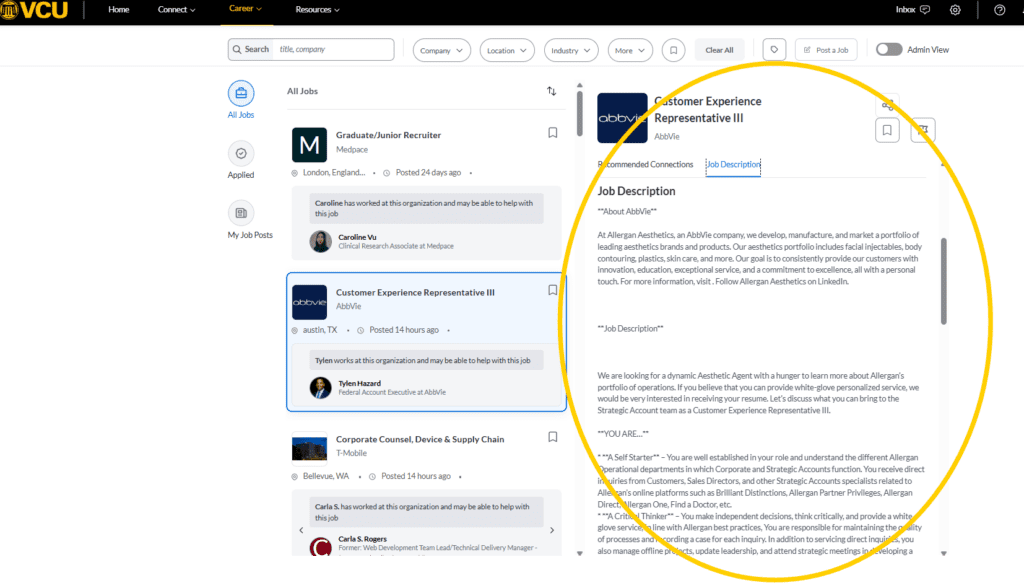
Step 4: Click on any listing to get the full details in the column to the right. Here you can read more about the opportunity, see your connection recommendations and send a message directly from the listing. Not sure what to say? Use one of the conversation starter prompts and a template will appear to help guide you.
Posting a job
If you’re an alum with an opportunity to share, here’s how to get it in front of the Ram community.
Step 1: Go to the Career tab in the top navigation bar and select Jobs from the dropdown menu.
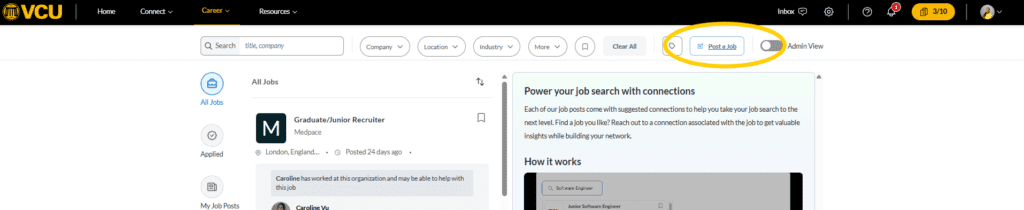
Step 2: Click the Post a Job button to the right of the search bar at the top of the page.
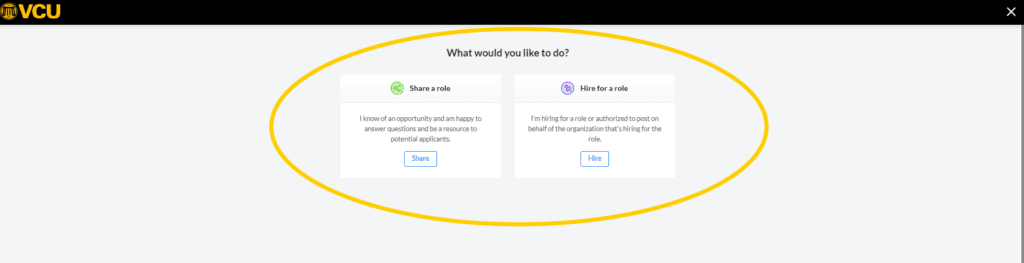
Step 3: Choose whether you’re referring a role or hiring for one. Not sure which to pick? Referring a role is the lighter lift. You’re simply passing along an opportunity at your company or in your field that a fellow Ram might be a great fit for. No applications to manage, no additional steps. Just share what you know and let the connection do the work. If you do choose to post a role for hiring, the platform will walk you through adding job details, requirements and how candidates should apply.
Why it matters that you’re here
Every alum who fills out their VCU Link profile becomes a potential resource for someone trying to land their next opportunity. Job Connections is one of the most direct ways to put your experience to work for the Ram community. Whether you’re posting a role, responding to a message or just keeping your profile current, you’re helping someone take their next step.
Your career path is exactly what someone in the VCU community is searching for right now.
Join VCU Link and connect with the Ram community
Categories Alumni