October, 2026 CIO Update
Well, it’s Halloween weekend, and if you’re following the news, you know that the current level and sophistication of cybersecurity threats is truly scary. With that in mind, I remind all of us as IT professionals to continue to be vigilant and to model and promote secure technology use. As you interact with those whom you support, please share the below information.
Pause, Verify, Report: Cybersecurity awareness is a team effort
October is Cybersecurity Awareness Month, a good reminder that protecting our VCU community starts with the choices each of us make every day. A suspicious message can arrive between classes, in the middle of a busy workday or when we’re checking our phones on the go. Taking a moment to stop and look more closely can make a real difference.
This fall, we saw another reminder of how convincing these messages can be when scammers impersonated VCU IT and tried to get students to share their login information and DUO codes. Threats like this are why our Information Security Office encourages a simple three step approach: Pause. Verify. Report.
- Pause: Urgency, threats, easy money, and secrecy are warning signs. Scammers want you rushed, scared, excited, or curious. Pause and verify the request using contact information you find independently.
- Verify: Contact the person or office through a known VCU website, directory entry, or phone number.
- Report: Send suspicious emails, texts, and screenshots to [email protected]. Check current alerts at https://blogs.vcu.edu/phishing/.
Scam Types commonly experienced by students
- SMS Text scam – Scammers attempt to text students, trying to convince them to send their DUO code to the scammer.
- Job Scam – Scammers pretend to be a faculty member or employer, offering students an “assistant job”, so they can steal students’ money through fraudulent checks.
- Party Invite scam – Scammers send a legitimate-looking “party invite” via email with a link that redirects the student to download software that grants the scammer remote access to the student’s computer.
- Helpdesk call scam – Scammers pretend to be the VCU helpdesk and call the student to request a DUO code.
- Login theft scam – Scammers send an email or text message to the student containing a “login link” to steal the student’s login credentials.
Cybersecurity Awareness Resources
This past month, our IT Support Center and TS IT interns have taken that conversation out onto campus. They recently led two phishing-awareness tabling events, creating opportunities to connect with members of our community face-to-face about staying safe online. Thank you to the teams who made those events possible!
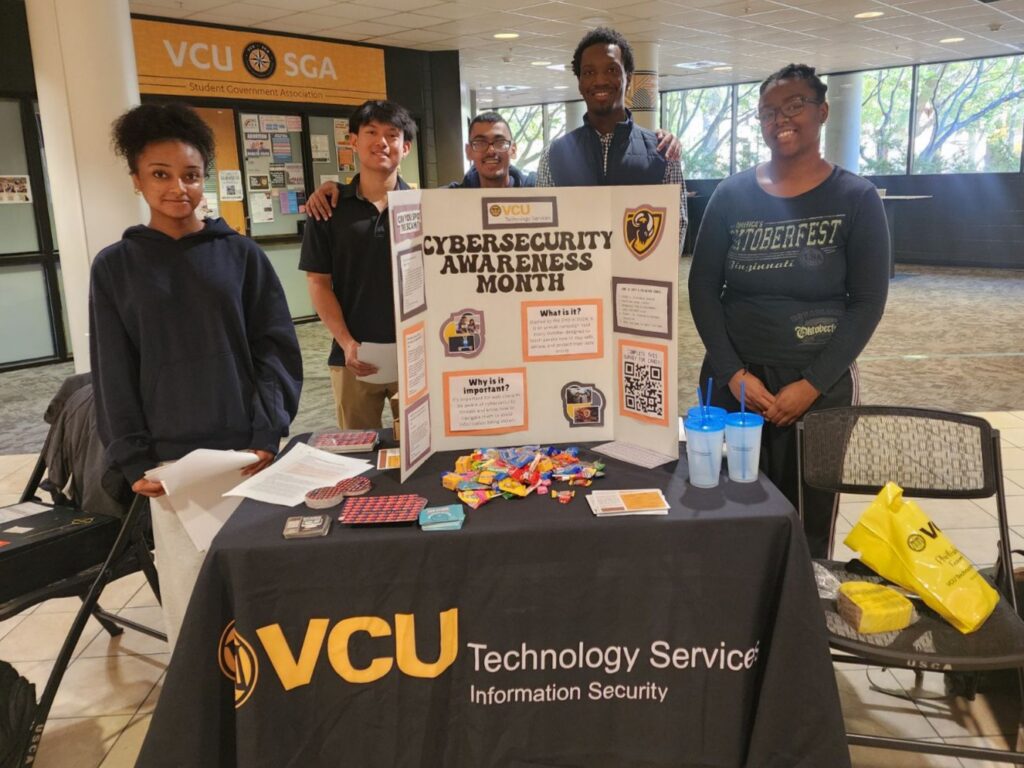

Cybersecurity awareness is most effective when it becomes part of our everyday conversations, not just something we think about when an alert appears in our inbox.
There are a few practical steps all of us can take:
- Protect your accounts: Use long, unique passwords or passphrases, and consider a password manager. Never share your VCU password or a Duo code. Only approve a DUO request when you have initiated the login.
- Keep your devices current: Install software updates, turn on automatic updates when possible, and lock your screen when you step away.
- Pause before you click: Be especially cautious with unexpected job offers, requests to complete forms, and messages that pressure you to act immediately.
- Report what you see: Forward suspicious emails or send details of suspicious texts to [email protected]. If you’ve already shared a password or DUO code, change your VCU password immediately and report what happened. You can also contact the IT Support Center at 804-828-2227 or [email protected].
You can find more guidance on the VCU Information Security Office’s security awareness page and see examples of current scams on the VCU Phishing Net blog. As Cybersecurity Awareness Month comes to a close, I hope we’ll carry these habits into the rest of the year. Thank you for looking out for your own information and for your fellow Rams.
Alex